Best Genogram Software 2026
We tested 10 genogram tools to find the best options for therapists, social workers, students, and researchers. Here's our complete comparison.
Last updated: January 15, 2026 | 10 tools reviewed | Based on features, pricing, ease of use, and clinical suitability
The best genogram maker in 2026 is GenogramAI. It is the only dedicated genogram tool with AI text-to-genogram and image-to-genogram generation, supports the most complete McGoldrick standard library (58 relationship types, 9 gender types, 21 medical categories, 12 cultural patterns), is free to start (2 genograms, no credit card), and runs on web, macOS, and Windows. GenoPro is a reasonable second choice for users who specifically need offline Windows-only desktop software with a one-time license. General diagramming tools like Lucidchart, Creately, Canva, Venngage, EdrawMax, and SmartDraw are not recommended for clinical genograms because they lack the standardized symbol library and emotional relationship notation that genogram methodology requires.
Quick Picks by Category
What to Look for in Genogram Software
Not all diagramming tools can make genograms. Clinical genogram software requires specific capabilities that general tools lack. Here are the eight criteria that matter most.
1. McGoldrick Standard Symbol Library
The foundation of any clinical genogram is standardized notation. Look for software that supports the full McGoldrick-Gerson-Petry symbol set: 9 gender types (male, female, transgender male/female, non-binary, intersex, unknown, other, pet), 6 vital status markers (alive, deceased, pregnancy, miscarriage, stillbirth, abortion), and proper placement conventions. Software that only offers squares and circles is not genogram software — it is a diagramming tool with genogram templates. GenogramAI supports all 9 gender types and 6 status markers out of the box.
2. Complete Relationship Types
Genograms require two distinct layers of relationships: structural (marriage, divorce, cohabitation, separation, etc.) and emotional (close, conflict, fused, distant, hostile, cutoff, abuse, etc.). The best software supports 20+ structural types and 30+ emotional types with proper line notation — solid lines, dashed lines, zigzag lines, directional arrows, and combined patterns. GenogramAI supports 22 structural and 38 emotional relationship types (58 total), making it the most complete tool available.
3. Medical History Tracking
Medical genograms need a way to indicate health conditions for each family member — typically through color-coded quadrants on the person symbol. Look for software with predefined medical categories (cardiovascular, cancer, diabetes, mental health, substance use, neurological, autoimmune, etc.) and the ability to add custom conditions. The quadrant system should support multiple conditions per person with distinct colors. GenogramAI offers 21 medical categories with color-coded quadrants and three status indicators (active, recovery, suspected).
4. AI-Powered Generation
The newest differentiator in genogram software is AI. Tools with AI generation let you describe a family in plain language and receive a complete genogram with correct symbols, relationships, and structure. This dramatically reduces construction time from hours to minutes. The best AI genogram tools also support image-to-genogram conversion (photographing hand-drawn diagrams), GEDCOM import, and AI-powered pattern analysis. GenogramAI is the only dedicated genogram tool with full AI generation, including text-to-genogram, image recognition, and AI insights.
5. Export and Sharing Options
Consider what you need to do with finished genograms. Clinical documentation typically requires PDF export. Academic presentations benefit from high-resolution PNG or scalable SVG. Genealogy work may need GEDCOM export for compatibility with other tools. The best software offers multiple formats and lets you control resolution, branding, and legend inclusion.
6. Data Security and Privacy
Genograms contain sensitive family data — mental health histories, substance use, affairs, abuse patterns. If you are a clinician, HIPAA compliance matters. Look for encryption (ideally zero-knowledge, where the server never sees your data), the option for local-only storage, and clear privacy policies about how data is handled. GenogramAI's Clinical plan offers AES-256 zero-knowledge encryption and optional local-only storage.
7. Platform Compatibility
Many legacy genogram tools (GenoPro, Genogram Analytics) are Windows-only desktop applications. If you use a Mac, Chromebook, or iPad, these tools require workarounds like virtual machines. Web-based tools run on any device with a browser, eliminating compatibility issues. The trade-off: web tools typically require an internet connection, though some offer offline modes.
8. Pricing and Value
Pricing models vary widely: one-time purchase (GenoPro), freemium with limits (GenogramAI), monthly subscription (Lucidchart, Creately), or enterprise licensing. Students should look for free tiers or educational discounts. Clinicians should weigh the cost against the security features included. The best value is a tool that covers your clinical needs without paying for features designed for general diagramming.
Feature Comparison at a Glance
| Software | Rating | AI | Cloud | Mobile | Collab | Offline | Price |
|---|---|---|---|---|---|---|---|
GenogramAI | 4.9 | Free (2 genograms) | |||||
GenoPro | 4.2 | $49 one-time purchase | |||||
Lucidchart | 4 | Free (limited) | |||||
EdrawMax | 3.9 | $99/year or $245 perpetual license | |||||
SmartDraw | 3.8 | Individual $9.95/mo | |||||
Creately | 3.7 | Free (3 docs) | |||||
Genogram Analytics | 3.6 | $39 one-time purchase | |||||
Visual Paradigm | 3.5 | Modeler $6/mo | |||||
Canva | 3.3 | Free | |||||
MyHeritage | 3.2 | From $179/year |
Detailed Software Reviews
In-depth analysis of each genogram software option, including features, pros, cons, and pricing.
Best Overall & Best AI-Powered
The most advanced genogram software in 2026, featuring AI-powered creation from natural language descriptions. Create professional genograms in minutes instead of hours.
Pros
- AI creates genograms from text descriptions
- 58 relationship types with McGoldrick notation
- Cloud sync across all devices
- Native macOS & Windows desktop apps
- AES-256 encryption for data security
- Real-time collaboration (Pro+)
- Export to PNG, PDF, JSON
Cons
- Newer platform (launched 2024)
- Free tier limited to 2 genograms
Therapists, social workers, students, and anyone who wants to create genograms quickly with AI assistance
Free (2 genograms) | Pro $12/mo | Clinical $29/mo
Best Legacy Desktop Software
The original genogram software, established in 1998. Purpose-built for detailed genograms with extensive customization options. Desktop-only with no cloud features.
Pros
- Genogram-focused since 1998
- Extensive customization options
- One-time purchase (no subscription)
- Works completely offline
- Detailed HTML report generation
Cons
- Windows-only (no Mac/mobile)
- No AI features
- No cloud sync or collaboration
- Dated user interface
- No real-time collaboration
Researchers and genealogists who need detailed offline desktop software and don't mind an older interface
$49 one-time purchase
Best for Enterprise Teams
Popular cloud-based diagramming platform with genogram templates. Strong collaboration features but not genogram-specialized.
Pros
- Excellent real-time collaboration
- Integrates with Google/Microsoft/Slack
- Cloud-based accessibility
- Strong enterprise security
Cons
- Not genogram-specialized
- Limited genogram symbol library
- No AI features for genograms
- Expensive for individual users
- Generic family tree templates
Teams already using Lucidchart who occasionally need basic genograms
Free (limited) | Individual $7.95/mo | Team $9/user/mo
Best Multi-Purpose Diagramming
Comprehensive diagramming software supporting genograms alongside 280+ other diagram types. Good for users who need versatility.
Pros
- 280+ diagram types in one tool
- Cross-platform (Windows, Mac, Linux, Web)
- Pre-designed genogram templates
- One-time purchase option available
Cons
- Not genogram-specialized
- Limited emotional relationship symbols
- No AI features
- Cluttered interface with too many options
- Annual subscription is expensive
Users who need various diagram types beyond genograms
$99/year or $245 perpetual license
Best for Office Integration
General-purpose diagramming tool with strong Microsoft Office and Google Docs integration. Basic genogram support through family tree templates.
Pros
- Excellent Office integration
- Automatic formatting
- Cloud and desktop access
- Easy to learn interface
Cons
- Limited genogram-specific features
- No emotional relationship symbols
- No AI assistance
- Basic family tree only
- Subscription-based pricing
Business users who need basic family diagrams integrated with Office documents
Individual $9.95/mo | Team $8.25/user/mo
Best for Visual Collaboration
Cloud-based visual collaboration platform with genogram templates. Strong real-time collaboration but limited genogram-specific symbols.
Pros
- Real-time collaboration
- Infinite canvas workspace
- Ready-made templates
- Affordable pricing
Cons
- Limited genogram symbol library
- No AI features
- Basic emotional relationships only
- No McGoldrick notation
- Cloud-dependent
Teams needing visual collaboration on various diagrams including basic genograms
Free (3 docs) | Personal $5/mo | Team $8/user/mo
Best for Clinical Research
Specialized desktop software for professionals needing detailed family dynamic analysis with advanced attribute tracking.
Pros
- Professional-grade interface
- Advanced attribute tracking
- Snapshot functionality for temporal analysis
- Strong data security
Cons
- Steep learning curve
- Desktop-only
- No cloud sync
- No AI features
- Higher pricing
Clinical researchers performing in-depth family system analysis
$39 one-time purchase
Best for Technical Users
Comprehensive modeling tool with genogram capabilities. Powerful but complex, designed for users familiar with technical diagramming.
Pros
- Flexible customization
- Multi-user collaboration
- Cloud-based platform
- Various export formats
Cons
- Steep learning curve
- Overwhelming interface
- Not genogram-focused
- No AI features
- Limited genogram symbols
Technical users comfortable with complex modeling software
Modeler $6/mo | Standard $19/mo | Professional $35/mo
Best for Visual Design
Popular design platform with family tree templates. Easy to use but lacks proper genogram symbols and clinical notation.
Pros
- Extremely easy to use
- Beautiful visual templates
- Free tier available
- Works on any device
Cons
- Not designed for genograms
- No clinical genogram symbols
- No emotional relationship notation
- Family tree templates only
- Not suitable for clinical use
Casual users wanting visually appealing family diagrams (not clinical genograms)
Free | Pro $15/mo
Best for Genealogy Research
Comprehensive genealogy platform with family tree building and DNA integration. Focused on ancestry research, not clinical genograms.
Pros
- 33+ billion historical records
- DNA testing integration
- Photo enhancement features
- Global genealogy community
Cons
- Not genogram software (family tree only)
- No emotional relationship symbols
- No clinical notation
- Expensive subscription
- Designed for genealogy, not therapy
Genealogy enthusiasts researching ancestry (not for clinical genograms)
From $179/year
How We Tested These Tools
Our evaluation methodology for rating genogram software.
Ease of Use
Time to create a 3-generation genogram with emotional relationships
Feature Depth
Symbol library, relationship types, clinical notation support
Value for Money
Features vs price, free tier limitations, subscription costs
Security
Data encryption, privacy policies, HIPAA readiness
Frequently Asked Questions
What is the best genogram software in 2026?
What is the best free genogram software?
What software do therapists use for genograms?
Is GenoPro still the best genogram software?
Can I create a genogram in Word or PowerPoint?
What's the difference between genogram software and family tree software?
Which genogram software has the best symbol library?
Is there genogram software for Mac?
Related Genogram Resources
Ready to Create Your First Genogram?
GenogramAI is the best genogram software for most users in 2026. Try it free and create your first AI-powered genogram in minutes.
Free tier includes 2 genograms. No credit card required.
158 Genogram Examples & Templates
Browse real genogram examples — from clinical case studies to famous families. Use any as a starting template for your own genogram. Every example is generated using the McGoldrick-Gerson-Petry 4th edition standard with full symbol notation.
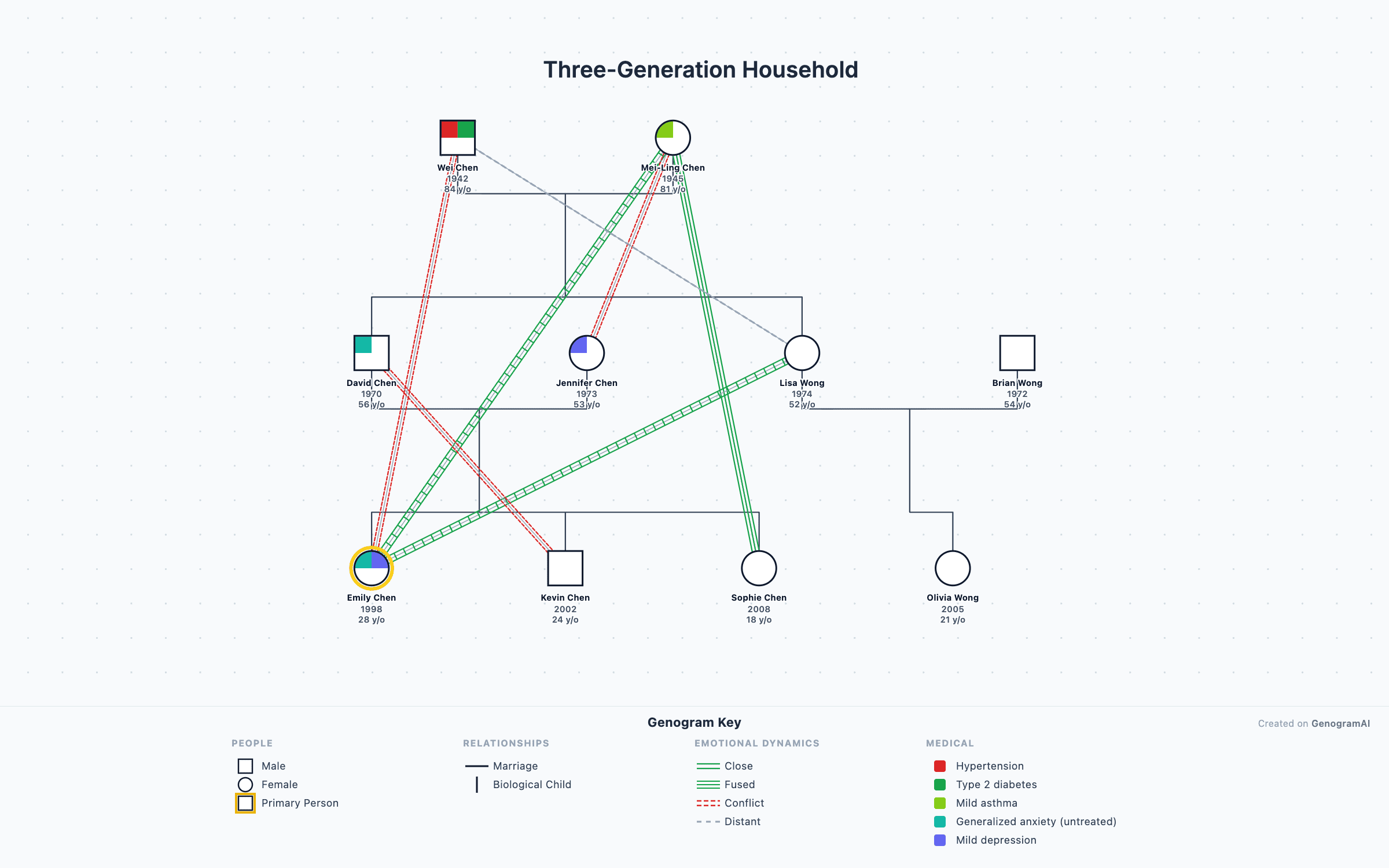
3-Generation Family Genogram
Classic three-generation genogram with marriage, children, and grandchildren — the standard layout used in family therapy assessment.
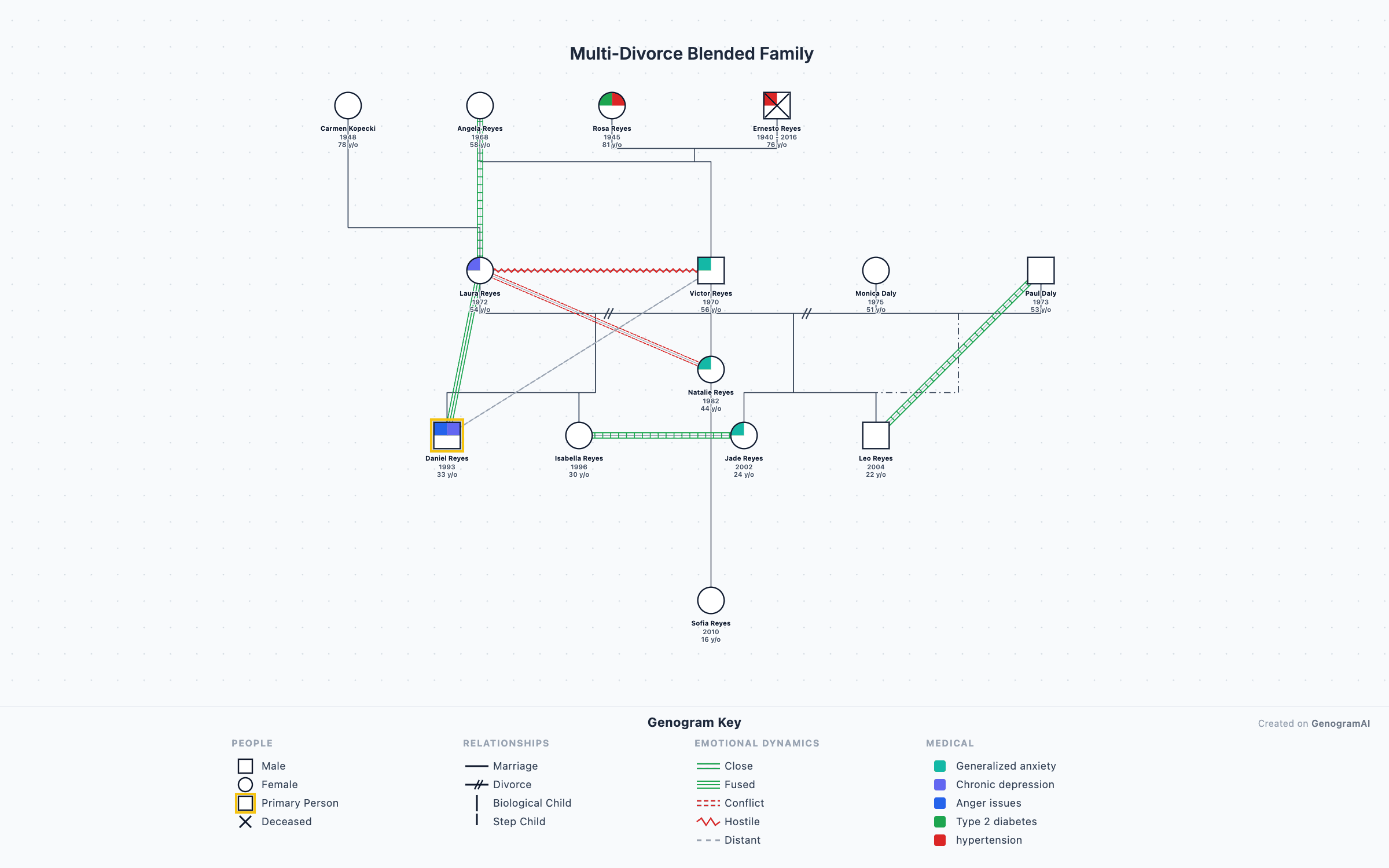
Blended Family Genogram
Step-parents, half-siblings, and multiple marriages mapped across generations using McGoldrick blended-family notation.
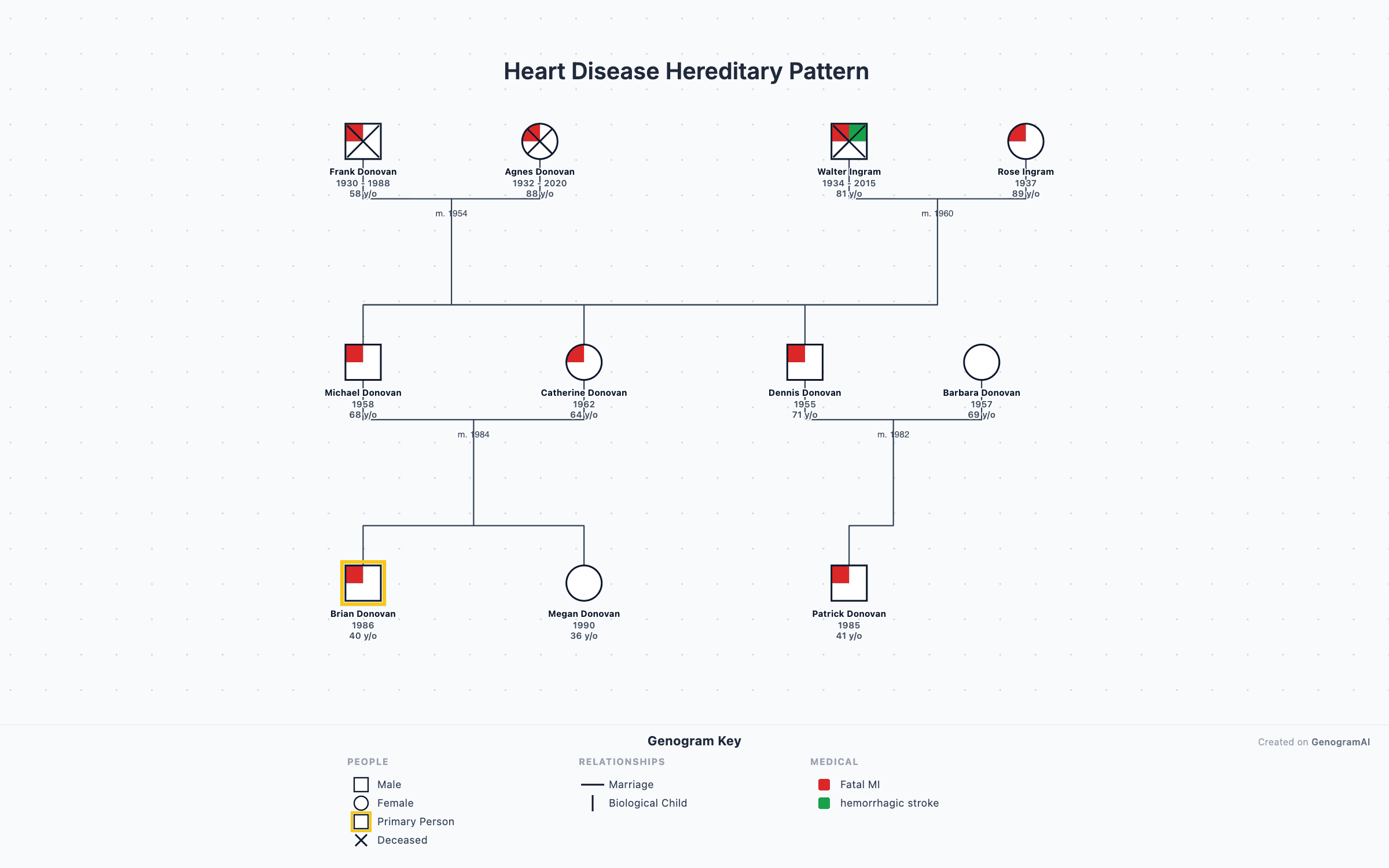
Medical Family History Genogram
Track hereditary conditions like heart disease, cancer, and diabetes with the four-quadrant medical notation system.
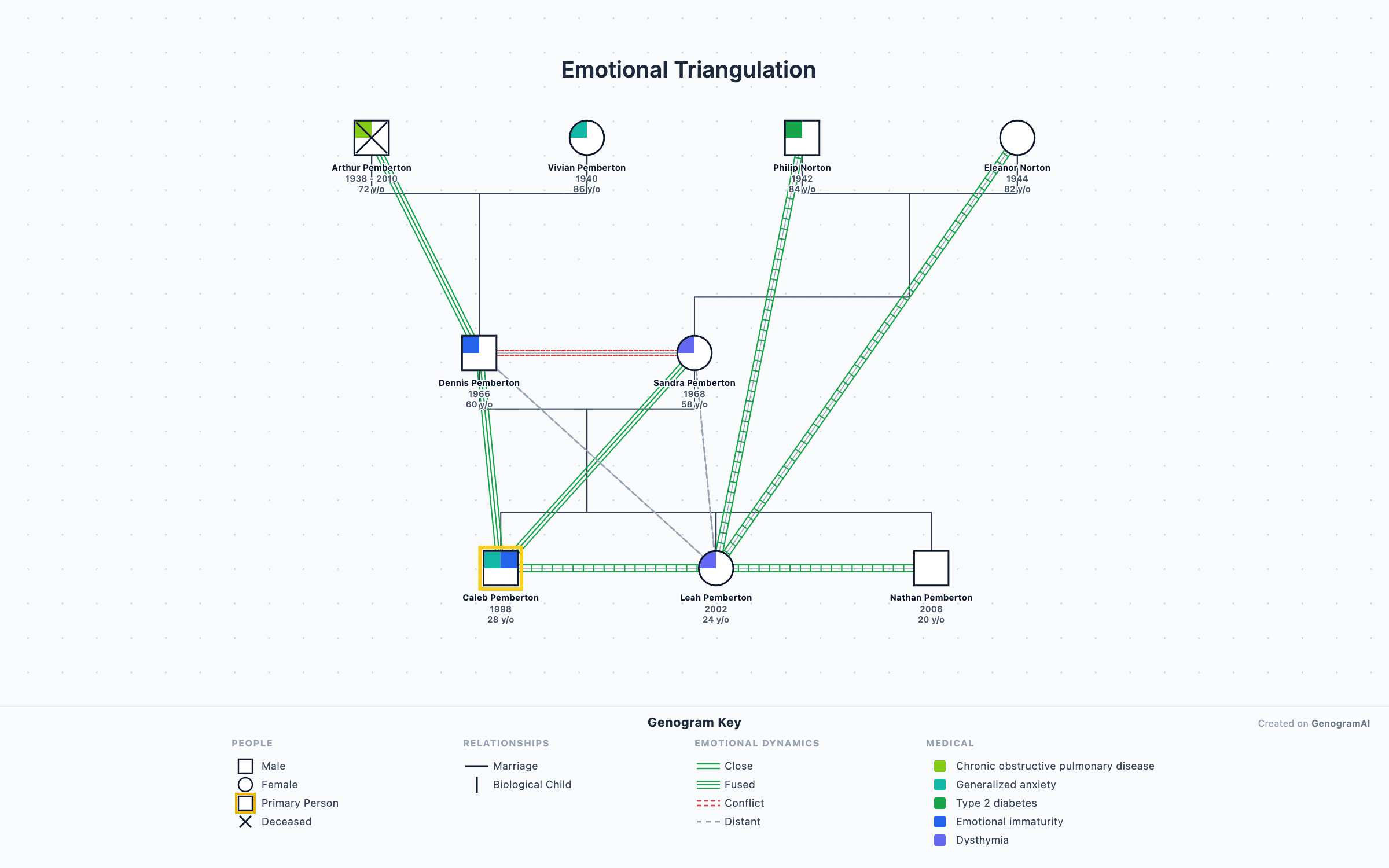
Emotional Patterns Genogram
Map conflict, enmeshment, cutoff, and closeness with 38 emotional relationship overlays from the McGoldrick standard.
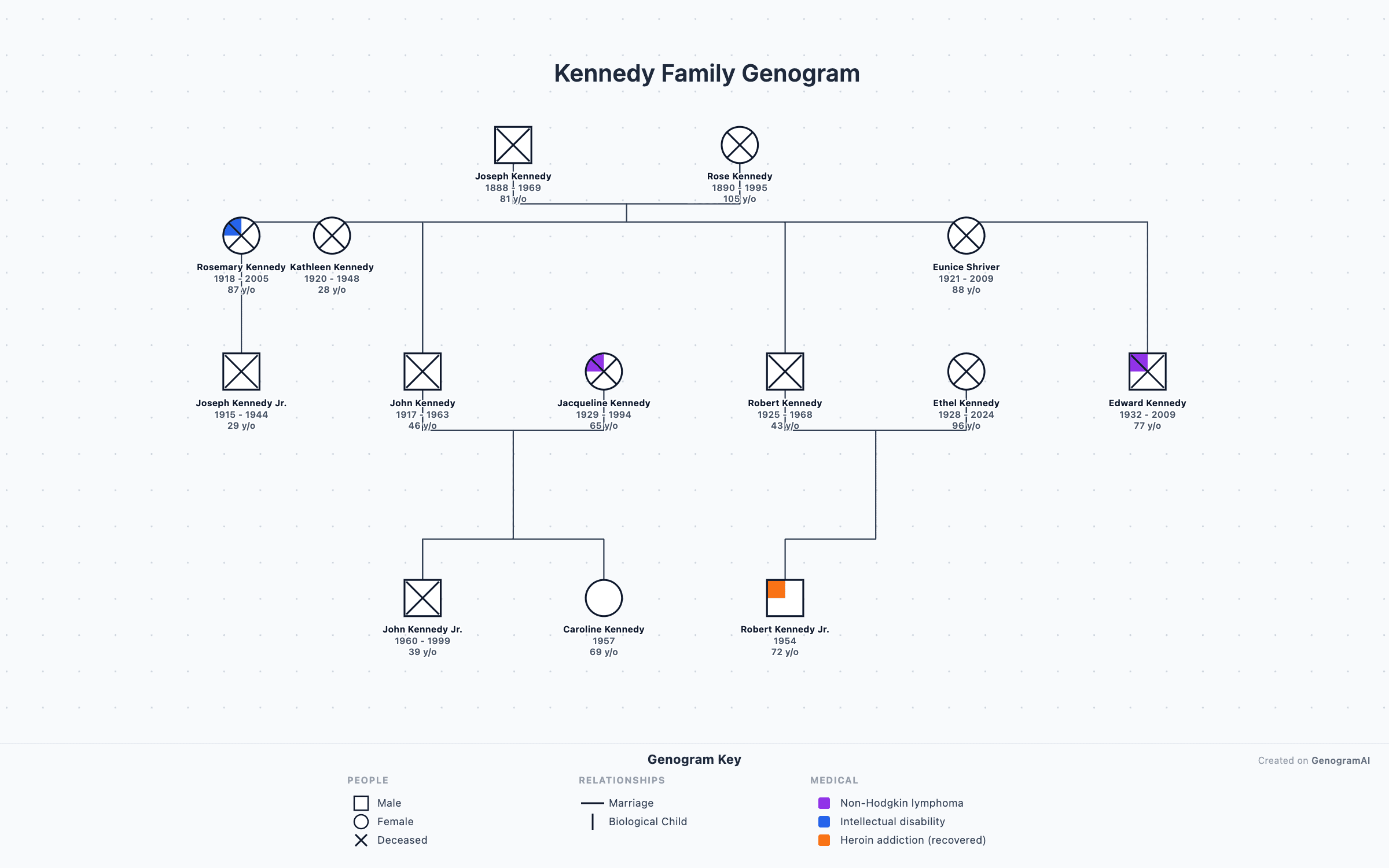
Kennedy Family Genogram
The Kennedy political dynasty mapped across four generations — a teaching example for genogram construction.
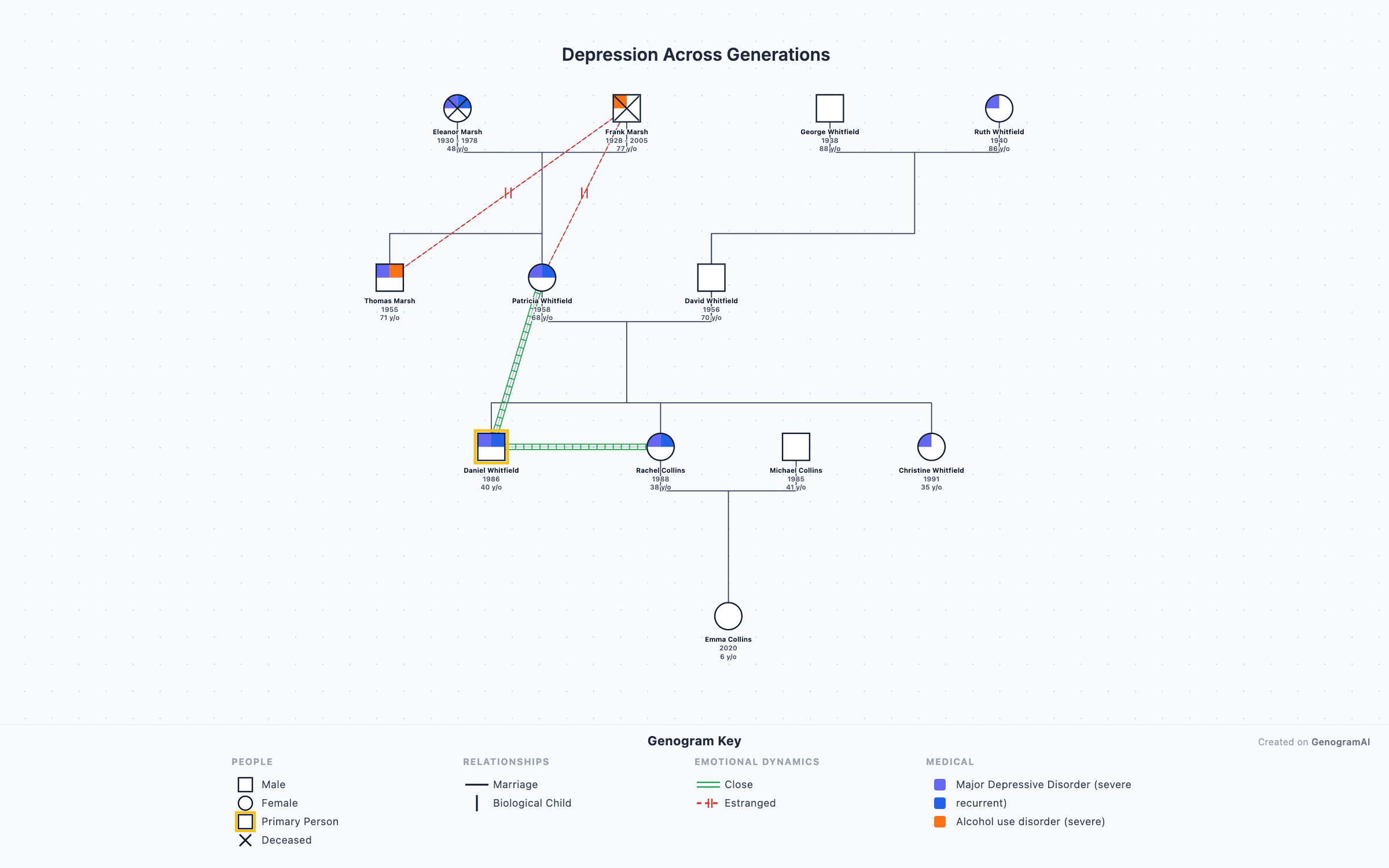
Depression Across Generations
Multigenerational transmission of depression and mood disorders visualized using clinical genogram symbols.
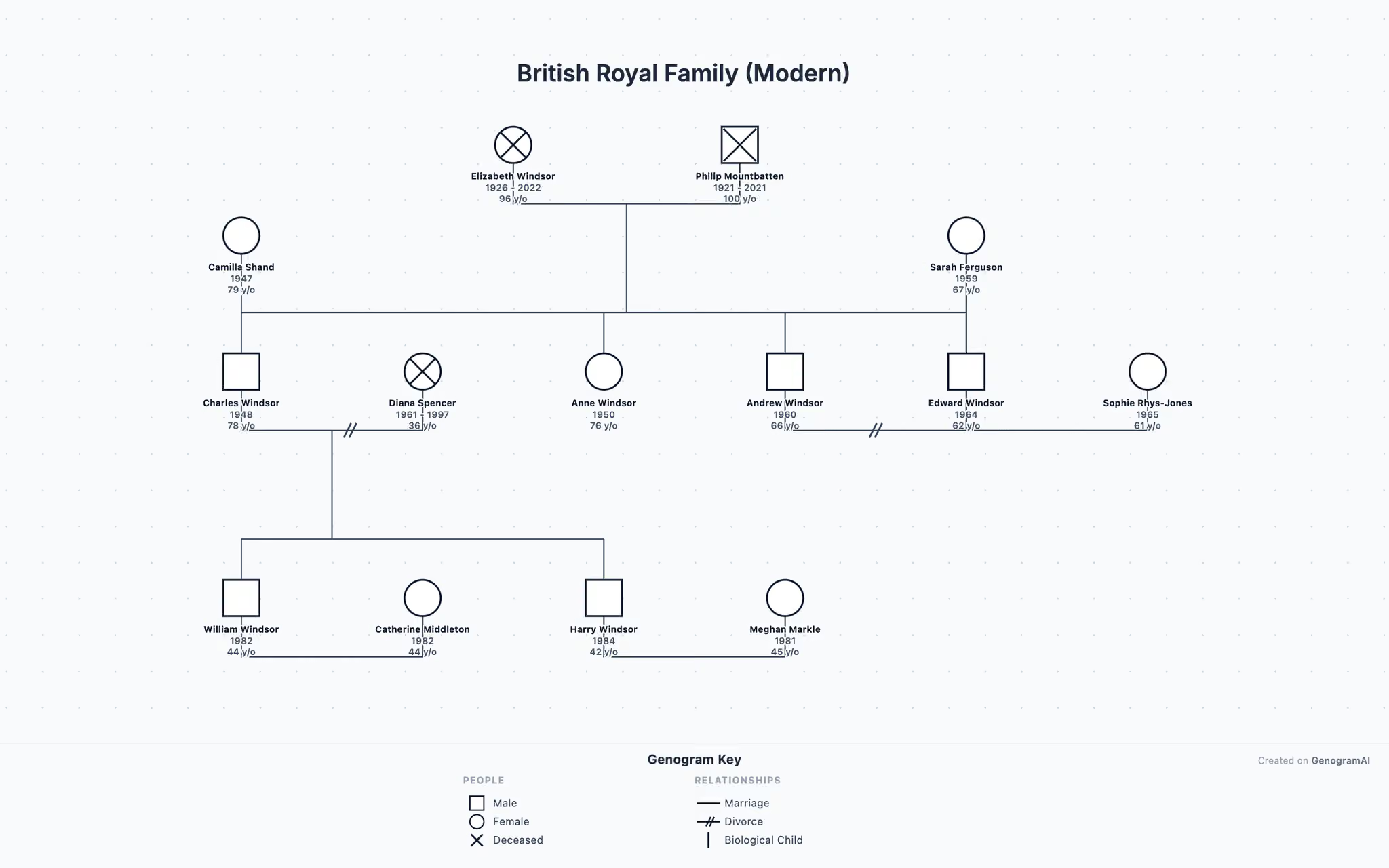
British Royal Family
The modern British royal family from Elizabeth II to present — useful as a template for complex multigenerational genograms.
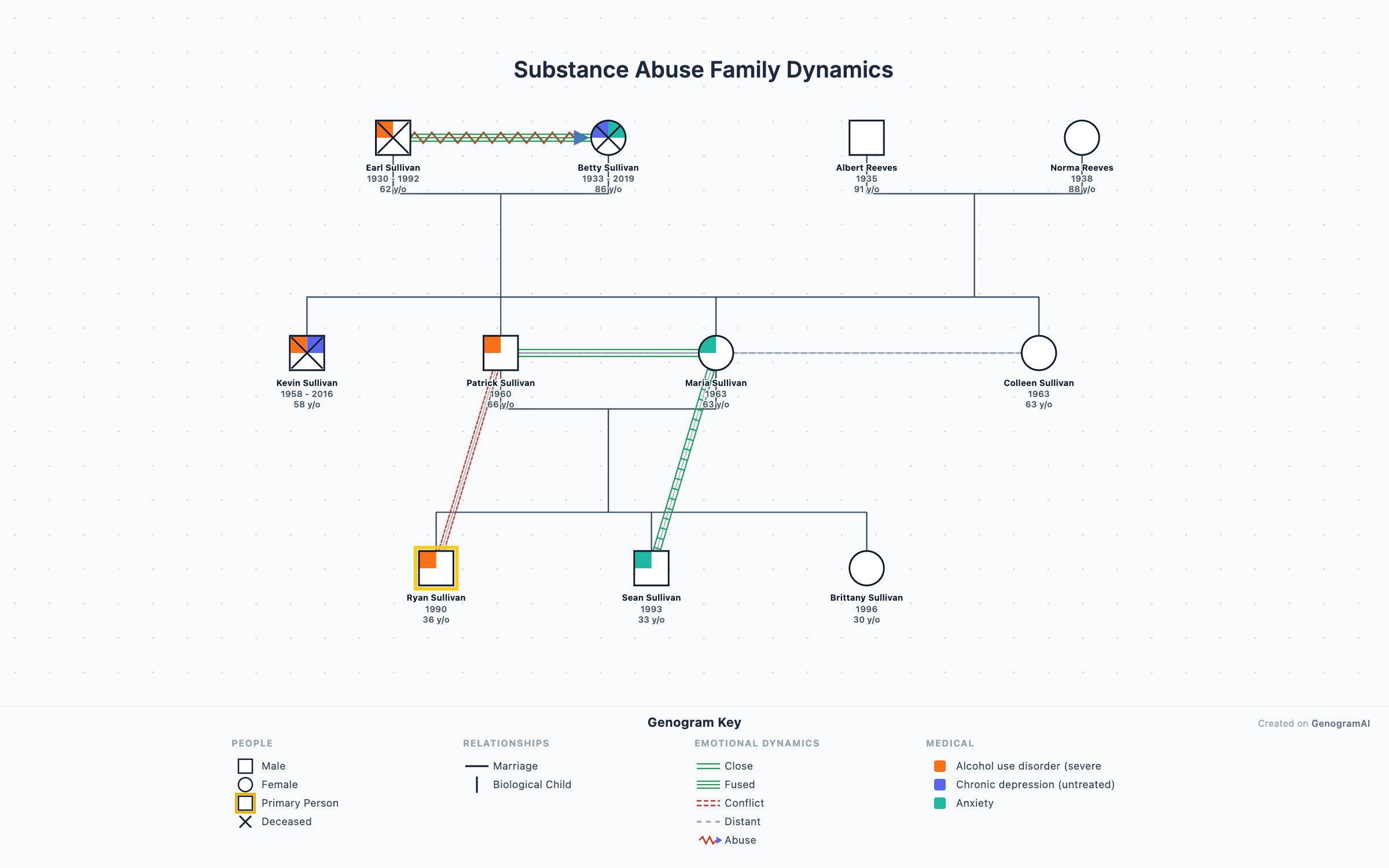
Substance Abuse Dynamics
Family patterns around addiction, codependency, and recovery — clinical genogram example for therapy training.