Designed to run natively. Built to stay secure.
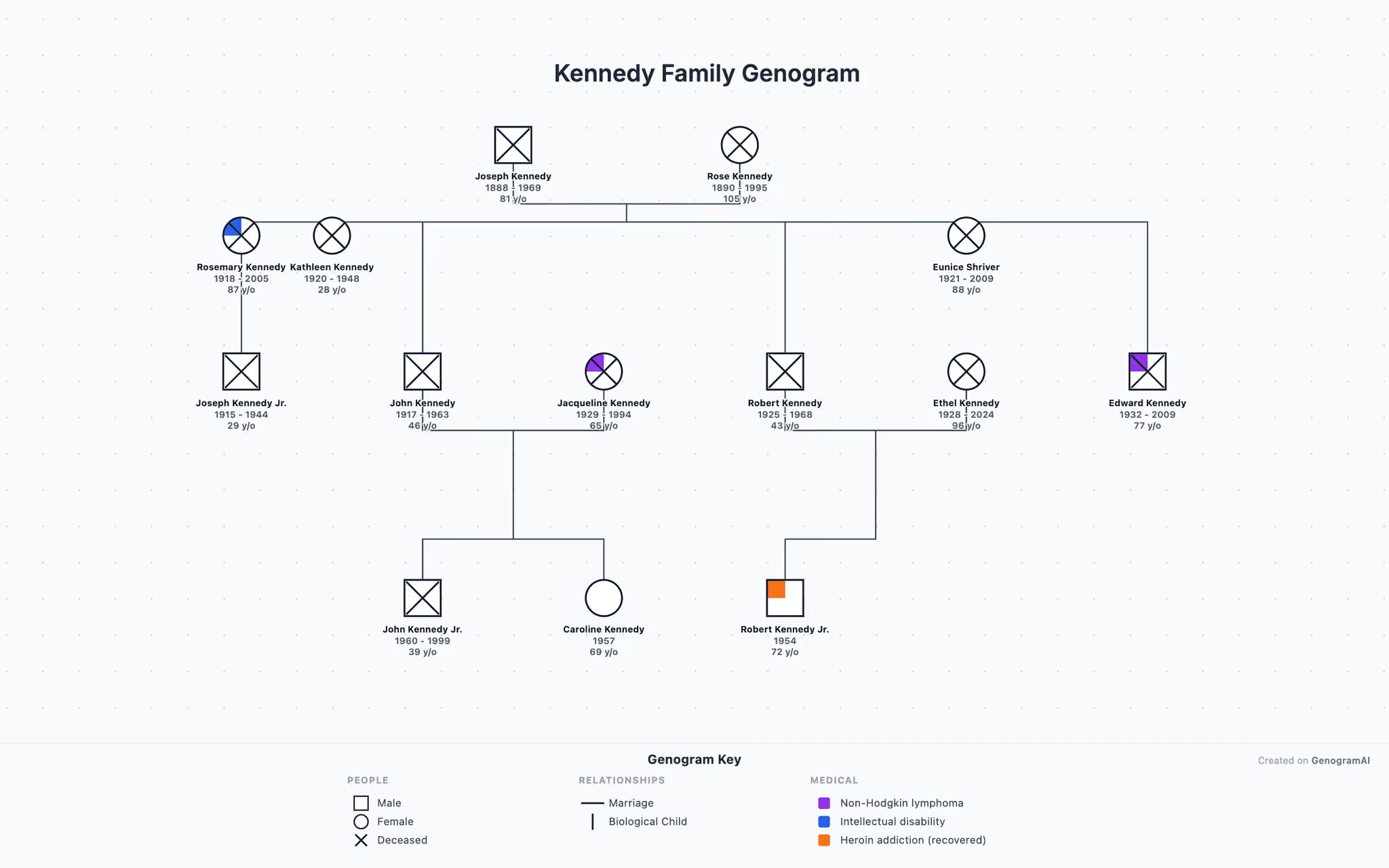
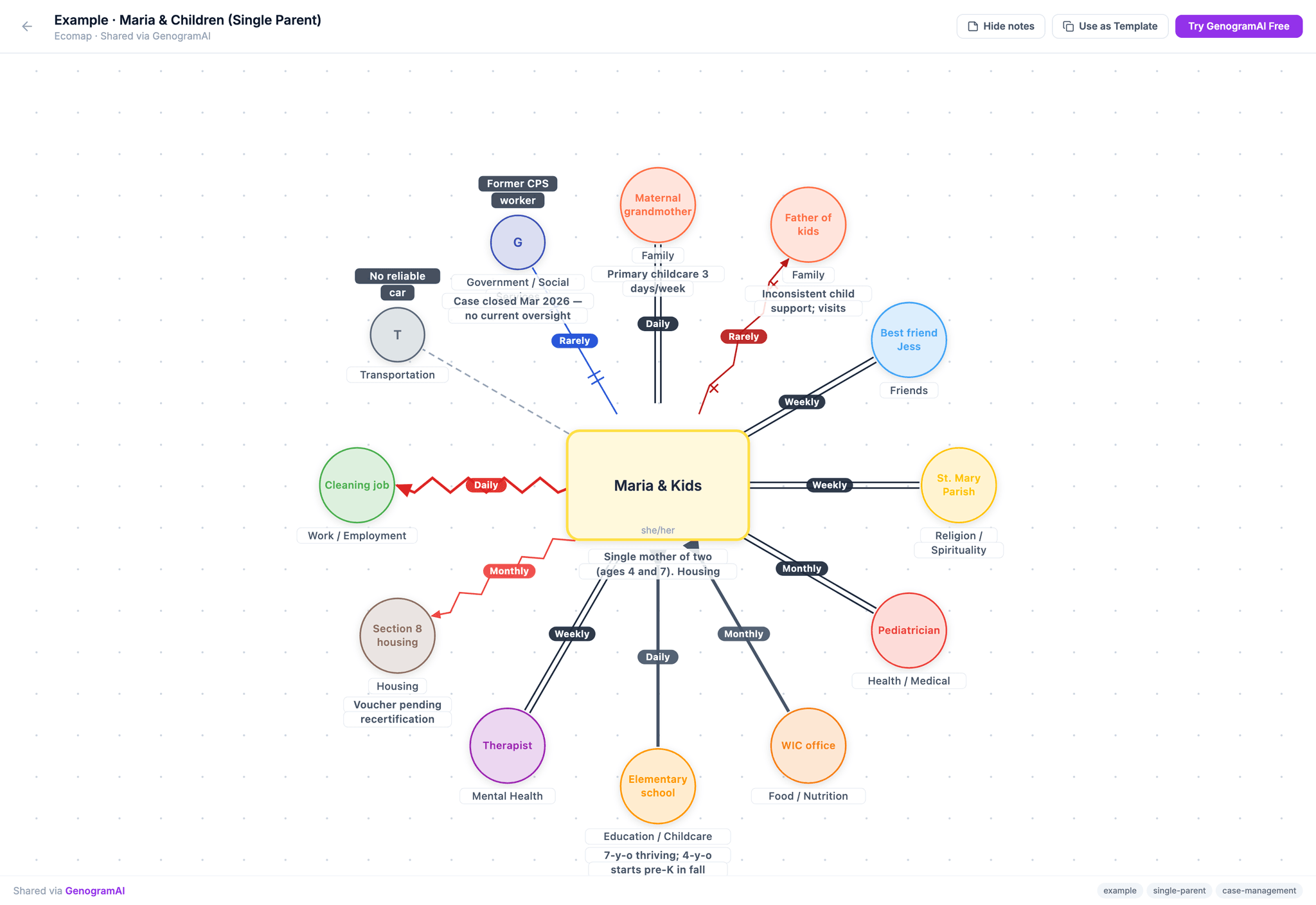
Native macOS. Client data stays on your machine. Build three-generation genograms with the full McGoldrick symbol set — and ecomaps when you need them — using the same canvas as the web app, online or off.
macOS 12+ · Apple Silicon & Intel · ~95–102 MB
GenogramAI
Desktop App
Create New
Blank Genogram
Start from scratch
Blank Ecomap
Map social connections
Open File
Browse local files
Local Files
SecureSmith Family
Today
Garcia 3-Gen
Yesterday
Maria & Children
3 days ago
Reynolds Family
1 week ago
Jamal · Recovery
2 weeks ago
Edith · Elder
3 weeks ago
Data leaves your Mac
Never
Files in ~/Documents
Works offline
Always
After first sign-in
Signed by Apple
Yes
Developer ID + notarized
Your client data stays where you saved it.
Every genogram and ecomap is a real file in your Documents folder. Back it up to your own Time Machine, sync it through your own iCloud, version it in git if you want. The app doesn’t upload anything by default.
Plaintext JSON in your Documents
.genogram.json and .ecomap.json files you can open, archive, or move between machines without our app installed
No-network editing
Open, edit, save — fully offline. License re-verifies next time you have signal
Clinical Mode strips PHI before any AI call
On the Clinical plan only, AI features deidentify client names + locations client-side before a single byte leaves your machine
GenogramAI/
├─ Smith-family.genogram.json
├─ Garcia-three-generation.genogram.json
├─ Maria-Children.ecomap.json
├─ Edith-elder-isolation.ecomap.json
└─ Jamal-recovery.ecomap.json

$ ls -la
-rw-r--r--  Smith-family.genogram.json
-rw-r--r--  Garcia-three-generation.genogram.json
-rw-r--r--  Maria-Children.ecomap.json
...
Native, top to bottom.
One-click backup
Zip your entire library and store it wherever you want. Restore on a new Mac in 30 seconds.
Native shortcuts
Cmd+S, Cmd+Z, Cmd+F — everything works the way you expect. Real menu bar, real dock icon.
Apple Silicon native
Built for M-series Macs from the ground up. Intel binary available for older machines.
Designed to support both genograms and ecomaps.
Desktop or web?
Both run on the same backend. The desktop app exists for clinicians who can’t use cloud-based tools at all.
| Feature | Desktop | Web |
|---|---|---|
| Where files live | ~/Documents (your Mac) | Encrypted in Supabase |
| Works offline | Yes, fully | Read-only when offline |
| Access on another device | Copy the file | Sign in anywhere |
| AI generation | Clinical plan only | Pro and Clinical |
| HIPAA-conscious data handling | Native | Clinical Mode + RLS |
| Public sharing links | Via web export | Built in |
| Auto-update | Manual (re-download) | Always latest |
Built for clinicians, not consumers.
System requirements
macOS
- macOS 12 Monterey or later
- Apple Silicon (M1/M2/M3/M4) or Intel
- 4 GB RAM minimum, 8 GB recommended
- 500 MB disk space
- Active Pro or Clinical plan
Frequently asked
Is the desktop app free?+
Does it really work offline?+
Does my client data leave my Mac?+
~/Documents/GenogramAI/ and are never uploaded. AI features (Clinical plan only on desktop) optionally send de-identified prompts to our model proxy; in Clinical Mode, identifying info is stripped client-side before a single request leaves your machine.When will Windows be available?+
What if I'm on an older Intel Mac?+
Ready when you are.
Free download. Works with your existing Pro or Clinical subscription.
macOS 12+ · ~95–102 MB