Educator program
GenogramAI is free for educators
Quick answer
Everything in Pro, on the house
Unlimited AI credits
25 projects, unlimited people
Professional exports
No branding on exports
Share and embed
Priority support
How does Pro EDU compare with the Free and Pro plans?
| Free | Pro EDU | Professional | |
|---|---|---|---|
| Who it is for | Students and anyone starting out | Verified educators | Practitioners |
| Price | $0 | $0 for approved educators | $12/month or $99/year |
| Projects | 2 | 25 | 25 |
| AI credits | 5 a month (shared with eco-maps) | Unlimited | Unlimited |
| AI image import | No | Yes | Yes |
| Family tree file import (GEDCOM, GenoPro, CSV) | No | Yes | Yes |
| Exports | PNG | PNG, PDF, SVG, GEDCOM | PNG, PDF, SVG, GEDCOM |
| Branding on exports | GenogramAI watermark | Removable | Removable |
| Priority support | No | Yes | Yes |
How do educators apply?
- 1
Create a free account, or sign in
Any email address works. You do not need a .edu address, so district, .org, and international institutional addresses are all fine. - 2
Open the educator application
Tell us your institution, the course you teach, roughly how many students, and a public page that shows your role: a faculty or staff directory listing, a course page, or a syllabus with your name on it. - 3
We review by hand and switch you to Pro EDU
You will get a welcome email when it is done. Until then nothing on your account changes, so you can keep working on the free plan.
Who qualifies
- Professors, associate and assistant professors, and clinical faculty
- Lecturers, adjuncts, and instructors of record
- Teaching assistants running a section or lab
- Program directors and field education coordinators
- K-12 teachers and school counselors who teach with genograms
- Trainers running continuing education or supervision groups
How educators use GenogramAI in class
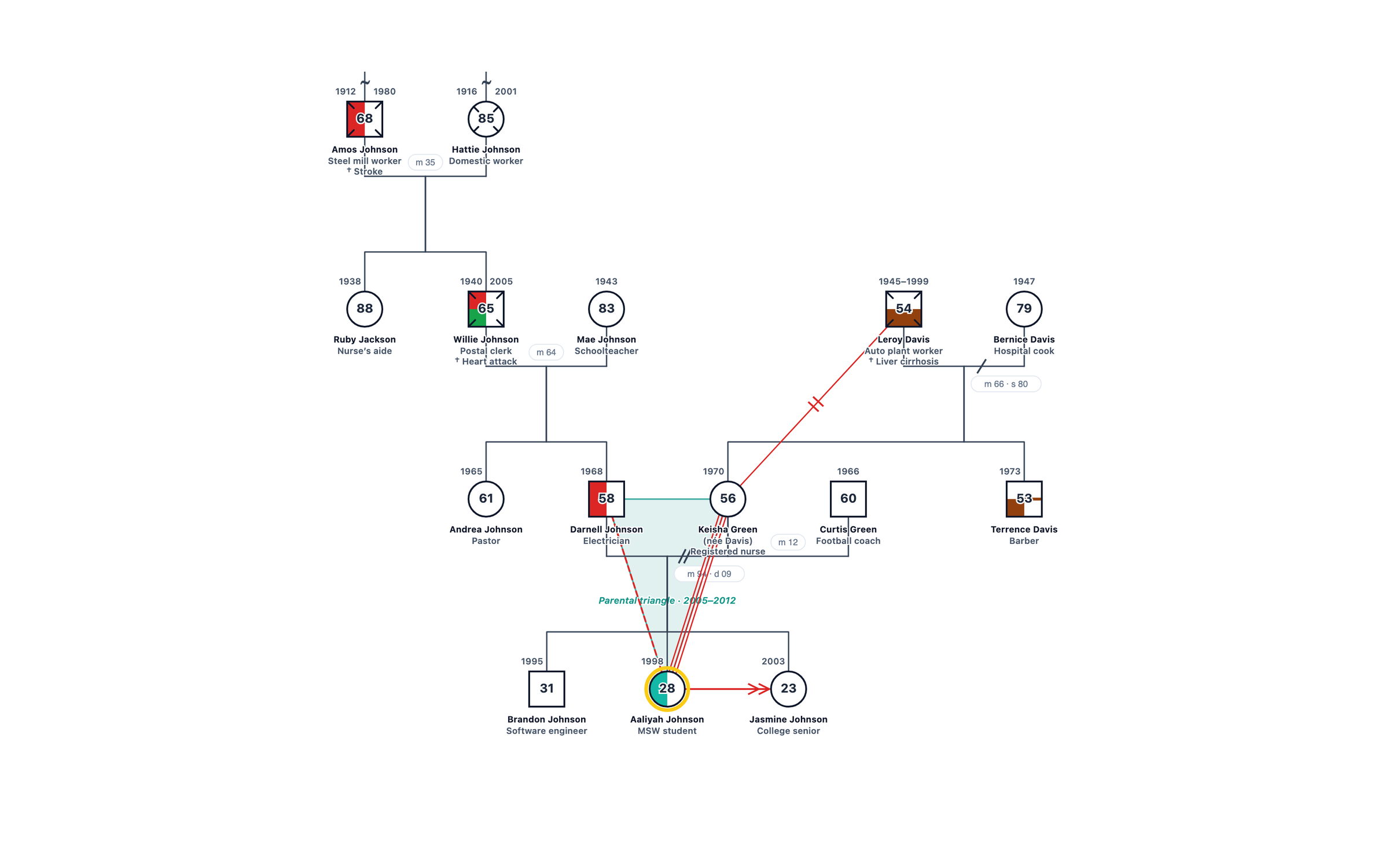
Live demonstrations
Assignment templates
Self-genogram assignments
Standard notation, every time
From paper to digital
Runs on anything
For your students
The free plan covers an assignment
- 2 projects with up to 50 people each
- 5 AI credits a month
- PNG export for submissions
- No credit card, nothing to install
If they want Pro
Students with an academic email address see a $29 first-year Pro rate inside the app, well below the regular Pro price. For a department or program-wide license, talk to us through the enterprise page.
Point students at the genogram assignment page for a walkthrough written for first-timers.
Free classroom resources
Frequently asked questions
Who qualifies for a free educator account?
Anyone who teaches with genograms: professors, associate and assistant professors, clinical faculty, lecturers, adjuncts, teaching assistants running a section, program directors, and K-12 teachers or school counselors who use genograms in the classroom. Students should use the free plan or the student rate instead.
Is it really free, and for how long?
Yes. Approved educators are moved to the Pro EDU plan at no charge, with no card on file. It does not expire while you are teaching. We may occasionally ask you to reconfirm your role.
How do you verify educator status?
We ask for a public page that shows your role: a faculty or staff directory listing, a course page, or a syllabus with your name on it. Applications are reviewed by a person, not a script, so if your institution does not publish a directory, a departmental page or a professional profile that lists your teaching role also works.
I do not have a .edu email address. Can I still apply?
Yes. The application works with any email address. K-12 and international educators often have district, .org, or national domain addresses, and that is fine. The public verification page is what we check.
How long does approval take?
Applications are reviewed by hand, usually within a few days. You will get a welcome email when your account has been switched to Pro EDU. Nothing changes on your account until then, so you can keep using the free plan in the meantime.
Do my students get Pro too?
Not automatically. The free plan covers a typical assignment: two projects, up to 50 people per project, five AI credits a month, and PNG export, with no credit card required. Students with an academic email address see a $29 first-year Pro rate inside the app. For a department-wide license, use the enterprise page.
Can I share example genograms with my class?
Yes. Publish a genogram to the gallery or share a read-only link, and embed it in your LMS or slides. Students can copy a published genogram as a template and build on it in their own account.
Can I use my educator account for clinical work?
Pro EDU is meant for teaching, research, and demonstration genograms. If you also see clients and need to store protected health information, the Clinical plan adds zero-knowledge encryption and a HIPAA-ready clinical mode.