Genogram notation
How to Show Step-Parents and Step-Siblings in a Genogram
Quick answer
The notation
Step-parents
Connect the step-parent to the biological parent with a partnership line (marriage, cohabitation). The step-parent has no descent line to the child by default — the connection reads through the couple. Where an explicit link matters clinically, a parent-child line marked as “step” can be drawn.
Step-siblings
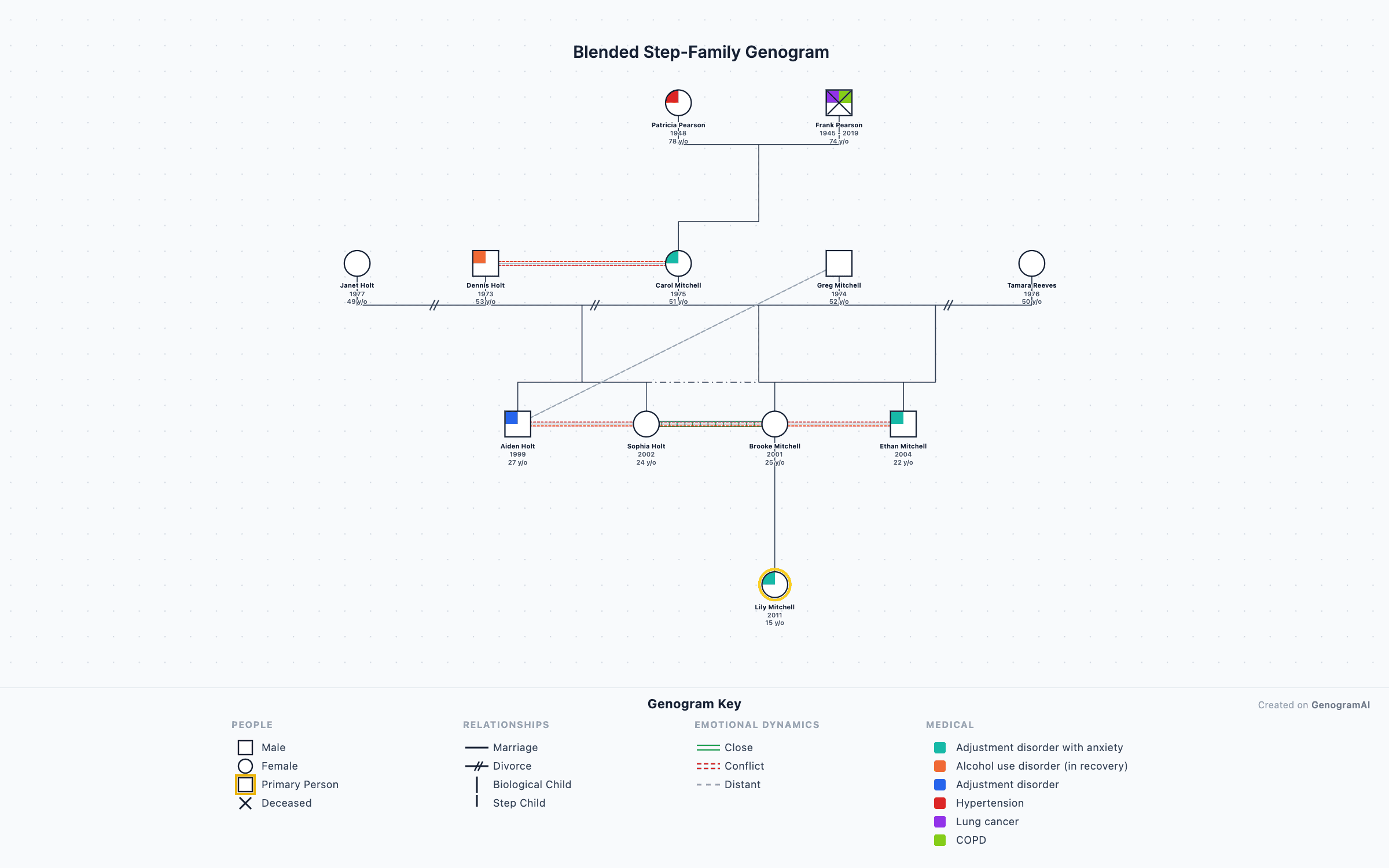
Step-siblings share no biological parent: each hangs from their own parent(s), and the families join through the new partnership line. Half-siblings (one shared parent) are different — see the half-siblings guide.
Order of partnerships
By convention, earlier partnerships are drawn to the left, with dates on the lines (m. 1998, div. 2005, m. 2010) so the sequence of the blend is readable.
Children across multiple marriages
When a parent has children in more than one marriage, each set of children gets its own separated child line back to the correct couple bar, rather than one merged sibling group. In GenogramAI these descent lines are tunneled automatically where they must cross marriage bars, sibling brackets, and staircase connectors, so a much-remarried family stays legible — see the design write-up at genogramai.com/blog/line-tunneling-genogram-design.
Step-Parents and Step-Siblings: symbol and meaning
| Drawing | What you see | What it means |
|---|---|---|
| — | Partnership line between a biological parent and a new partner | Step-parent relationship |
| — | Parent-child line typed Step (dashed or labeled) | An explicit step link, e.g. a step-parent who raised the child |
| — | Children on different parents, joined only through the new couple | Step-siblings |
| — | Earlier partnership drawn to the left, with m. and div. dates | The order of marriages in the blend |
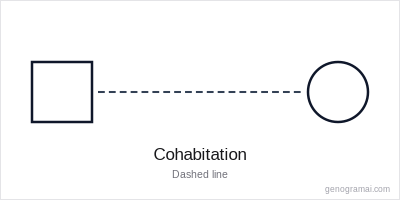 | Couple line with a dashed style | Cohabitation rather than marriage |
What does it look like on a real genogram?
How to draw it in GenogramAI
- 1
Connect the step-parent to the biological parent with a marriage or partnership line
- 2
To make a step link to the child explicit, click the parent-child connection and set its type to Step
- 3
GenogramAI supports Biological, Adopted, Foster, Step, Surrogate, Sperm donor and Egg donor connection types on any parent-child line
Or just tell the AI
"After the divorce, my dad married Karen, who has two sons from her first marriage."
Frequently asked questions
Does a step-parent get connected to the child in a genogram?
Not by default — the relationship reads through the marriage to the biological parent. When the step relationship is significant (e.g., the step-parent raised the child), draw a parent-child line typed as “step”, which most tools render dashed or labeled.
How do I show my mom remarrying in a genogram?
Keep the original partnership line (marked with divorce slashes and dates if it ended), then add the new partner to the side with a new marriage line. Children stay connected to their biological parents.
What is the difference between step-siblings and half-siblings in a genogram?
Half-siblings share one biological parent, so their descent lines meet at that parent. Step-siblings share none — their families connect only through the new couple’s partnership line.