Build Genograms Effortlessly
with AI Assistance
The most intuitive genogram builder for creating professional family diagrams. Build complex genograms in minutes with our drag-and-drop interface and AI automation.
How Genogram Building Actually Works in Practice
In a clinical intake session, a social worker or therapist typically gathers family history while the client is still in the room. That context shapes what a genogram builder needs to do well. The practitioner is asking questions, listening, and documenting simultaneously. A builder that requires navigating menus or typing into modal dialogs for every new person breaks the conversational rhythm of the session. Directional quick-add controls, keyboard shortcuts, and automatic connector routing exist not for aesthetic reasons but because they allow a clinician to keep their attention on the client rather than on the software.
Multi-generational scope adds a second layer of complexity. A standard clinical genogram covers at least three generations, and assessments in areas like substance use, domestic violence, or hereditary illness often extend to four. That means potentially 30 to 60 individuals on a single canvas, with structural connections (marriages, divorces, separations, adoptions, foster placements) and emotional overlays (close, conflicted, distant, cutoff, fused) linking them. Drag-and-drop layout control matters here because generation lines need to stay readable. When a grandparent cohort, a parent cohort, and a sibling cohort all live on the same canvas, being able to reposition clusters without losing their relationship lines is the difference between a diagram that communicates and one that creates confusion.
The medical history view introduces a different kind of building task. Rather than drawing structure, the practitioner is annotating each individual with condition data across standardized quadrants. This layer is often completed after the structural diagram is finished, either in a second pass during the same session or when reviewing notes afterward. A genogram builder that supports multiple view modes lets the practitioner switch cleanly between structural building and medical annotation without duplicating work or maintaining separate documents.
For students building genograms as part of coursework, the practical workflow is somewhat different: they are usually reconstructing a family from memory or from case notes rather than from live intake. Even so, the same efficiency concerns apply. A student completing a family systems assignment at 11 pm benefits from the same quick-add tools and automatic layout that a practitioner uses in session, because the cognitive load of learning notation is already high enough without adding interface friction on top of it.
Powerful Genogram Builder Features
Everything you need to build comprehensive family diagrams
Intuitive Drag-and-Drop
Click, drag, and drop to position family members exactly where you want them. Our genogram builder makes arrangement effortless.
Quick-Add Buttons
Add parents, children, and partners with one click using directional quick-add buttons around each person.
Smart Relationship Lines
Draw connections between people and the builder automatically selects the right relationship type based on context.
AI Family Architect
Describe your family in plain text and let AI build the entire genogram structure automatically.
7 View Modes
Switch between Cultural, Medical, Religious, Socioeconomic, Location, Emotional, and Family Group views while building.
Encrypted Auto-Save
Never lose your work. Our builder auto-saves every change with AES-GCM encryption.
What You Can Build
Our genogram builder supports all standard clinical genogram elements
How to Build a Genogram
5 simple steps with our genogram builder
Start building
Open GenogramAI's genogram builder and click 'Add Person' to add your first family member.
Use quick-add tools
Click the arrow buttons around any person to quickly add parents, children, or partners.
Build relationships
Use the Connection tool (press C) to draw relationship lines between family members.
Customize details
Add names, dates, medical conditions, and notes to each person in your genogram.
Save and export
Your genogram auto-saves to the cloud. Export as PNG or JSON when finished.
Genogram Builder FAQs
What is a genogram builder?
A genogram builder is software that helps you construct detailed family diagrams showing relationships, medical history, and emotional patterns. GenogramAI's genogram builder uses AI to automate much of the building process.
Is GenogramAI's genogram builder really free?
Yes! Our genogram builder offers a free plan with 2 genograms, basic AI features, and cloud storage. Professional plans unlock up to 25 genograms and advanced features.
How does the AI genogram builder work?
Simply type a description of your family like 'John married Mary, they have two children David and Sarah' and our AI genogram builder creates the complete family diagram with all connections and symbols.
Can I build complex multi-generational genograms?
Absolutely. Our genogram builder supports unlimited family members across multiple generations, with 17 structural relationships, 24 emotional overlays, 7 child types, and 7 different view modes for comprehensive family mapping.
Explore More Genogram Resources
Genogram Maker
AI-powered genogram creation for therapists
What is a Genogram?
Complete definition and beginner guide
History of Genograms
From Bowen to McGoldrick's standard
Relationship Lines Guide
All 48 genogram line types explained
Genogram Symbols
Complete symbol reference guide
GenogramAI
Free AI genogram maker — describe and generate
Ready to Build Your Genogram?
Start building professional genograms today with our free genogram builder
Start Building Free152 Genogram Examples & Templates
Browse real genogram examples — from clinical case studies to famous families. Use any as a starting template for your own genogram. Every example is generated using the McGoldrick-Gerson-Petry 4th edition standard with full symbol notation.
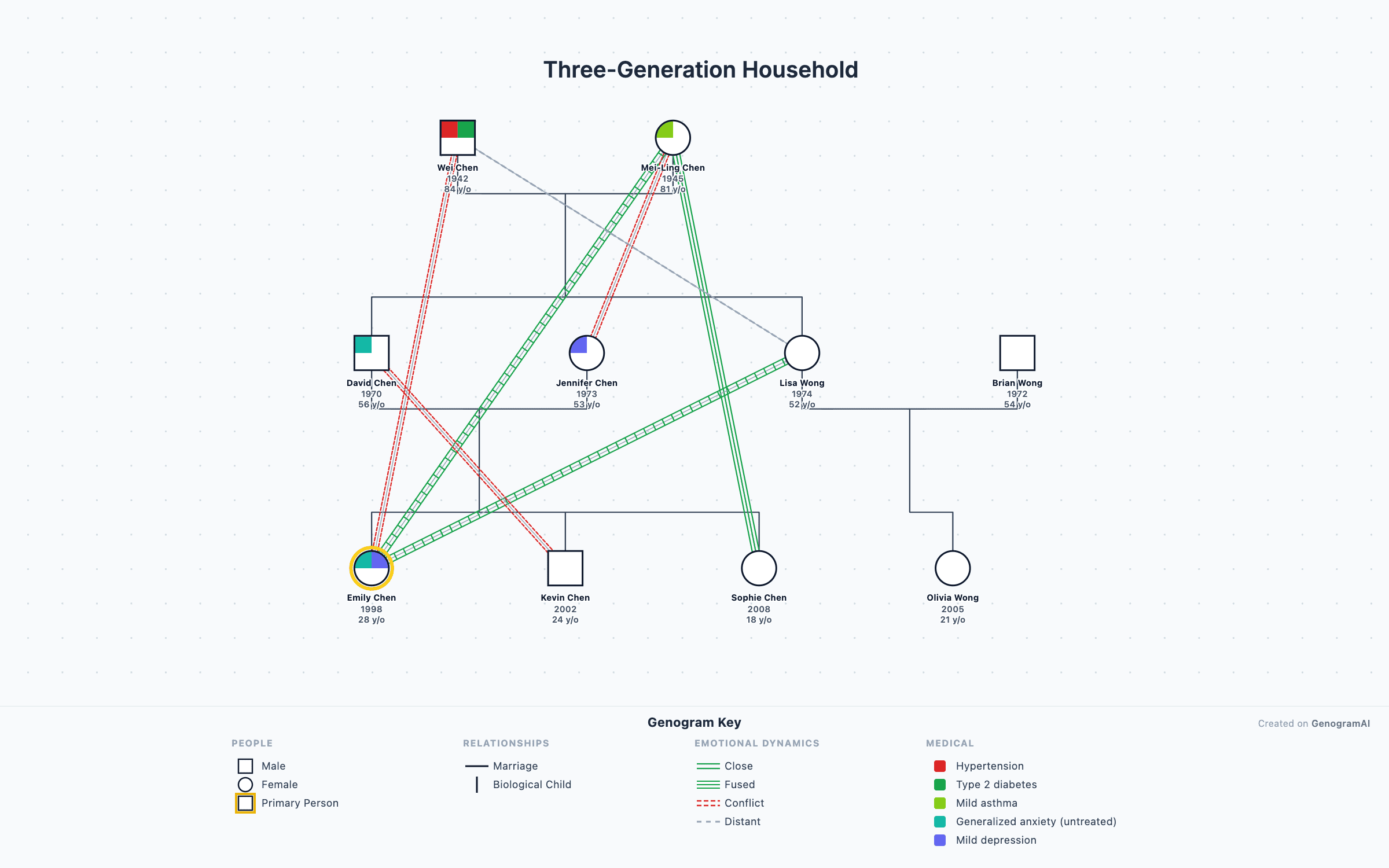
3-Generation Family Genogram
Classic three-generation genogram with marriage, children, and grandchildren — the standard layout used in family therapy assessment.
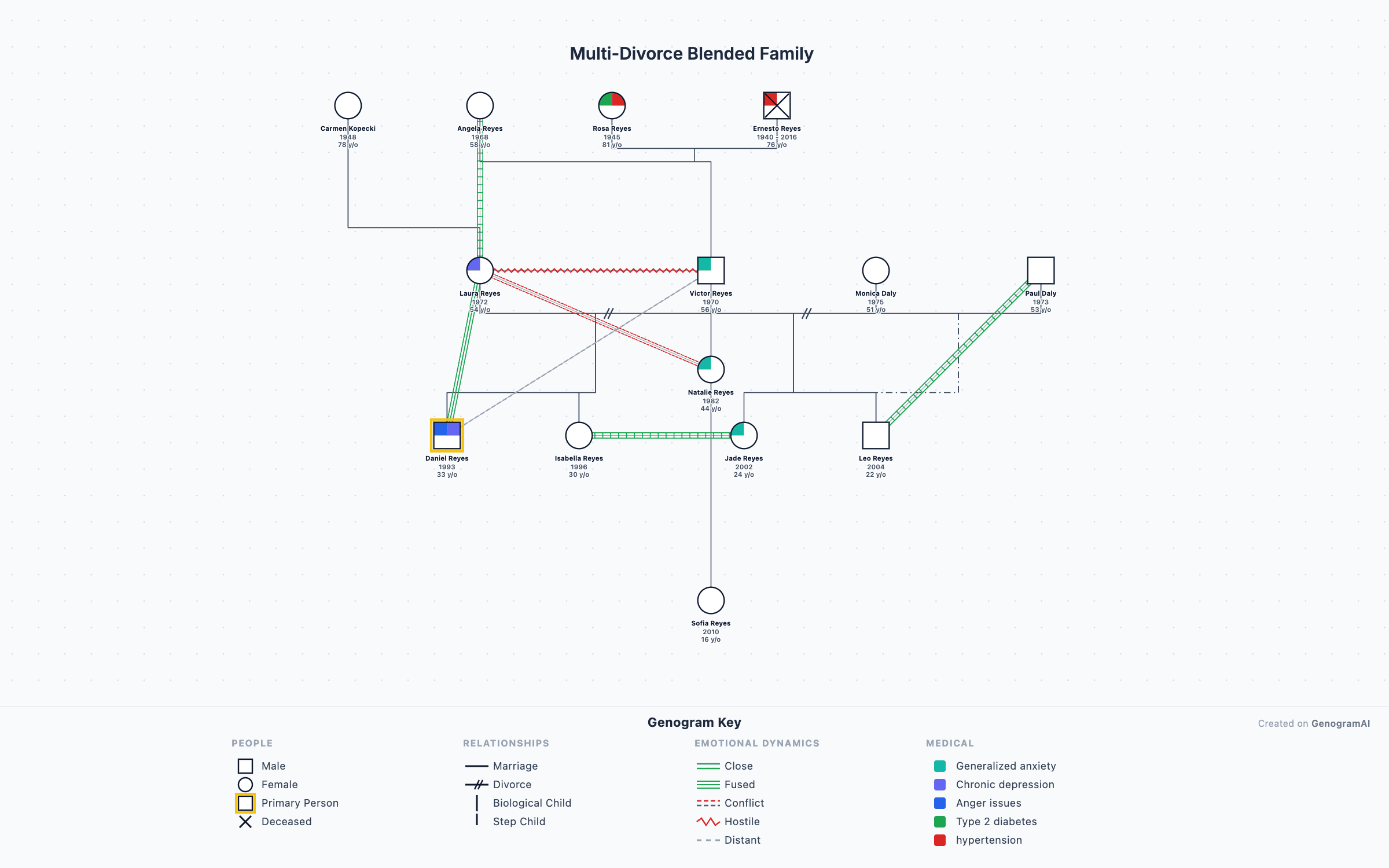
Blended Family Genogram
Step-parents, half-siblings, and multiple marriages mapped across generations using McGoldrick blended-family notation.
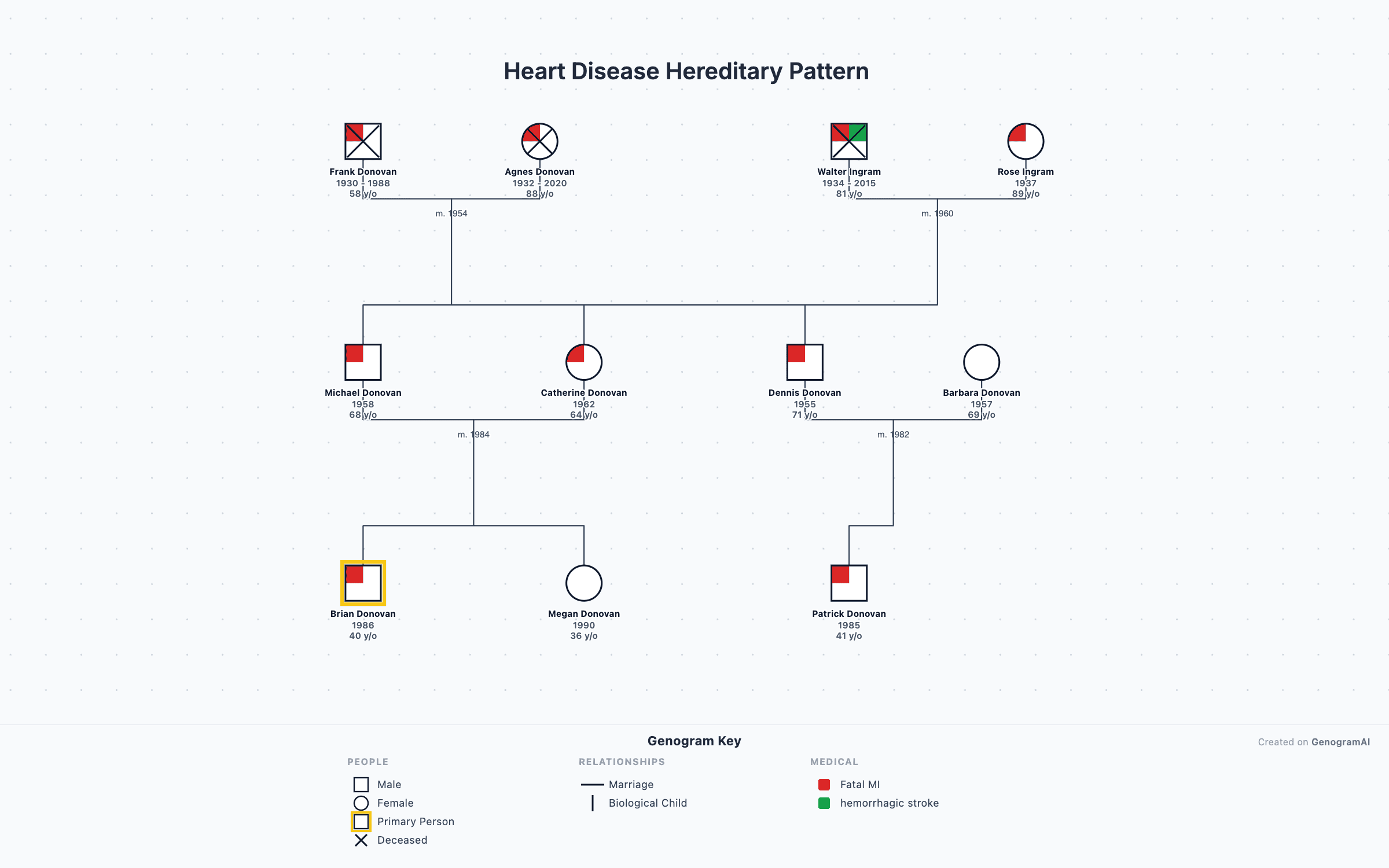
Medical Family History Genogram
Track hereditary conditions like heart disease, cancer, and diabetes with the four-quadrant medical notation system.
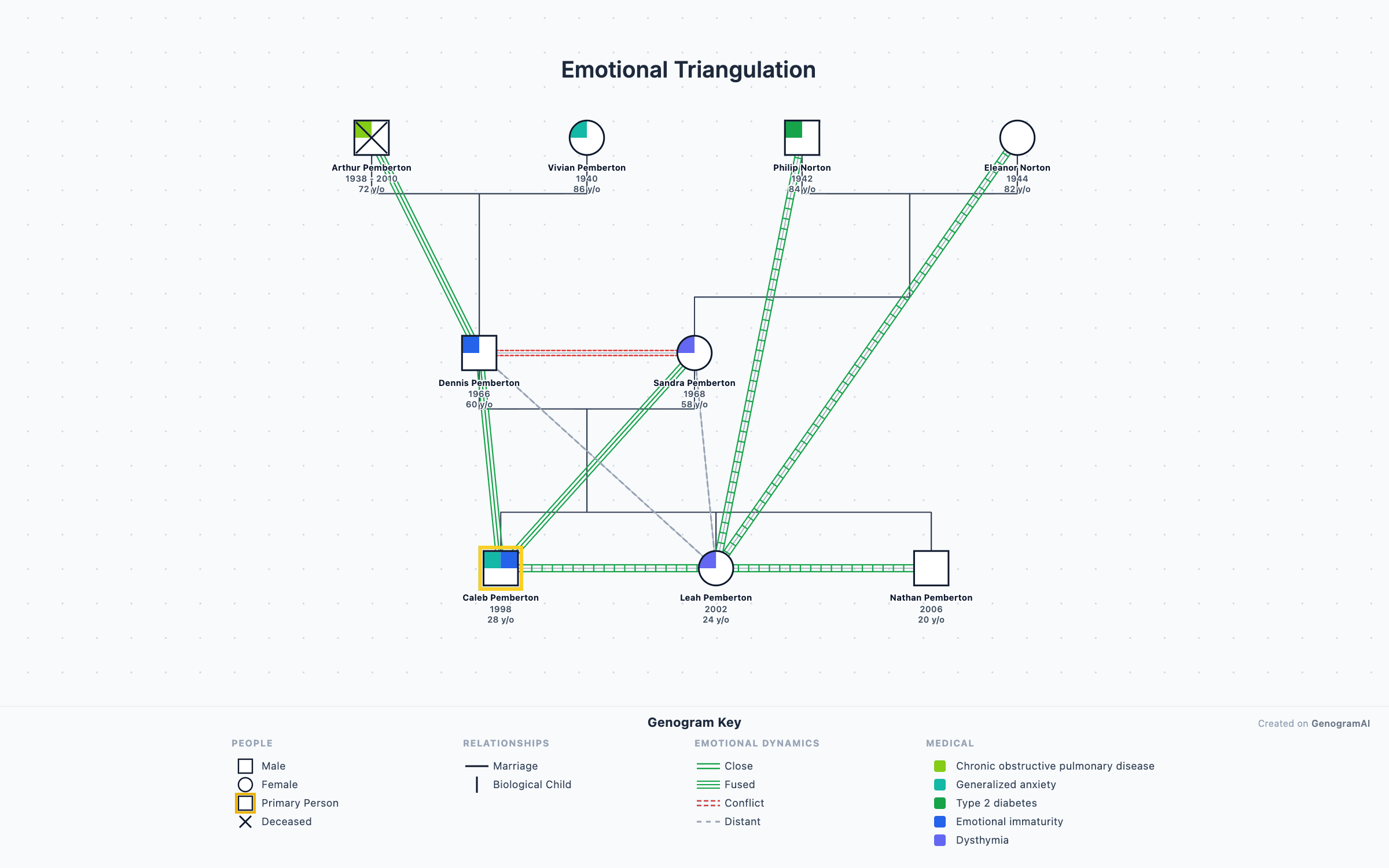
Emotional Patterns Genogram
Map conflict, enmeshment, cutoff, and closeness with 38 emotional relationship overlays from the McGoldrick standard.
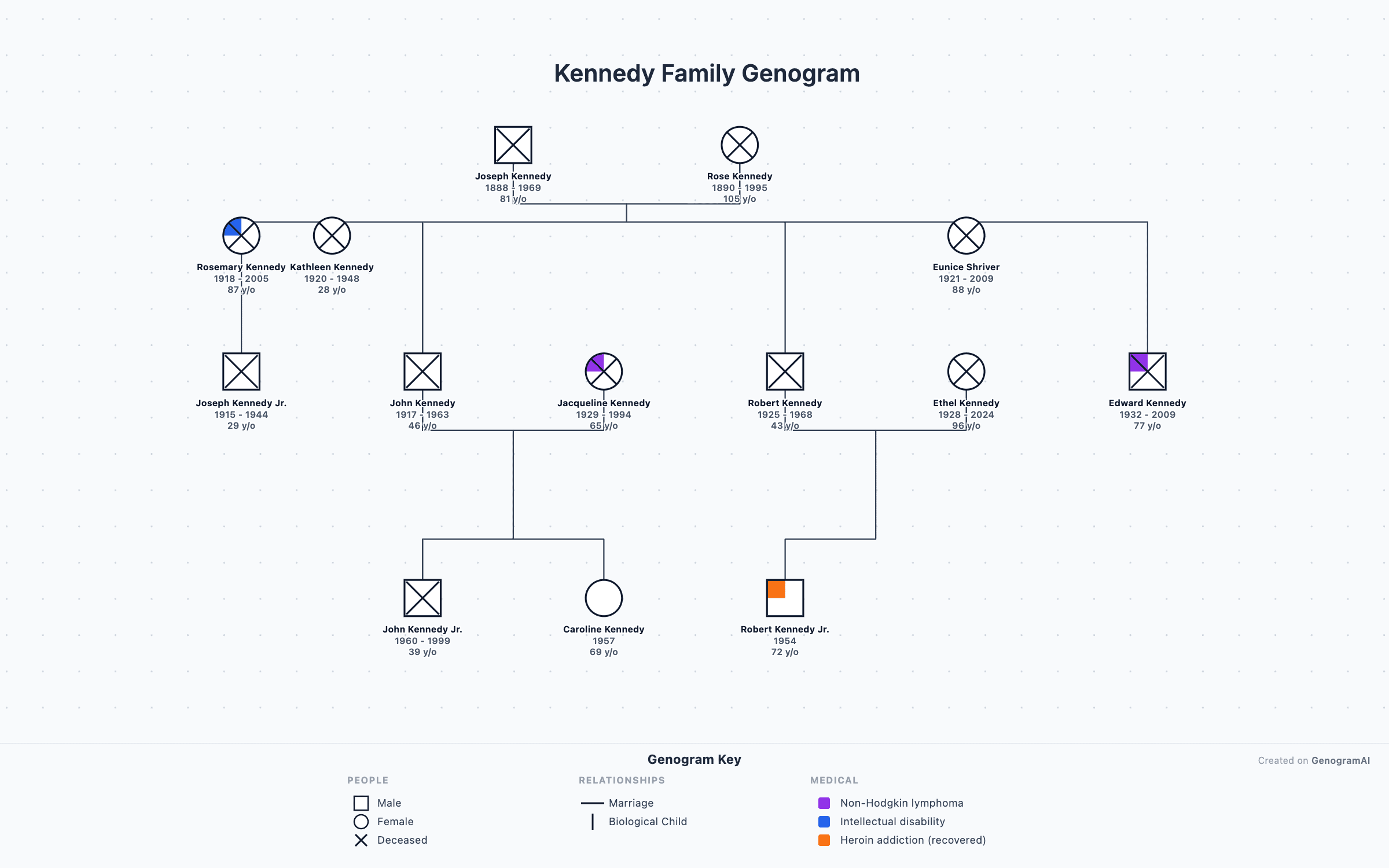
Kennedy Family Genogram
The Kennedy political dynasty mapped across four generations — a teaching example for genogram construction.
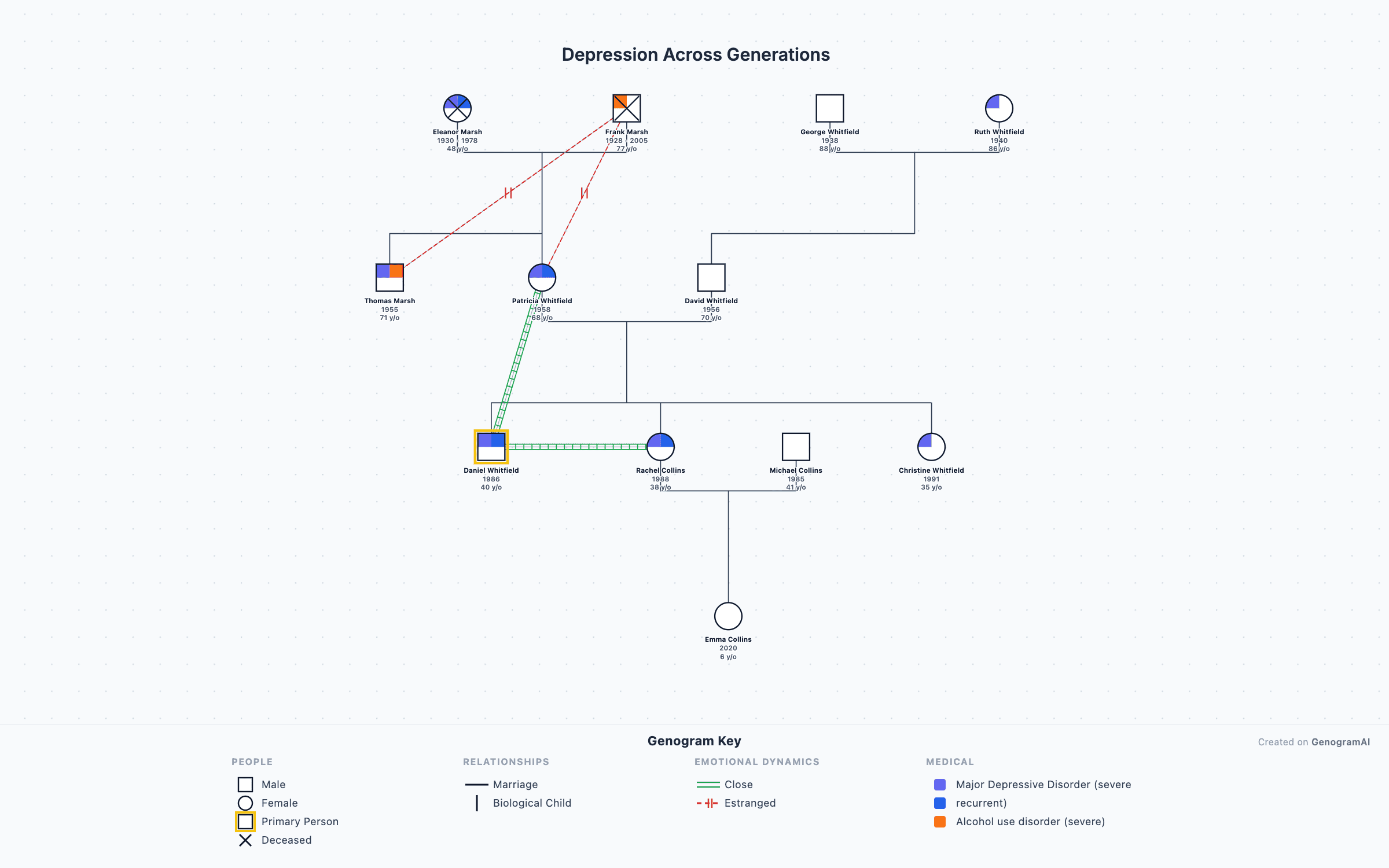
Depression Across Generations
Multigenerational transmission of depression and mood disorders visualized using clinical genogram symbols.
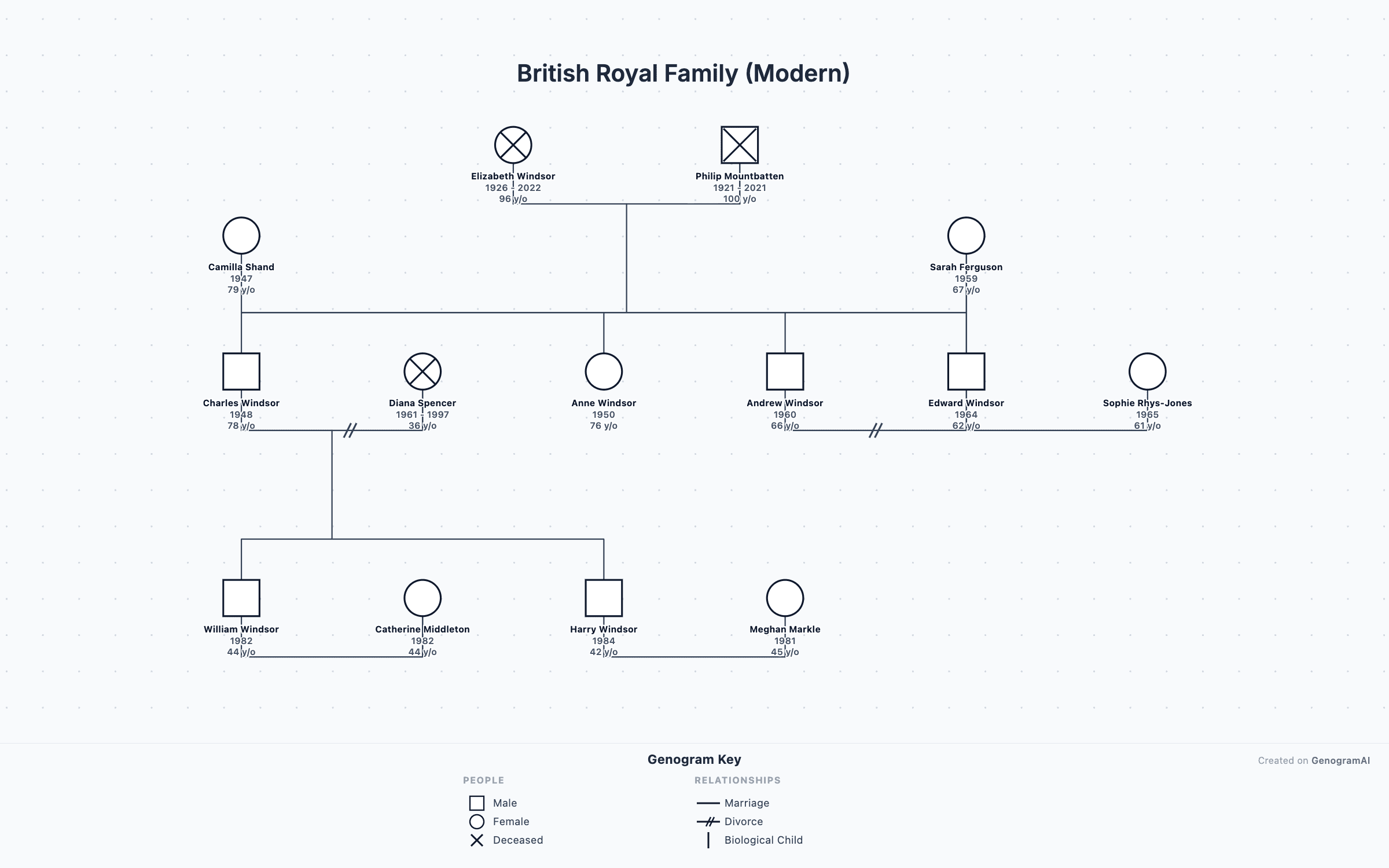
British Royal Family
The modern British royal family from Elizabeth II to present — useful as a template for complex multigenerational genograms.
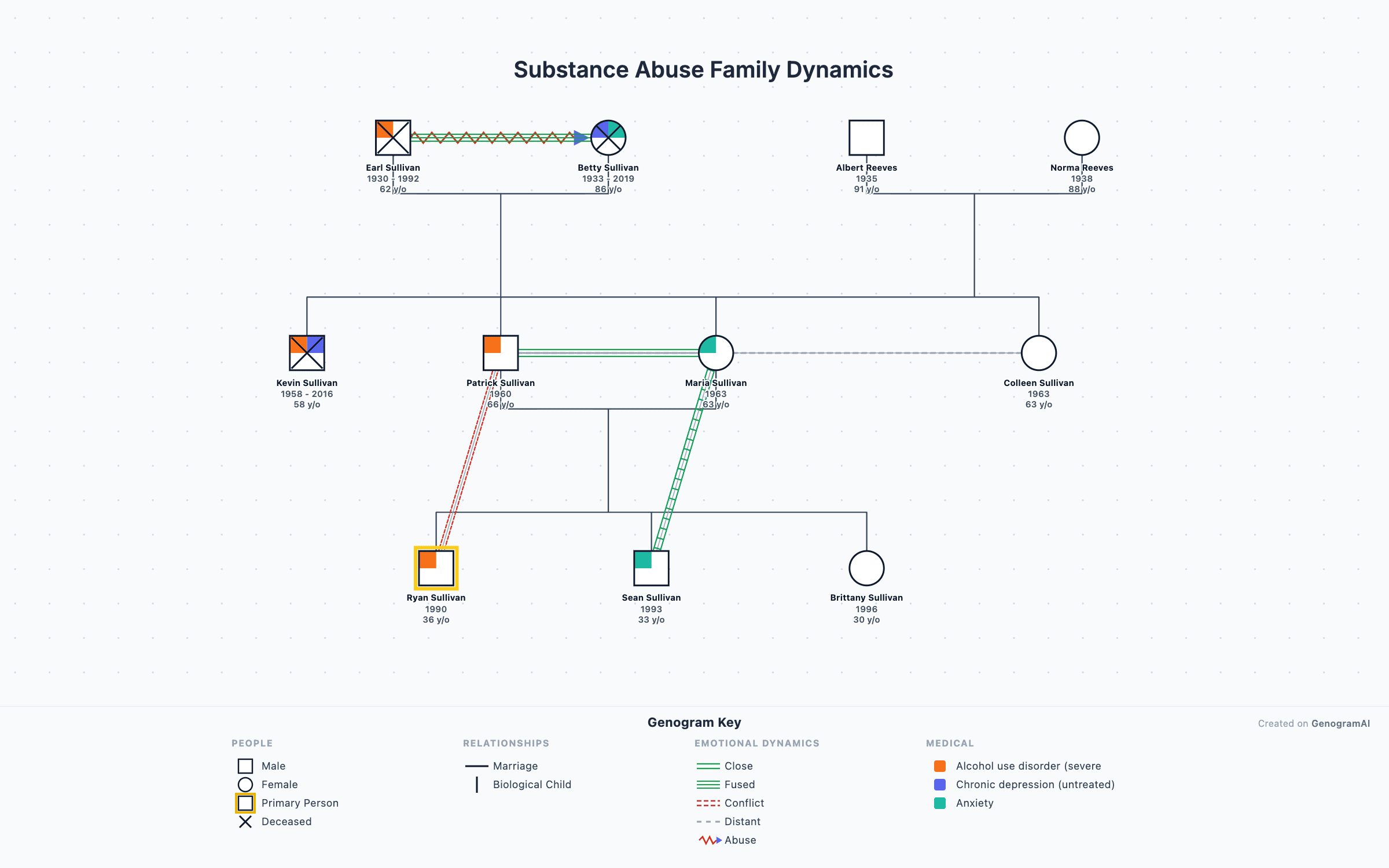
Substance Abuse Dynamics
Family patterns around addiction, codependency, and recovery — clinical genogram example for therapy training.