Genogram + eco-map
One family, two views, always connected
Quick answer
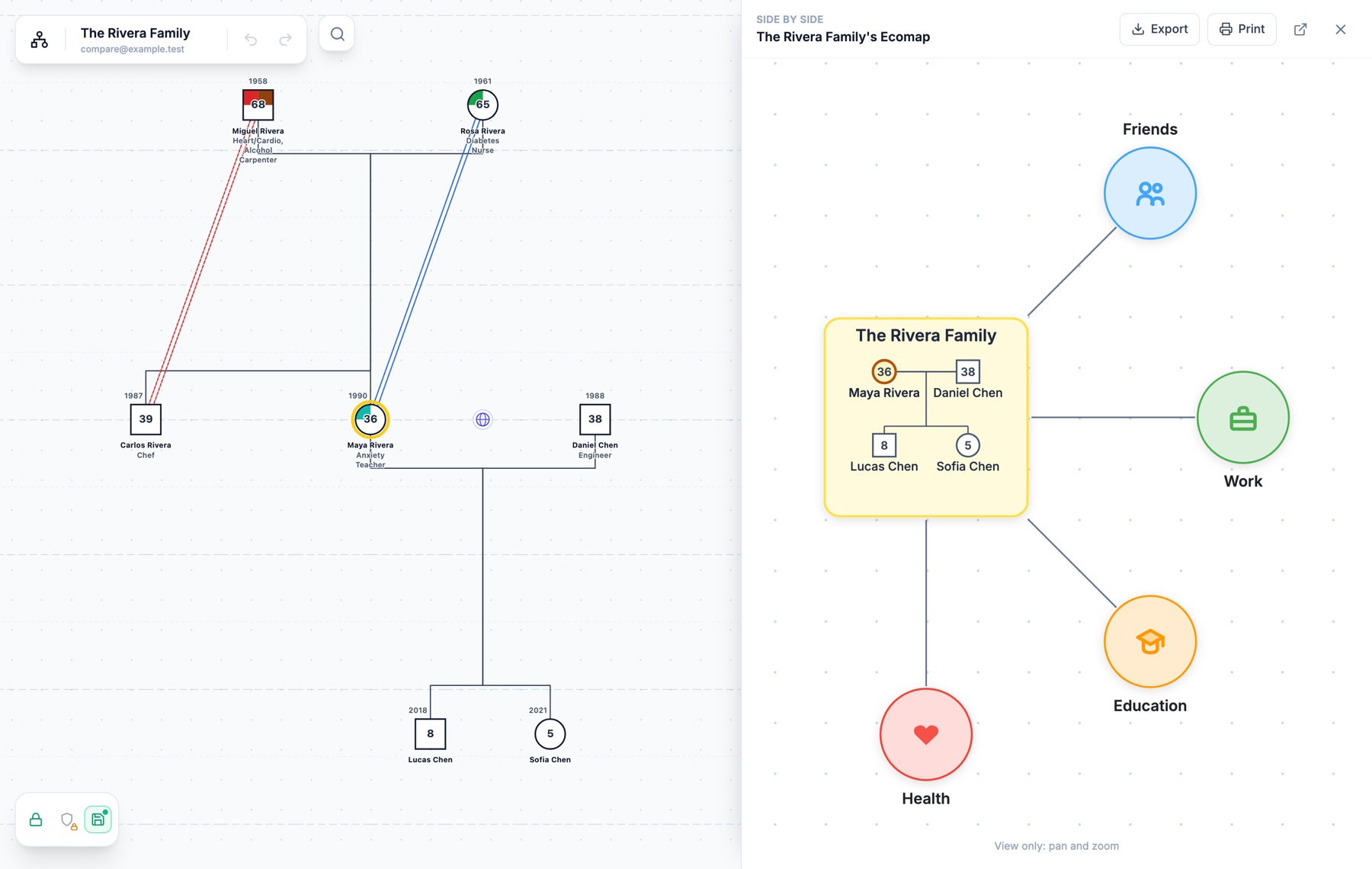
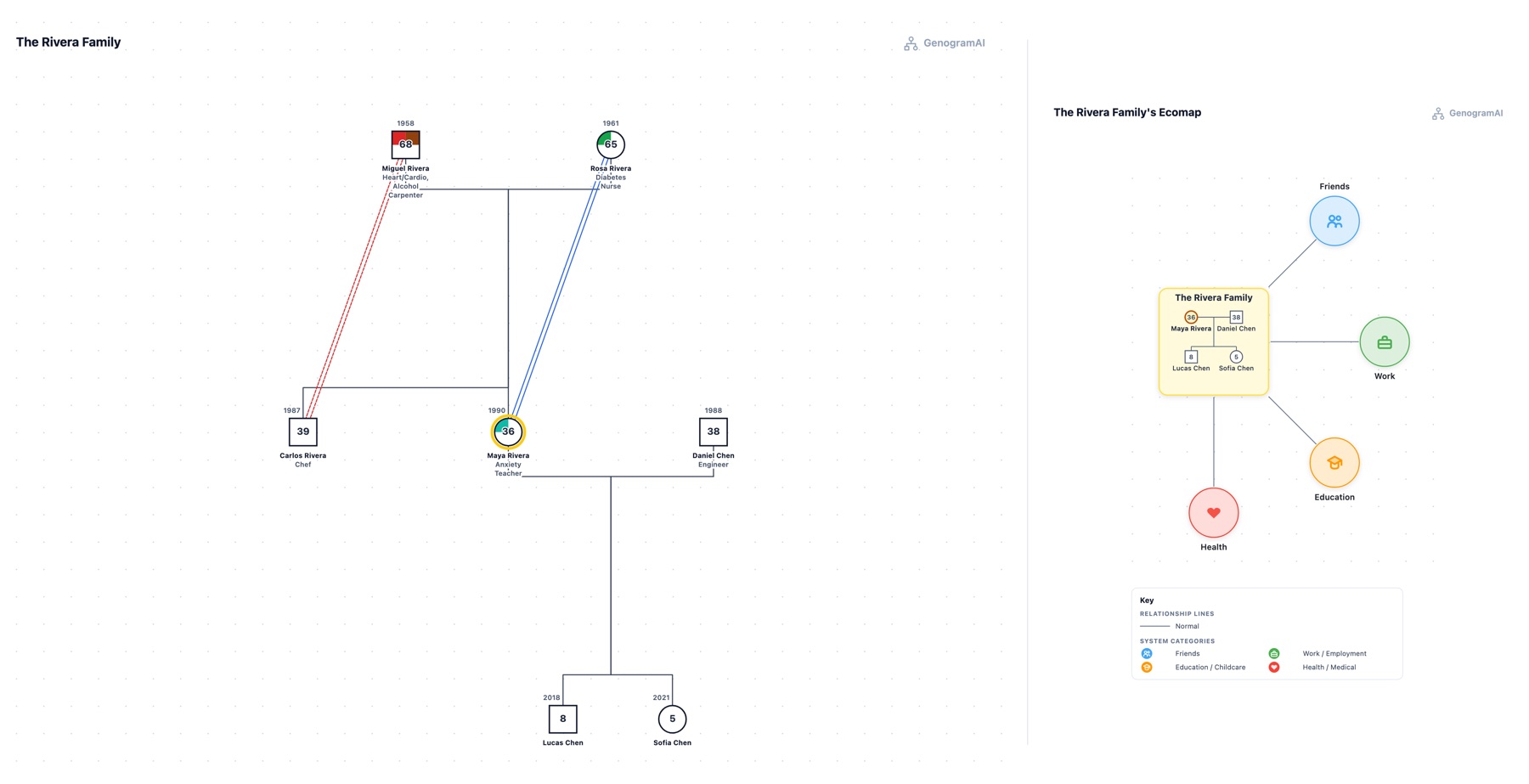
Two charts, one assessment
Family assessment usually needs both: the genogram for structure, relationships and patterns across generations, the eco-map for the supports and stresses around the family now. Ann Hartman, who introduced the eco-map in 1978, drew the household itself in the centre circle as a small genogram.
In most tools the two are separate drawings: the same people are typed twice, names drift apart, and putting them on one page means pasting images together. Here the eco-map starts from the genogram and keeps that link, so the two always describe the same family.
Two separate drawings
- Retype the household on the eco-map
- Names and ages fall out of step
- Switch files to compare
- Paste two images onto one page
Connected in GenogramAI
- The household carries over from the genogram
- A dot shows when it needs refreshing
- One click between them, or side by side
- Export or print the pair, ready for the file
Start the eco-map from the genogram
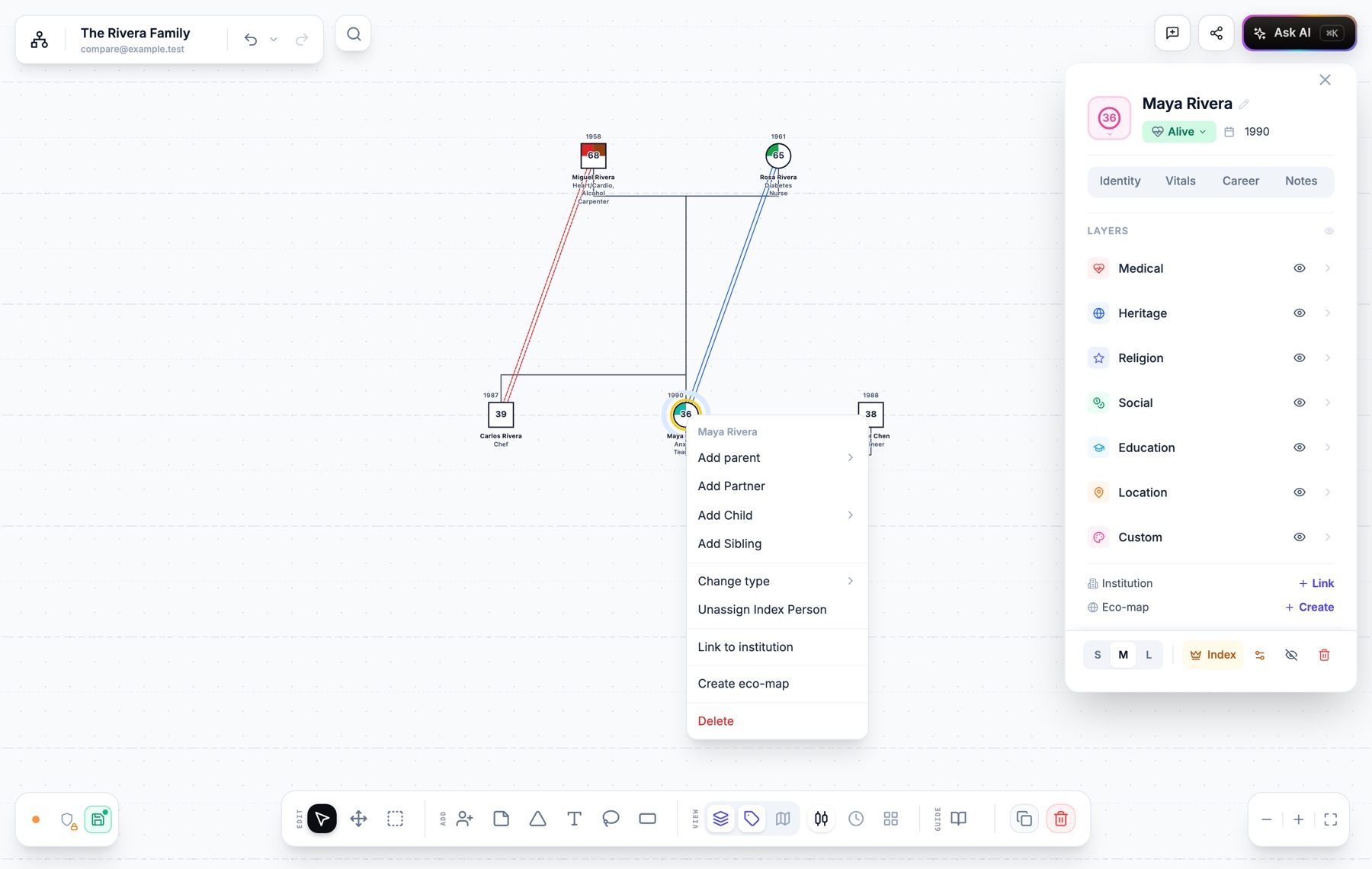
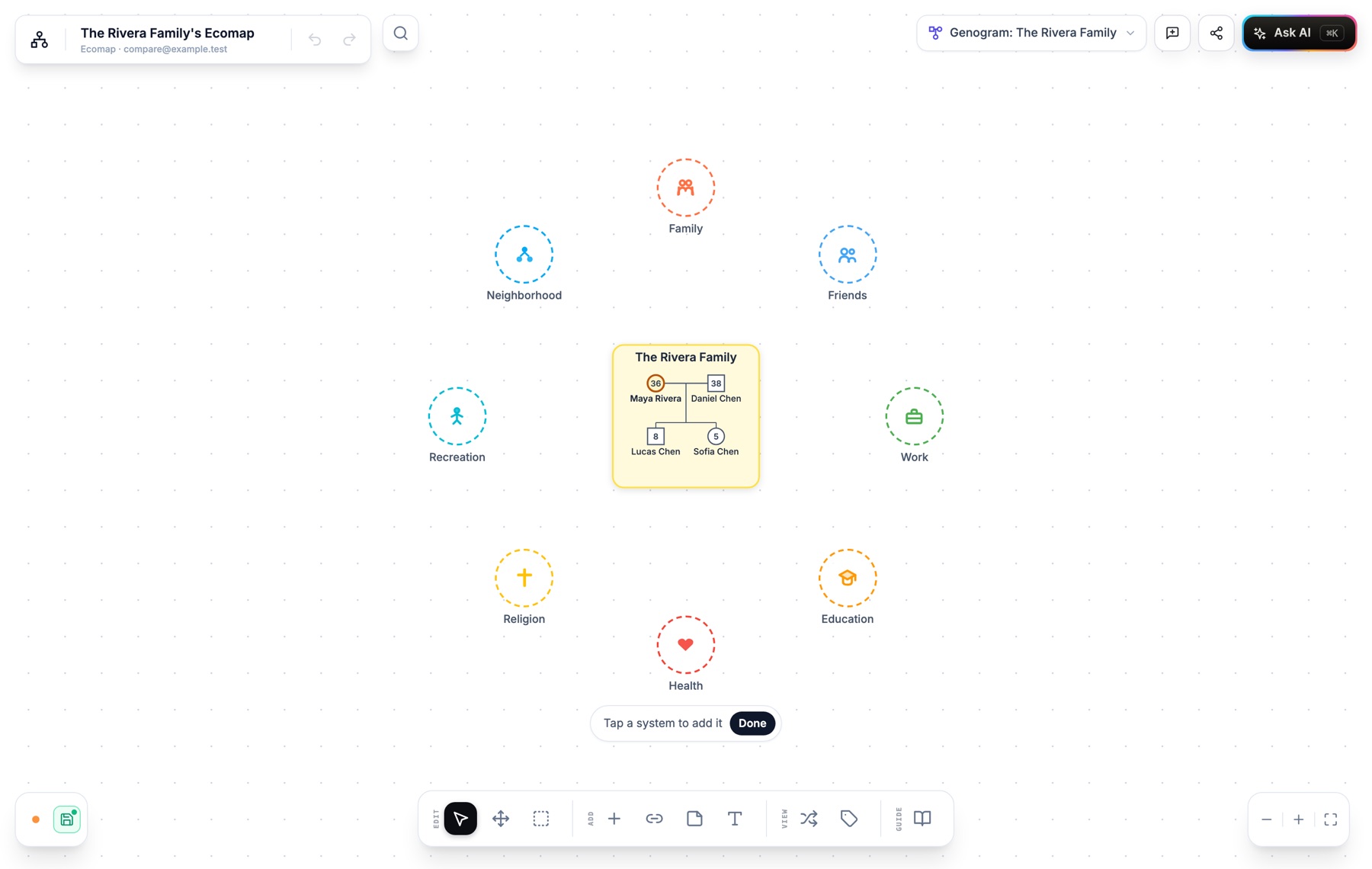
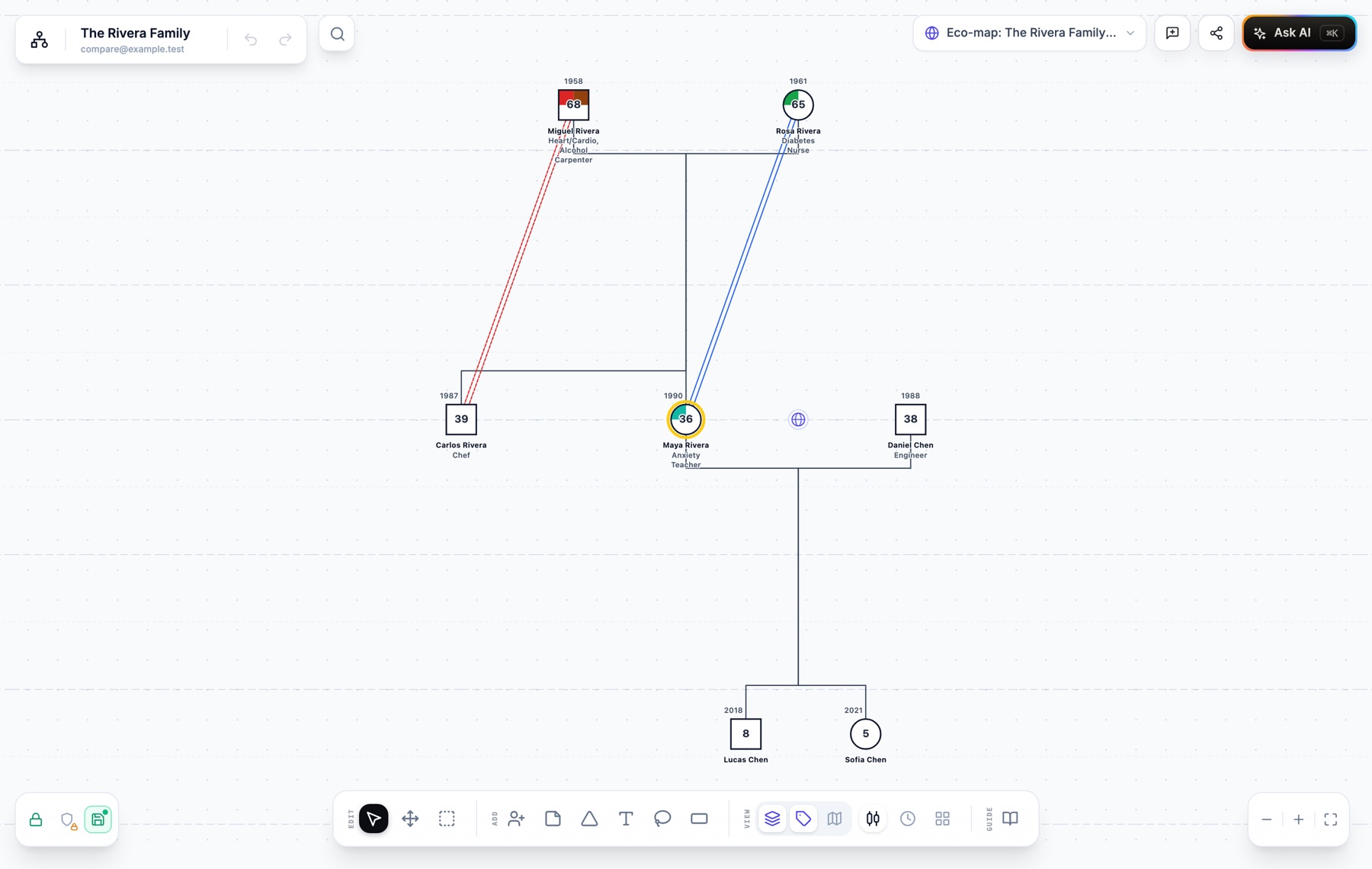
Always one click apart
Side by side, for review and supervision
Export and print the pair
Everything in the connection
Start from the person
Common systems, one tap each
Linked both ways
Side by side
One page for the file
The household stays in step
How it works
- 1
Draw or open the genogram
Type the family, describe it to the AI, or open one you already have. - 2
Choose Create eco-map on a person
Right-click them, or use the Eco-map row in their panel. Select several people first to put exactly those people in the household. - 3
Add the systems around them
Tap the suggested systems, add your own, and set each connection: strong, weak, stressful, energy in or out. - 4
Review them together
Choose Side by side from either chart’s chip. Export or print the pair for the case file or supervision.
Frequently asked questions
What does it mean that the genogram and eco-map are connected?
The eco-map is made from people on the genogram and remembers which genogram it belongs to. The household in its centre comes from the genogram, each chart links to the other, both can be opened side by side, and the pair can be exported or printed on one page.
Can one genogram have more than one eco-map?
Yes. Make one per household or per person: for example one for a client and one for their parents’ household. The genogram’s chip lists them all, and each household with a map gets its own globe.
What happens when I change the genogram later?
The eco-map notices when a person in its household was renamed, had their age or symbol changed, or was removed, and its chip shows a dot. Choose Refresh from genogram to update the household. Systems and connections you drew on the eco-map are not touched.
Can I edit both charts in side by side view?
Side by side is for reviewing and presenting: both charts can be panned and zoomed but not edited, so nothing moves by accident while you talk a client or supervisor through them. Open either chart to edit it.
Which plan includes it?
Creating an eco-map from a genogram, the links between them and side by side view are available on every plan. Adding the eco-map to an export or print is part of the Pro export options, along with custom headers, larger text and removing the logo.
Is this the same as a Family Network Diagram?
It produces the same thing. Some child welfare agencies ask for a genogram and an eco-map on one page; the stacked export gives you exactly that, with each chart’s own key, and the side by side layout fits a landscape page or a slide.