Genogram Generator
Create with AI
Describe your family in plain English. Our AI genogram generator creates a professional diagram in seconds—complete with correct symbols and relationships.
What is a Genogram Generator?
A genogram generator is an AI-powered tool that automatically creates genogram diagrams from text descriptions. Instead of manually adding each family member and drawing relationship lines, you simply describe your family in plain English and the generator produces a complete, professionally-formatted genogram.
GenogramAI features the most advanced AI genogram generator available. Our natural language processing understands complex family structures: divorces and remarriages, step-children and half-siblings, adoptions, twins, multiple generations, and emotional relationships. What might take 30 minutes to create manually can be generated in under a minute.
The generator is just the starting point—once your genogram is created, you have full editing capabilities to refine details, add medical conditions, adjust positions, and customize exactly as needed.
What AI Genogram Generation Actually Does
When a genogram generator processes a natural-language description, it is doing several things at once. It is parsing family roles and relationships from prose, resolving ambiguous references ("her first husband" vs. "her current partner"), mapping each person to the correct McGoldrick symbol, determining generational placement on the canvas, and drawing the appropriate structural and emotional connectors between nodes. A sentence like "Maria's father was an alcoholic who died young, her mother never remarried, and Maria cut off contact with her brother after their mother's death" contains at least five distinct data points that need to land in the right place on the diagram. The generator handles all of that in a few seconds.
The clinical significance of this is most obvious during intake. A practitioner conducting an initial family assessment is asking questions in the order a client answers them, not in the neat top-down order a diagram is traditionally drawn. A grandmother might come up before a parent does. A deceased sibling might surface in the middle of a conversation about current household composition. Without AI generation, the practitioner either draws out of order and reorganizes later, or they take notes and build the diagram afterward from memory. Both approaches introduce transcription error and add unbillable documentation time after the session ends. With a generator, the practitioner can type or dictate what they are hearing in real time and have the diagram assemble itself in the background.
There is also a rapport dimension. When a client narrates their family history and can see the diagram taking shape on a shared screen, the process becomes collaborative rather than extractive. Clients often correct details when they see something placed incorrectly ("that should be a dashed line, we were never legally married"), which surfaces information that a notes-only workflow would not have prompted. The diagram becomes a shared object in the room rather than a clinician's private documentation task.
For complex family systems with blended households, multiple divorces, or four-generation scope, AI generation is not just faster than manual building -- it is more accurate. The generator does not lose track of whether person A was person B's stepfather or biological father, or whether a marriage line has one slash or two. That consistency matters when a supervisor, a court, or another treating provider reads the completed diagram.
AI Generator Features
The smartest way to create genograms
Natural Language Input
Describe your family in plain English. No special syntax or commands needed—just write naturally.
Instant Generation
Get a complete genogram in seconds. AI processes your description and creates the diagram immediately.
Smart Relationships
AI understands complex relationships: step-parents, half-siblings, adoptions, multiple marriages, and more.
Image to Genogram
Upload a photo of a hand-drawn genogram and AI digitizes it into a professional editable diagram.
Correct Symbols
Generated genograms use proper clinical symbols recognized by therapists and medical professionals.
Save Hours
What takes 30+ minutes manually can be generated in under a minute. Focus on analysis, not drawing.
Example Prompts
See what you can generate with natural language
"My parents are divorced. Mom remarried and has a daughter with her new husband. Dad never remarried. I have one brother."
Generates: Parents with divorce symbol, mother's remarriage with half-sibling, father alone, two children in original family
"I'm an only child. My mom has two sisters. My dad has one brother. All four grandparents are deceased."
Generates: 3-generation genogram with maternal aunts, paternal uncle, and deceased grandparents marked with X
"The Rodriguez family: Grandparents Carlos and Maria immigrated from Mexico. Their son Juan married Lisa (American). They have twins Emma and Noah, age 8."
Generates: 3-generation family with cultural notes, twin symbol, and ages
How the Generator Works
From description to diagram in 6 steps
Open the AI generator
Sign in to GenogramAI and click 'Create with AI' or use the AI command bar in any genogram.
Describe your family
Type a description of your family in plain English. Include names, relationships, and any relevant details.
Generate the genogram
Click generate and watch as AI creates your genogram structure with correct symbols and connections.
Review and refine
Check the generated genogram. Add any missing details, adjust positions, or modify relationships as needed.
Add additional information
Switch to medical, cultural, or other views to add health conditions, heritage, and more details.
Export your genogram
Download as high-resolution PNG for reports or JSON for backup. Share or print as needed.
Generator vs Manual Creation
AI Generator
- Create complete genograms in seconds
- No learning curve—just describe your family
- AI handles complex relationships automatically
- Upload hand-drawn genograms to digitize
- Still fully editable after generation
Manual Creation
- Full control over every element
- Build incrementally during interviews
- Precise positioning and layout
- Takes 20-60 minutes for complex families
- Requires familiarity with symbols
GenogramAI supports both approaches. Generate with AI for speed, or build manually for precision—or combine both!
Genogram Generator FAQs
What is a genogram generator?
A genogram generator is a tool that automatically creates genogram diagrams. Unlike manual genogram makers where you add each person and line yourself, a genogram generator uses AI or algorithms to create the structure for you. GenogramAI's generator lets you describe your family in plain English and instantly generates a professional genogram.
How does an AI genogram generator work?
GenogramAI's AI genogram generator uses natural language processing to understand your family description. Simply type something like 'My parents John and Mary have three children. I'm the oldest, then my brother Tom, then sister Lisa. Tom is married to Sarah and they have twins.' The AI interprets this and generates a complete genogram with correct symbols and relationships.
Is the genogram generator free?
Yes! GenogramAI offers a free plan that includes AI genogram generation. You can create up to 2 genograms for free with full AI generation capabilities. For more genograms, Professional ($12/mo) and Unlimited ($29/mo) plans are available.
Can I edit a generated genogram?
Absolutely. After the AI generates your genogram, you have full editing capabilities. Add more family members, adjust relationships, add medical conditions, change the layout—everything is editable. The generator gives you a starting point that you can refine as needed.
What's the difference between a genogram generator and genogram maker?
A genogram maker typically refers to manual creation tools where you build the diagram yourself. A genogram generator implies automatic creation—the tool generates the structure for you. GenogramAI is both: you can generate genograms with AI or manually create them from scratch.
152 Genogram Examples & Templates
Browse real genogram examples — from clinical case studies to famous families. Use any as a starting template for your own genogram. Every example is generated using the McGoldrick-Gerson-Petry 4th edition standard with full symbol notation.
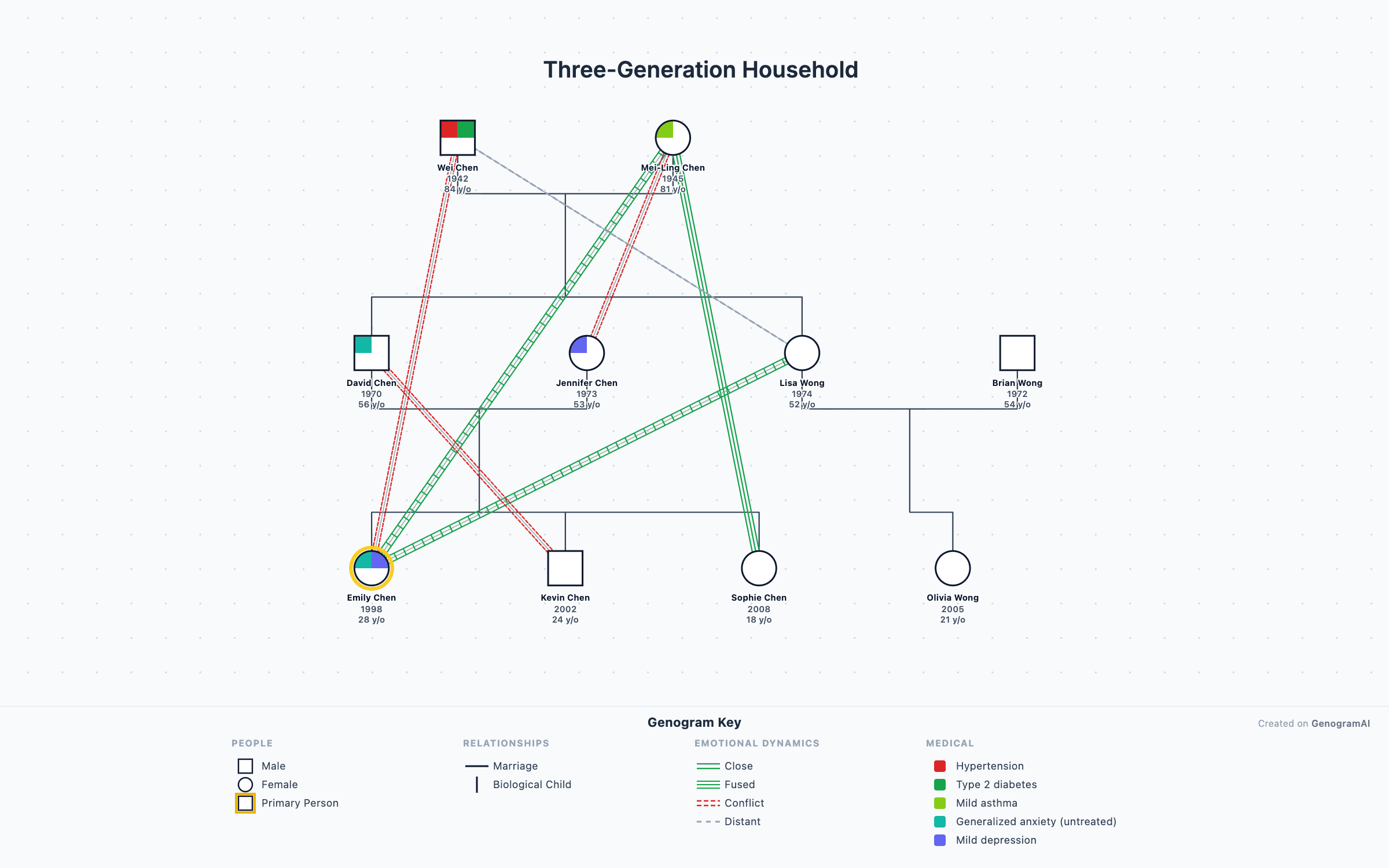
3-Generation Family Genogram
Classic three-generation genogram with marriage, children, and grandchildren — the standard layout used in family therapy assessment.
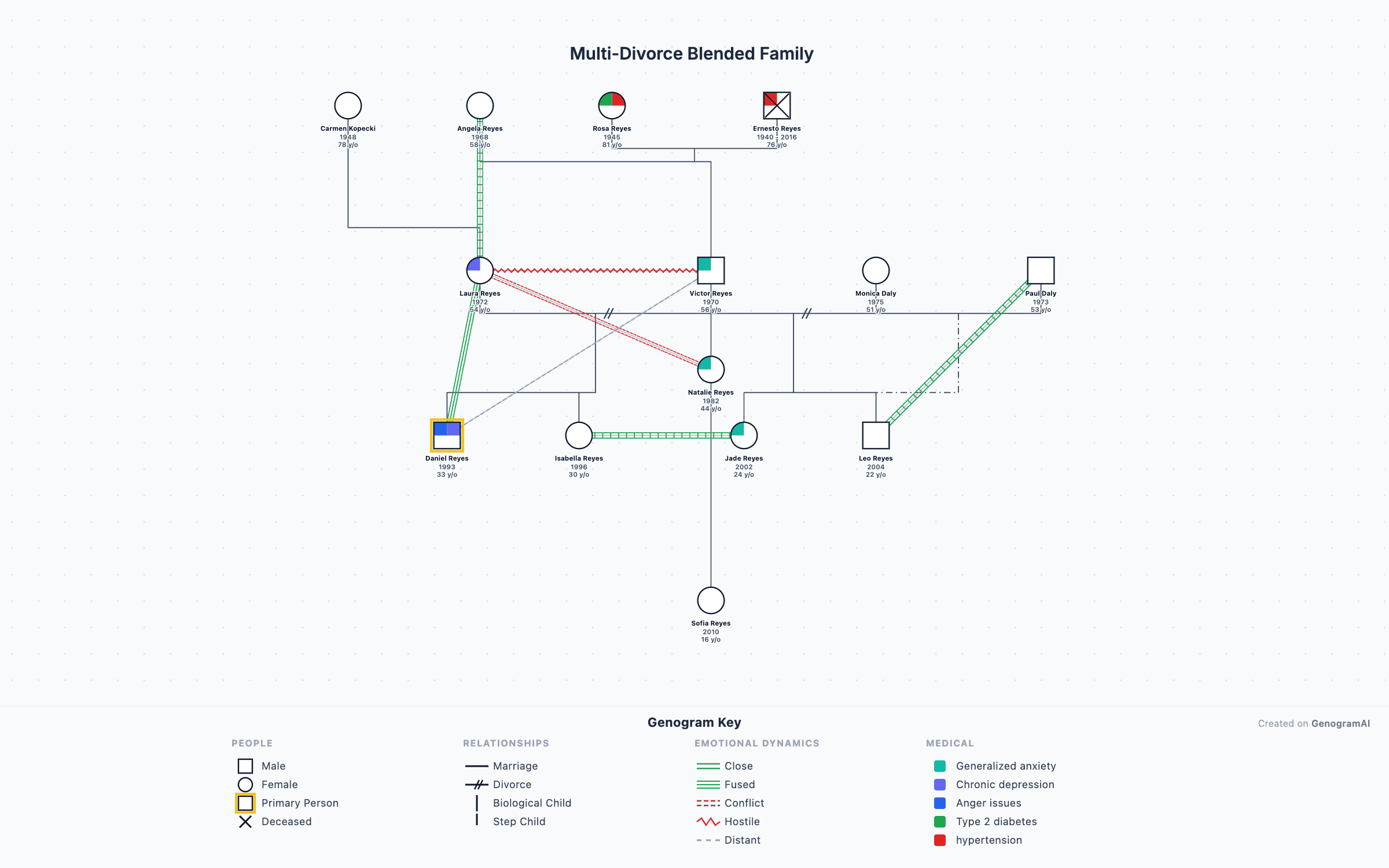
Blended Family Genogram
Step-parents, half-siblings, and multiple marriages mapped across generations using McGoldrick blended-family notation.
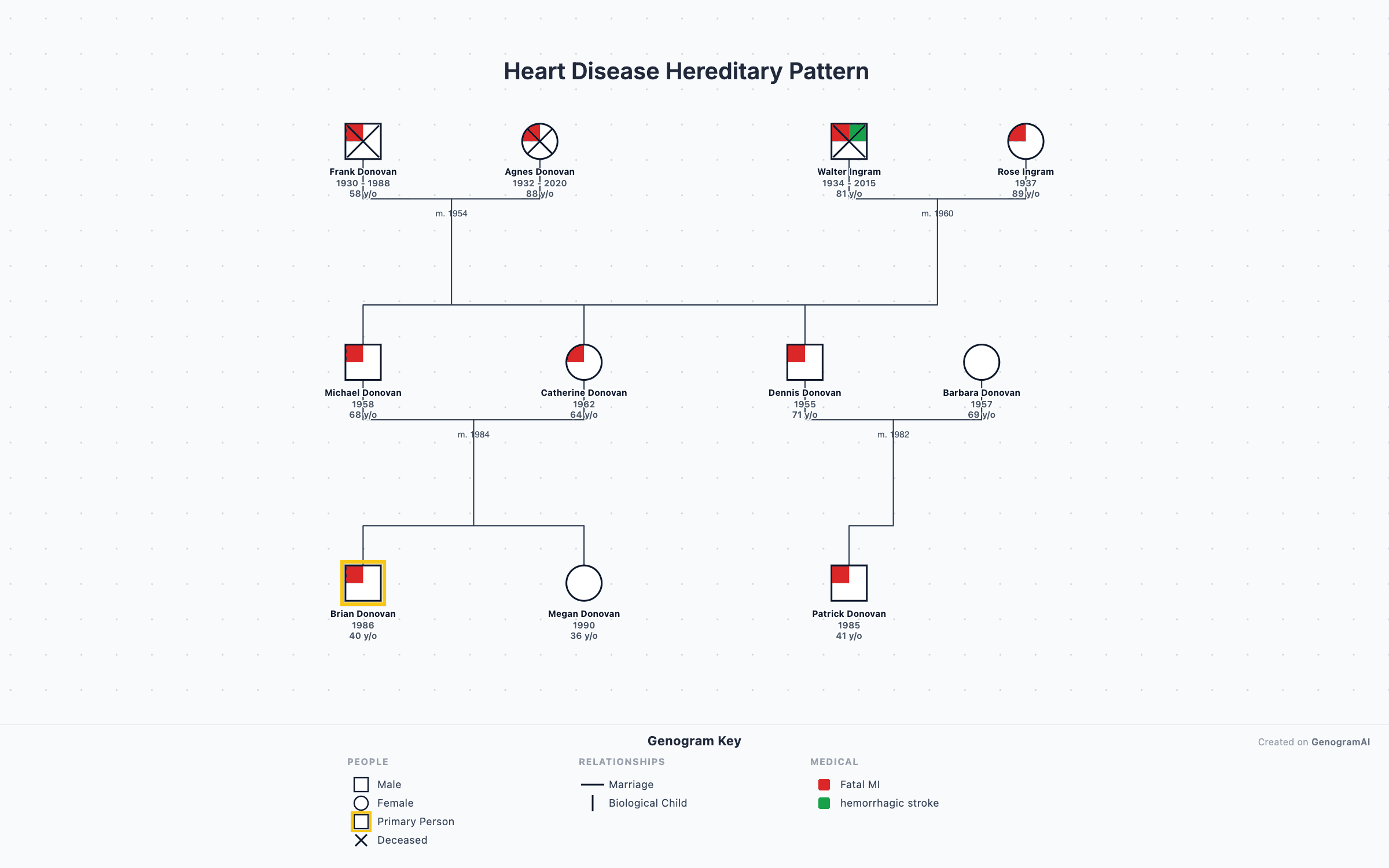
Medical Family History Genogram
Track hereditary conditions like heart disease, cancer, and diabetes with the four-quadrant medical notation system.
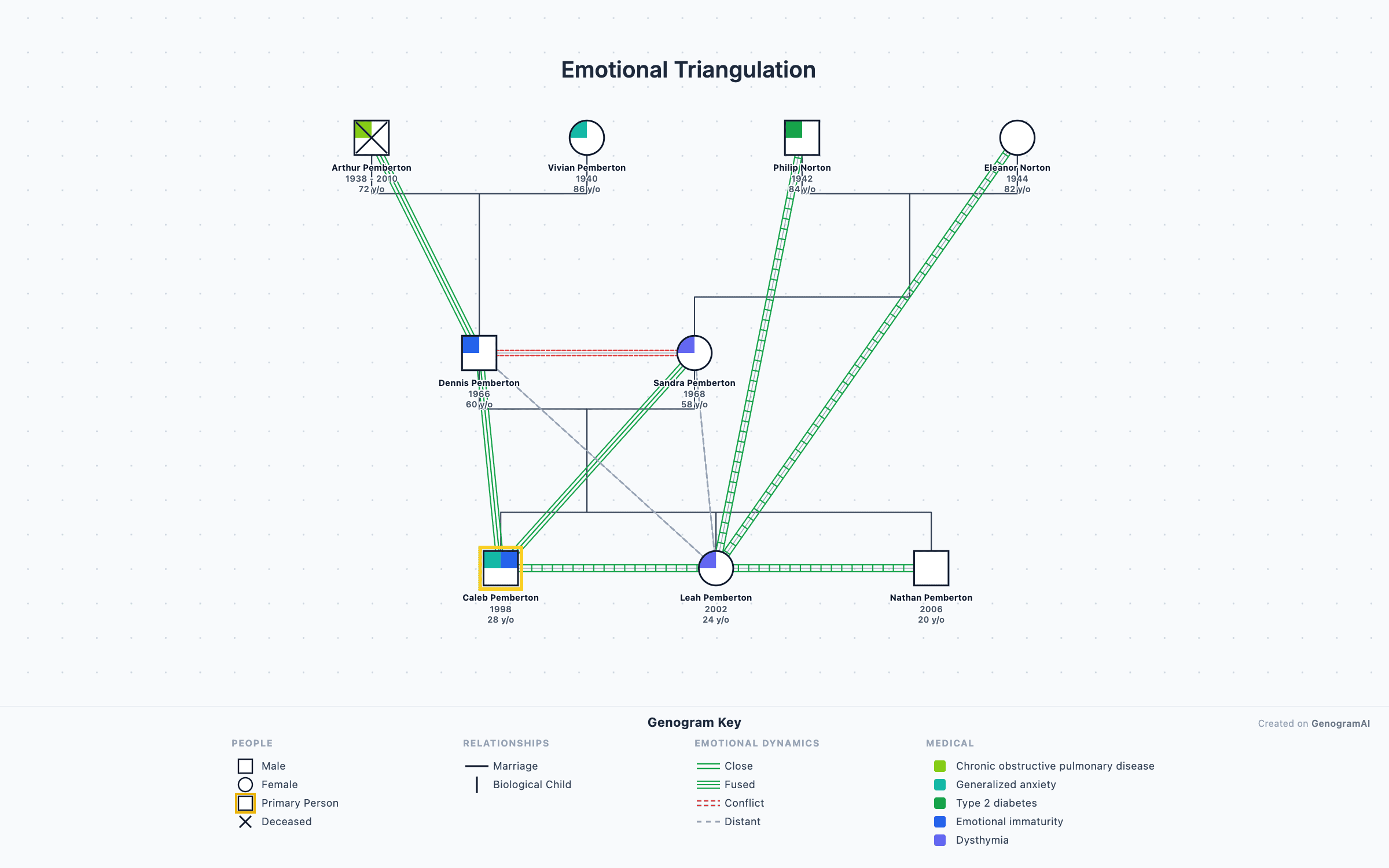
Emotional Patterns Genogram
Map conflict, enmeshment, cutoff, and closeness with 38 emotional relationship overlays from the McGoldrick standard.
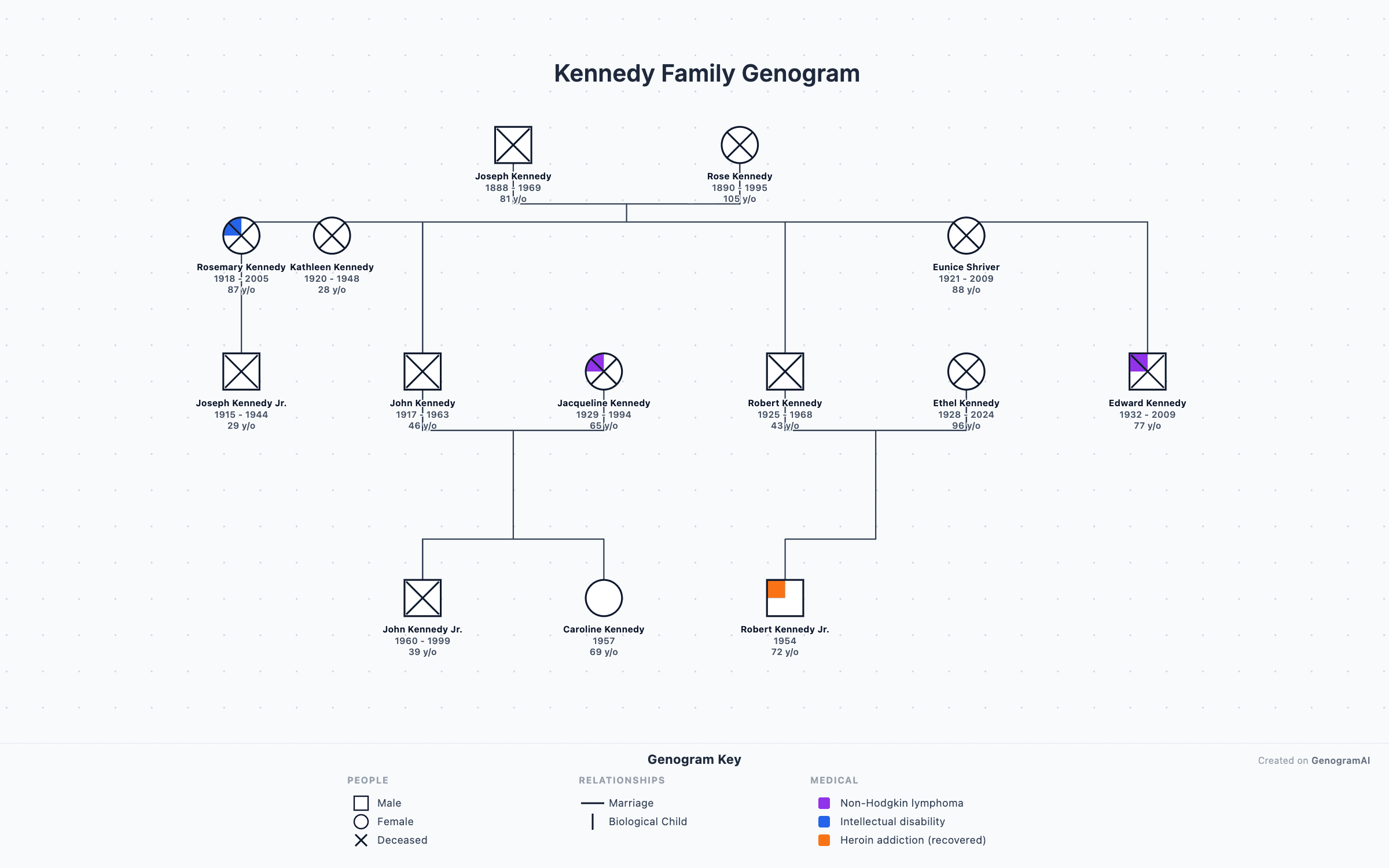
Kennedy Family Genogram
The Kennedy political dynasty mapped across four generations — a teaching example for genogram construction.
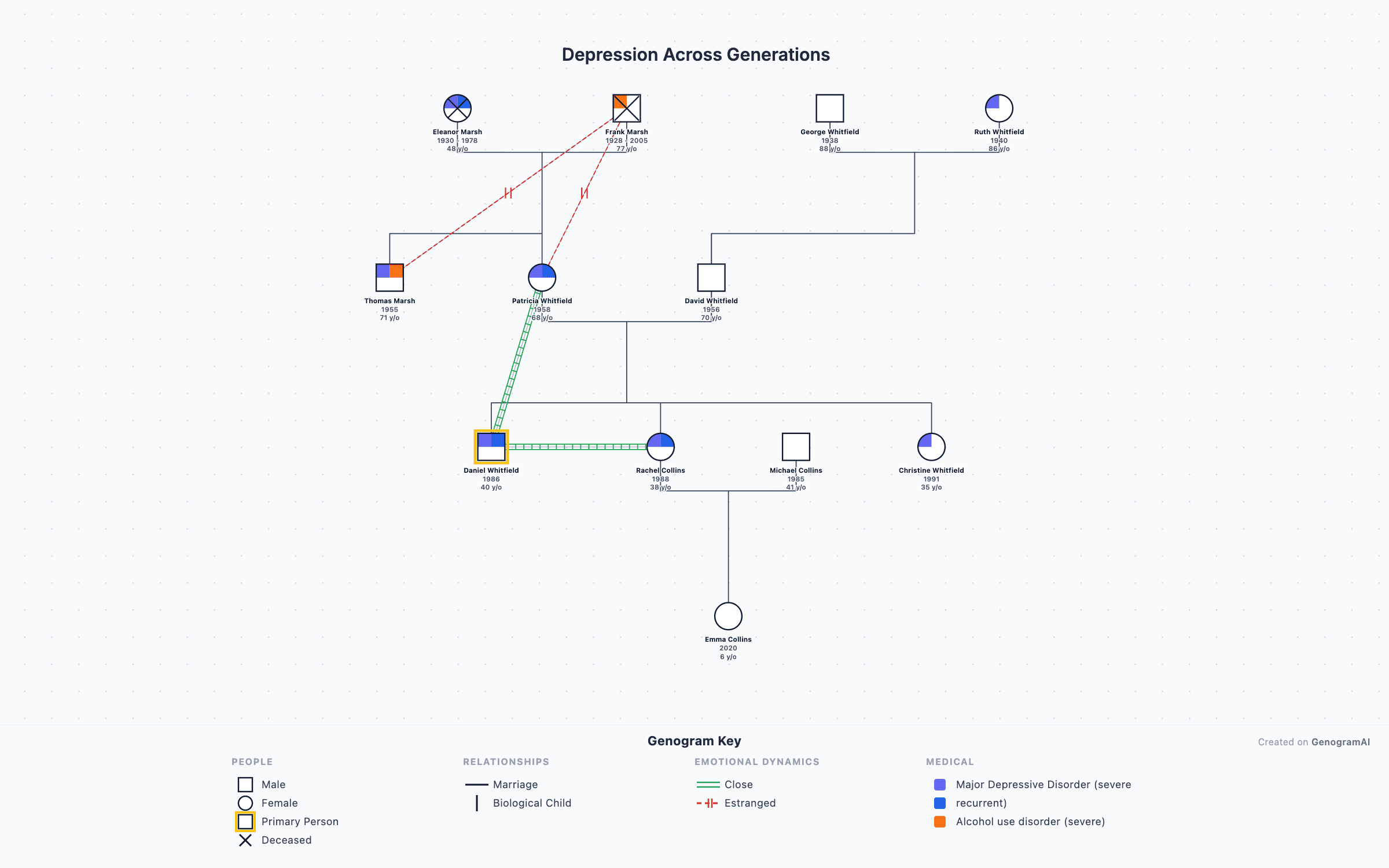
Depression Across Generations
Multigenerational transmission of depression and mood disorders visualized using clinical genogram symbols.
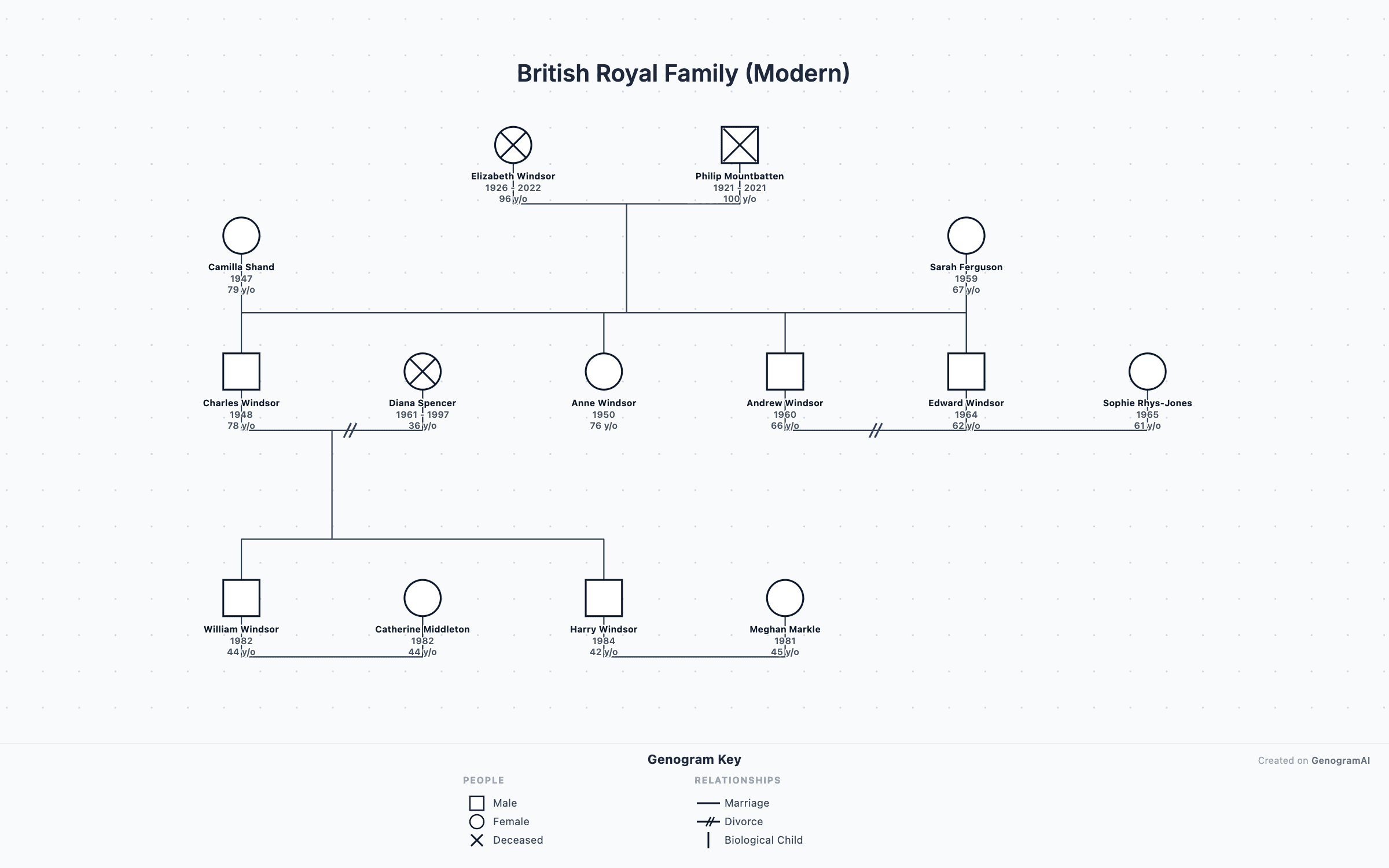
British Royal Family
The modern British royal family from Elizabeth II to present — useful as a template for complex multigenerational genograms.
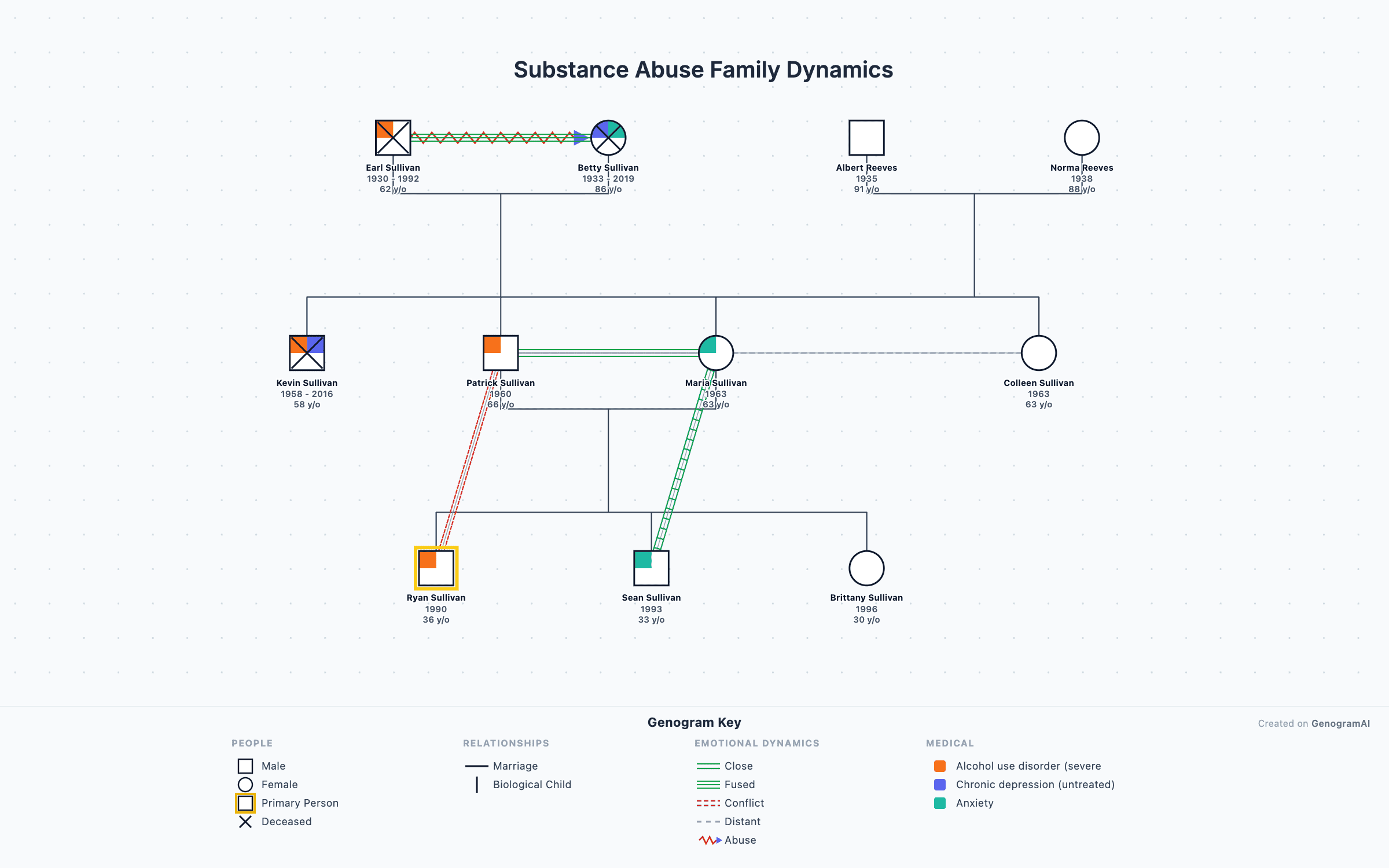
Substance Abuse Dynamics
Family patterns around addiction, codependency, and recovery — clinical genogram example for therapy training.