Simpler alternative
EdrawMax does too much. You just need genograms.
Quick answer
GenogramAI vs EdrawMax
| Feature | GenogramAI | EdrawMax |
|---|---|---|
| Learning curve | Minutes | Hours to days |
| Annual cost | Free plan; Pro $99/yr, Clinical $228/yr | $99–245/yr |
| Genogram-focused | Yes, built specifically for genograms | No, one of 280+ diagram types |
| AI genogram drafting | Text-to-genogram (5 AI credits a month free); image upload on Pro | General AI diagram tools; check current genogram support |
| Medical conditions | Yes: 22 categories, picked from a list | Genogram shapes available |
| Emotional relationship lines | 39 emotional line types | Some relationship lines |
| Where it runs | Any modern browser; Mac desktop app on Clinical | Windows, Mac and Linux desktop apps plus a web version |
| 280+ diagram types | No: genograms, eco-maps and freeform only | Yes |
The EdrawMax experience
Overwhelming complexity
Steep learning curve
Expensive for one use case
Symbol hunting
Sometimes less is more
One purpose, done well
Productive in minutes
AI does the hard work
Fair pricing
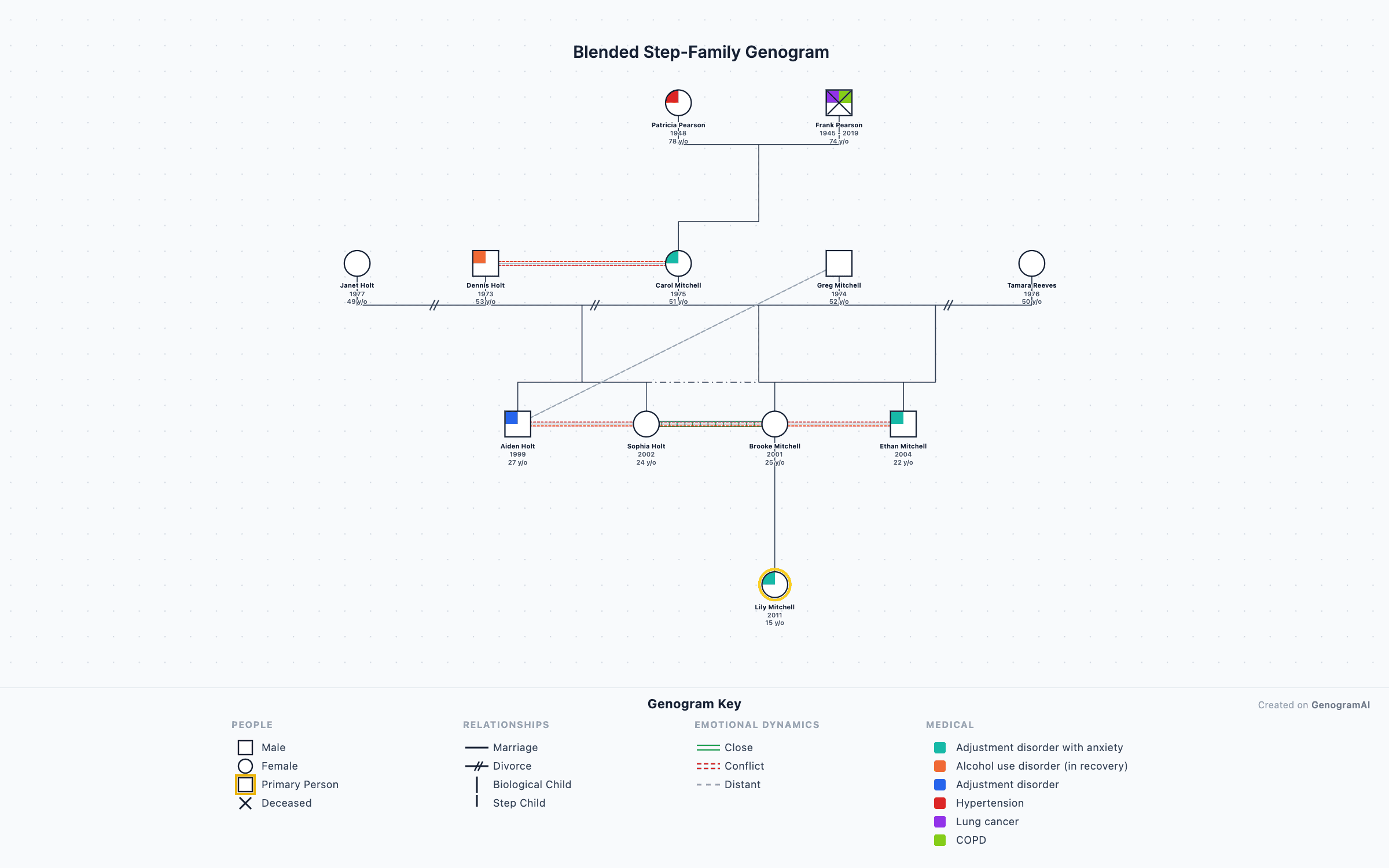
Want to see every symbol first? The genogram symbols guide covers the full notation GenogramAI draws.
EdrawMax vs GenogramAI FAQs
Is EdrawMax good for genograms?
EdrawMax has basic genogram support with some clinical symbols, but it is a general-purpose tool with 280+ diagram types and the interface is a lot for therapists who only need genograms. GenogramAI is purpose-built, with 64 relationship types (18 partner, 39 emotional, 7 child connection types) and AI drafting, so you can be productive in minutes.
How does GenogramAI pricing compare to EdrawMax?
GenogramAI has a free plan (2 genograms, every symbol and relationship type, 5 AI credits a month, PNG export). Pro is $12/mo or $99/yr for 25 genograms and unlimited AI; Clinical ($29/mo or $228/yr) removes the genogram limit. EdrawMax cost $99–245 a year depending on the plan when we checked; verify current pricing on the vendor’s site.
Does EdrawMax have AI genogram features?
EdrawMax has added general AI diagram tools; check the vendor’s site for what they currently do with genograms. In a classic EdrawMax workflow you place every person, draw every relationship line and set every condition by hand. GenogramAI’s AI drafts a genogram in clinical notation from a written description, or from a photo of a drawn genogram on Pro.
Can EdrawMax run on Mac?
Yes, EdrawMax has a Mac desktop application and a web version. GenogramAI runs in any modern browser on a Mac, Windows PC, Chromebook or iPad, and Clinical subscribers also get a Mac desktop app. Genograms are saved to your account, so you can open them from any browser without installing software.
Should I switch from EdrawMax to GenogramAI?
If you mainly create genograms, it is worth trying. GenogramAI is faster to learn, has genogram-specific AI drafting, includes 39 emotional relationship types and 22 medical categories, and costs less if genograms are your main use case. EdrawMax is the better choice if you need many different diagram types beyond genograms.
Ready for simpler genograms?