AI & Digital Workflows
Clinical Mode: a practical HIPAA-conscious AI pattern
Quick answer
The problem
A social worker types “James Smith, 28, in recovery from opioid use. Close relationship with his AA sponsor Mark, conflicted with his mother Diane…” into an AI tool. That string — with the real names — gets sent to the model provider. Even if the provider promises not to train on it, even if it’s encrypted in transit, the simple fact is that PHI has now traveled outside your network. For HIPAA-conscious work that’s a problem.
The naive answers don’t work
The obvious approach is “don’t use AI for clinical notes.” That’s a real choice, and for some practices it’s correct. But it leaves a lot of value on the table. The second obvious approach is “ask the user to anonymize before pasting.” In practice that gets done about as often as you’d guess. The third is “send everything to a self-hosted model.” Self-hosting frontier models isn’t practical for most organizations.
What we wanted: an architecture where the AI sees enough to be useful, but never sees identifying information, and the user never has to think about it.
How does Clinical Mode de-identify an AI request?
- 1
Tokenize entities
Identify every person name, place, and free-text identifier in the payload going to the AI. - 2
Substitute aliases
Replace each with a role-based alias:Client,Therapist 1,Family Member 2,Place 1, etc. Keep a local mapping table in browser memory. - 3
Send the de-identified payload
The AI sees the structure of the case (relationships, line styles, system categories) but never the real names. - 4
Re-identify the response
When the response comes back referencing “Therapist 1”, the client-side mapping swaps the alias back to “Mark” before anything is rendered or saved. - 5
Discard the mapping
When the user closes the session, the mapping table is gone. Nothing about the substitution is persisted.
| Text | |
|---|---|
| Typed by the clinician | James Smith, 28, in recovery from opioid use. Close relationship with his AA sponsor Mark, conflicted with his mother Diane… |
| Sent to the AI | Client, 28, in recovery from opioid use. Close relationship with his AA sponsor Therapist 1, conflicted with his mother Family Member 1… |
| Shown on the canvas | James, Mark and Diane, re-identified in the browser |
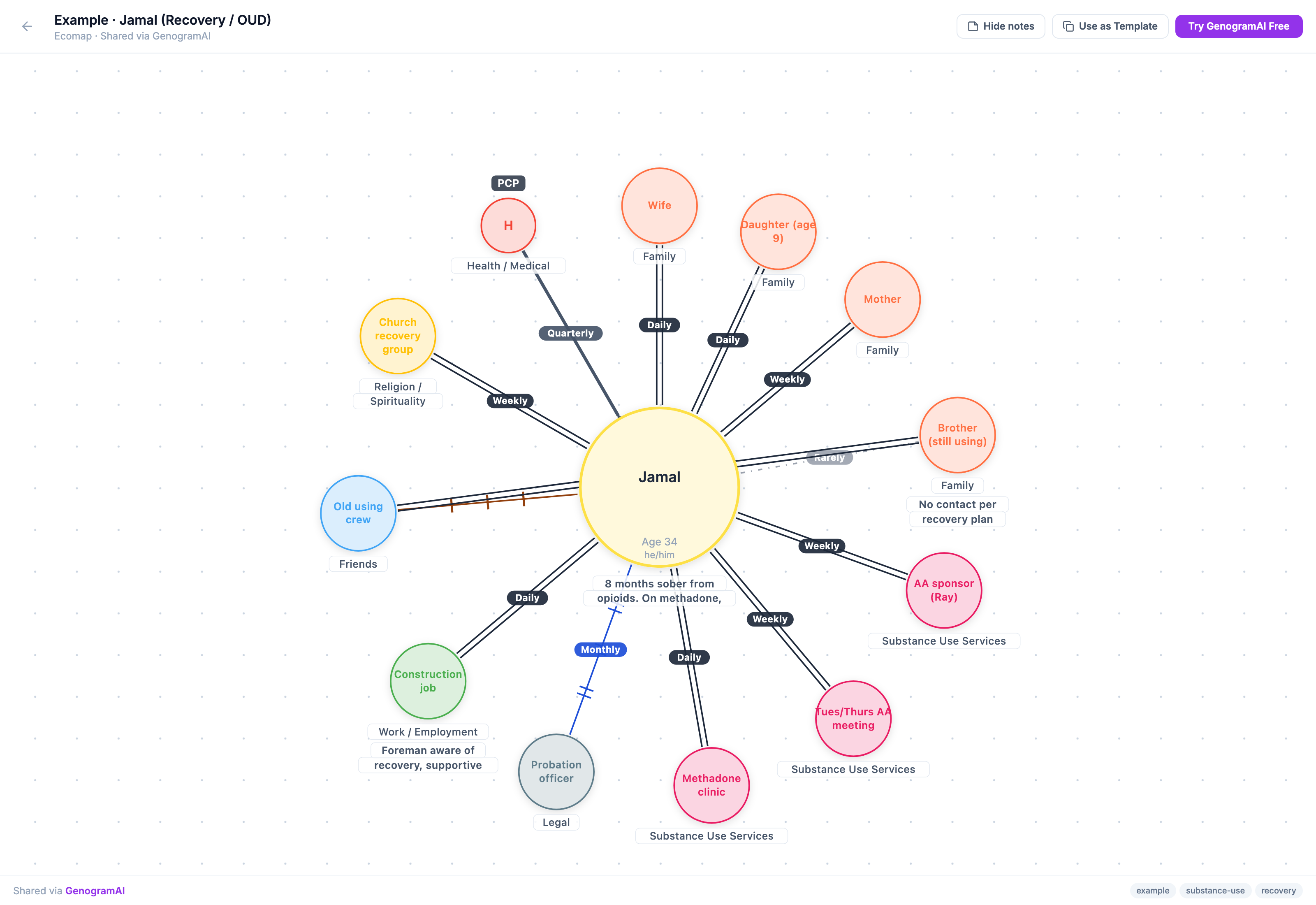
What the AI loses, and what it doesn’t
The AI loses access to identifying specifics. It doesn’t know that the sponsor is named Mark or that the client is named James. What it keeps is the entire structure: the role of each person, the relationships among them, the line styles, the system categories. For most clinical AI use cases — generating an ecomap from a case description, suggesting an analysis, refining a draft — that structure is what matters. The names are decoration.
| Sent to the AI | Stays in the browser |
|---|---|
| Role aliases (Client, Therapist 1, Family Member 2) | Real names and places |
| Relationships and line styles | The alias-to-name mapping table |
| System categories (health, work, faith, legal) | Free-text identifiers |
Edge cases we had to handle
- Image inputs. AI image import is a paid feature (Professional and Clinical plans). Photos of hand-drawn ecomaps contain names, and we don’t (yet) auto-redact text inside images, so the image is sent as uploaded. The resulting ecomap then goes through the normal re-identification flow. For organizations that need image-side redaction we recommend pre-anonymizing with a marker.
- Ambiguous aliases. “The therapist” isn’t the same alias as “Mark.” The mapping has to be stable across a session so the AI can keep references consistent. We solved this by hashing the original name into a deterministic alias index within the session.
- Long sessions. If the user re-edits an ecomap an hour later, the mapping has to still be in memory. We hold it in
sessionStoragefor the canvas’s lifetime.
What this isn’t
Clinical Mode is not a substitute for a Business Associate Agreement. Organizations operating under HIPAA still need the legal infrastructure — agreements with their vendors, documented policies, employee training. What Clinical Mode does is eliminate the most common architectural failure mode (PHI in AI prompts) so the rest of the compliance stack has less to worry about.
GenogramAI does not currently offer a BAA. The Clinical plan ($29/month) combines Clinical Mode’s pre-send de-identification with AES-256-GCM zero-knowledge encryption, secure offline storage in the native macOS app, and Clinical eco-maps that stay on the device. Organisations can contact us through the enterprise page; the full policy is on the HIPAA page.
Why we’re writing about this
The default in clinical-tech right now is to glue an AI feature onto an existing workflow and worry about privacy as an afterthought. We’d rather make the privacy architecture the load-bearing decision and design the AI feature around it. If you’re a clinician who’s been waiting for AI tools that take this seriously, this is what taking it seriously looks like.
More on this: Clinical Ecomap landing, AI ecomap generator, software for agencies.
Try Clinical Mode
Frequently asked questions
Is GenogramAI HIPAA compliant?
GenogramAI is HIPAA-conscious. Identifying information is stripped from AI requests before they leave the browser, following the HIPAA Safe Harbor method, so the AI sees aliases rather than names. In Clinical Mode, records are encrypted with AES-256-GCM and kept on your device. GenogramAI does not currently offer a Business Associate Agreement (BAA).
Which plan includes Clinical Mode?
Clinical Mode is part of the Clinical plan ($29 a month, or $228 a year). The plan also includes unlimited projects and AI, the native macOS desktop app, AES-256-GCM zero-knowledge encryption and secure offline storage. A Windows desktop app is coming but is not available yet. Organisations can contact the team through the enterprise page.
Does Clinical Mode redact names inside uploaded images?
No. Text inside images is not automatically redacted, so a photo of a hand-drawn chart is sent as uploaded. AI image import is a paid feature (Professional and Clinical plans). If the photo contains real names, cover or replace them before uploading.
Does Clinical Mode replace a Business Associate Agreement?
No. Organisations operating under HIPAA still need their own legal infrastructure: agreements with their vendors, documented policies and employee training. Clinical Mode removes the most common architectural failure, PHI in AI prompts, so the rest of the compliance stack has less to worry about.