v2 release · October 2026
GenogramAI v2
The most powerful genogram software.
A new workspace. AI powered by Claude. An Auto-Arrange that draws families the way clinicians do. And more than 400 updates.
By the GenogramAI Product Team · October 15, 2026
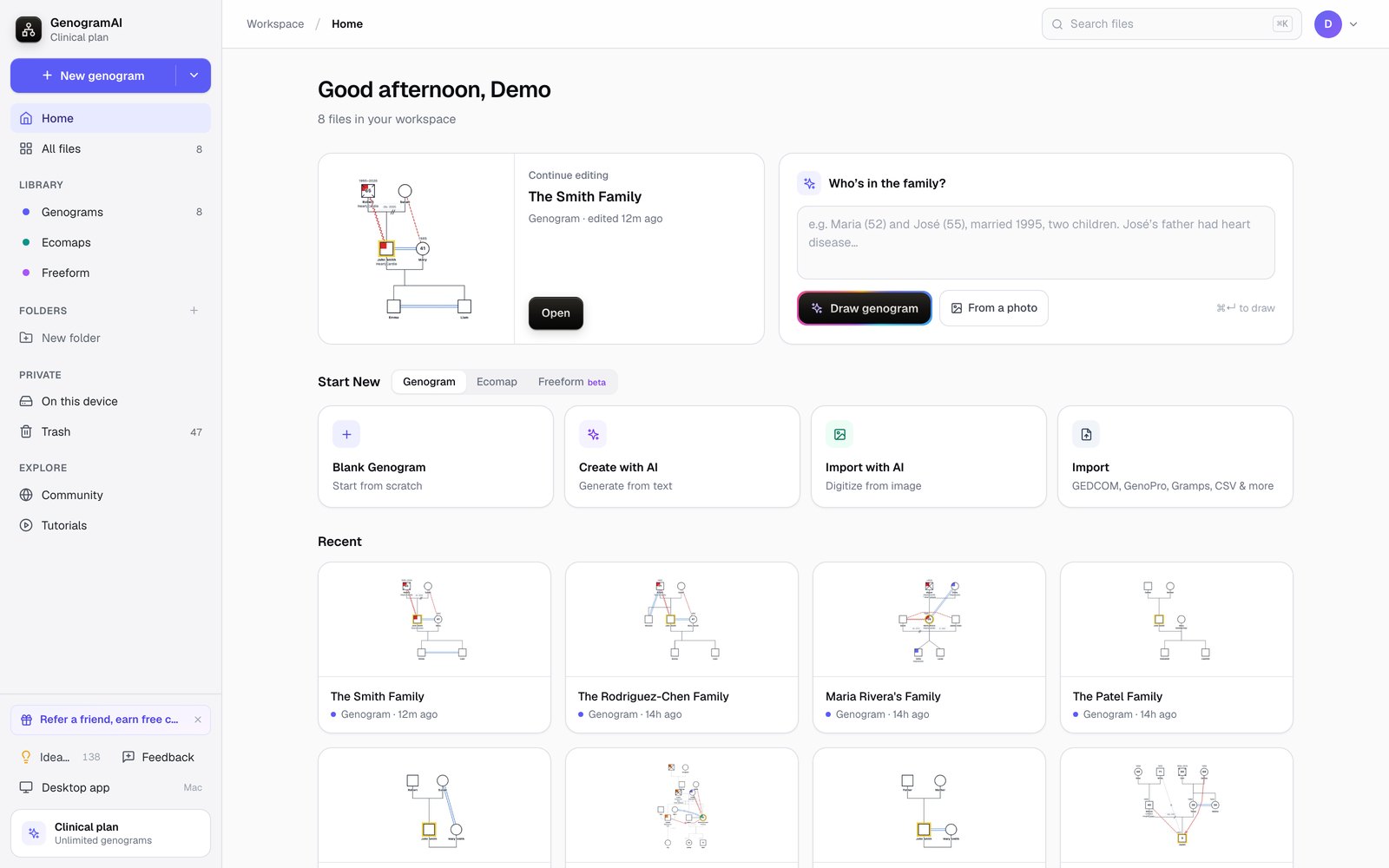
AI Assistant
Describe a family.
Watch it appear.
GenogramAI now runs on Anthropic’s Claude, tuned for genogram editing. Type a sentence and the chart draws itself, key and all.
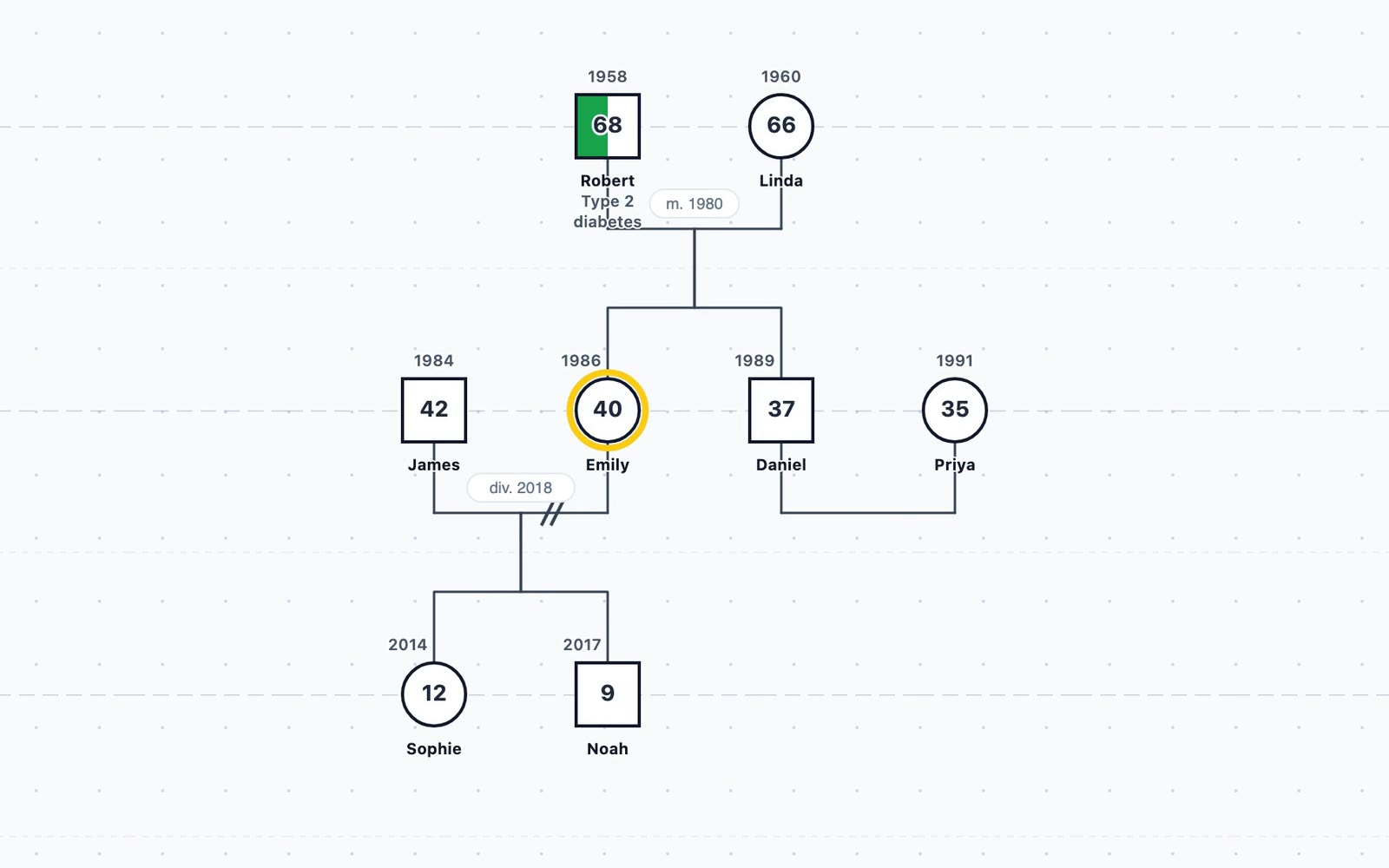
Switch to Chat to ask how something works. It replies in your language, never claims a change it didn’t make, and won’t remove someone your request didn’t clearly name. Every fix ships with a test drawn from a real case, and the whole suite runs before each release. AI eco-maps run on Claude too.
Edit by asking
Change the chart in plain words.
Add a daughter, mark a divorce, note a diagnosis. The AI edits the genogram you are looking at.
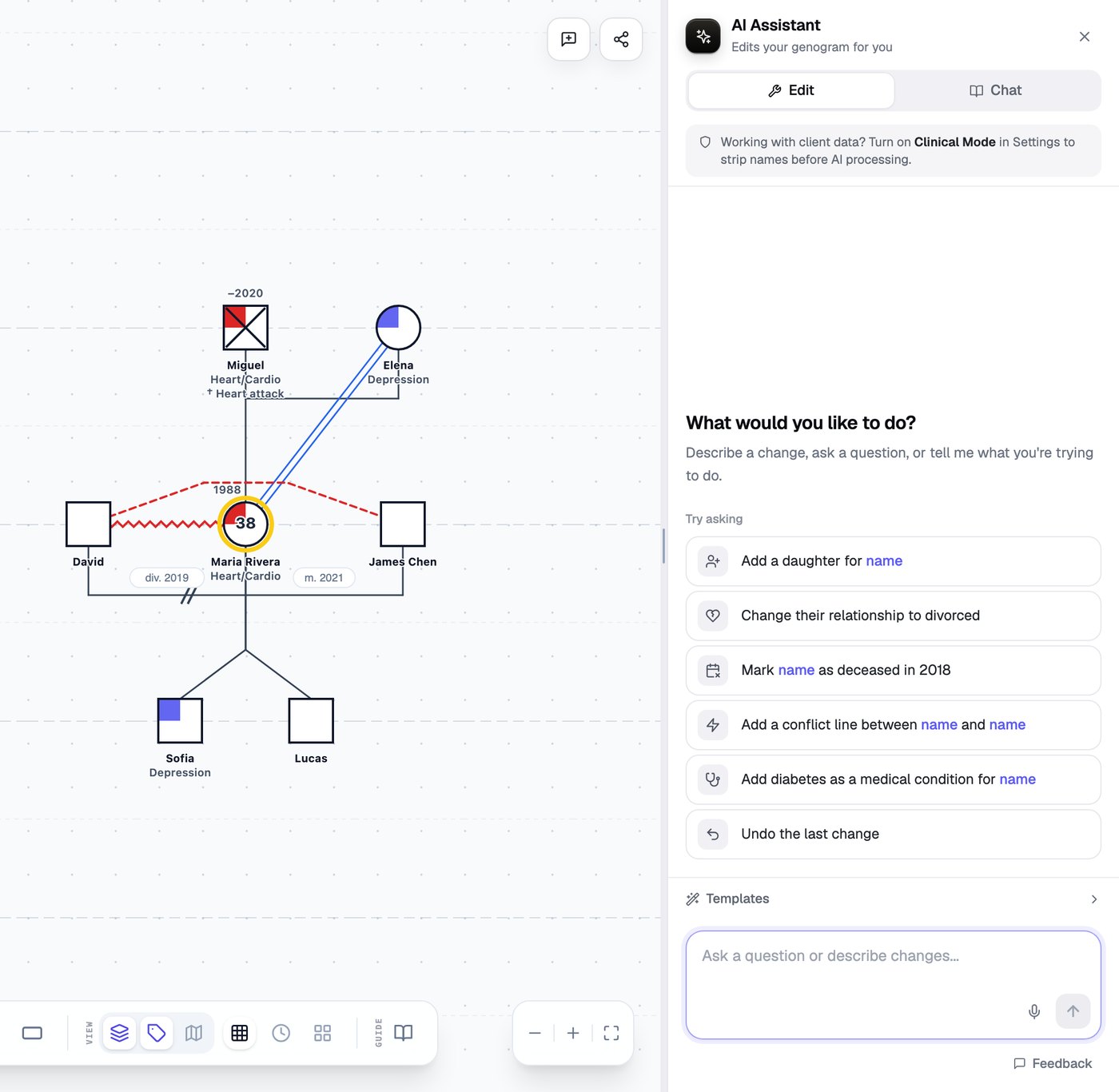
Workspace
All your work, in one place.
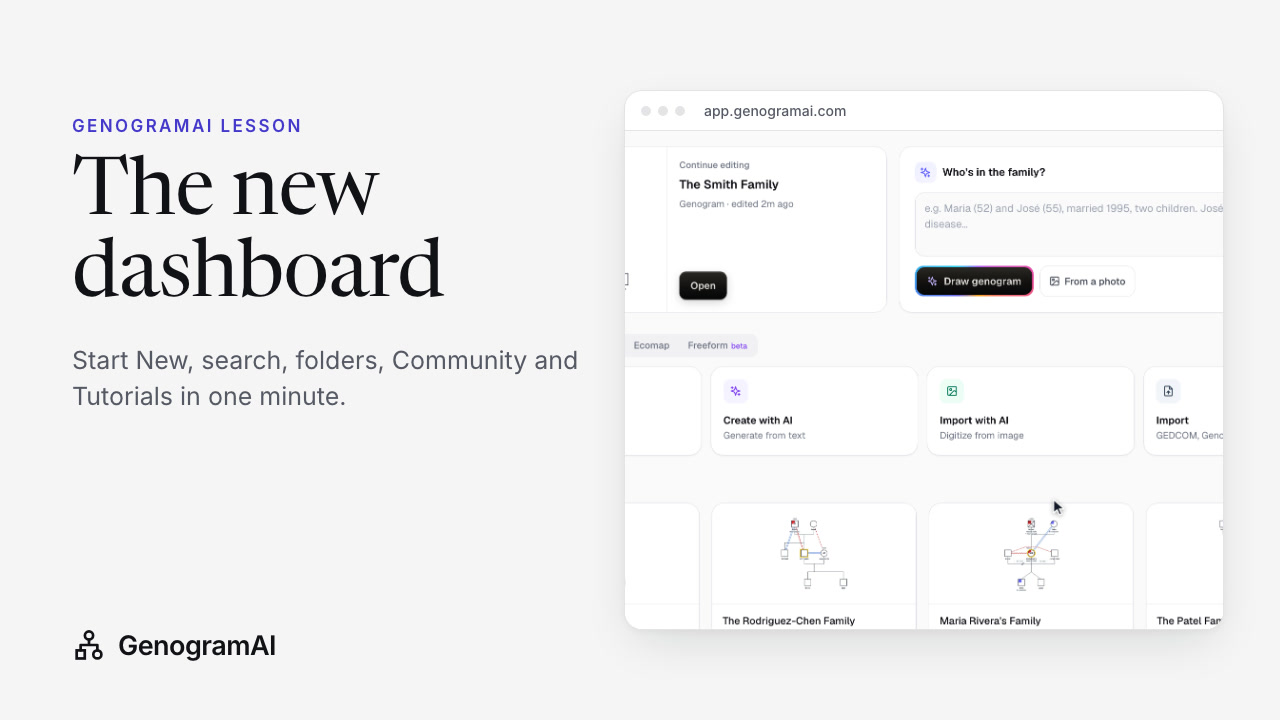
Pick up where you left off, describe a family to the AI, or start a genogram, eco-map or Freeform document.
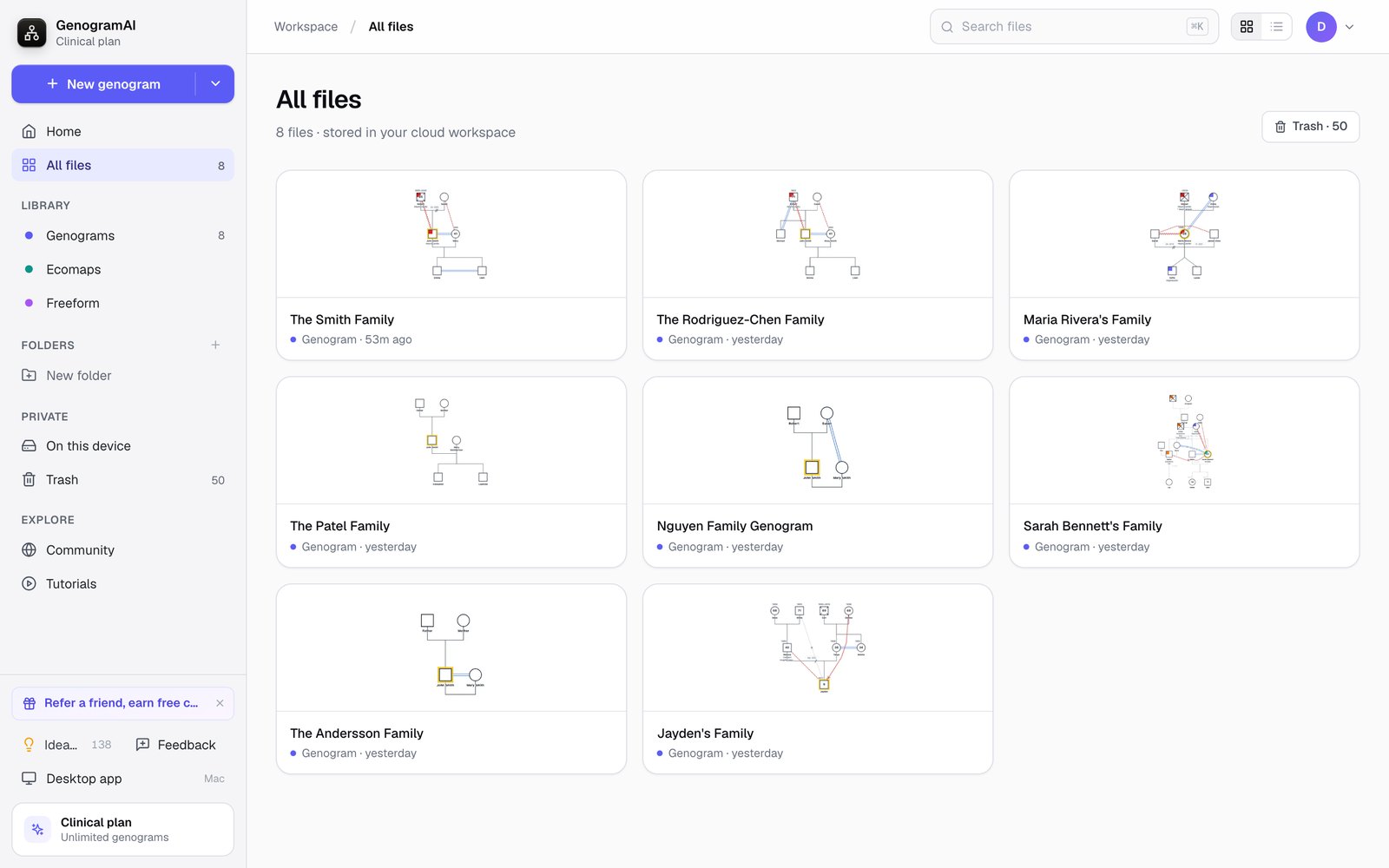
Your files live in libraries for genograms, eco-maps and Freeform, with folders, search, Trash and Version history on every file. The Community gallery and the video Tutorials open right inside the app.
Auto-Arrange
Rebuilt from scratch.
It lays out each family the way people draw genograms by hand, and shows you the result before you apply it.
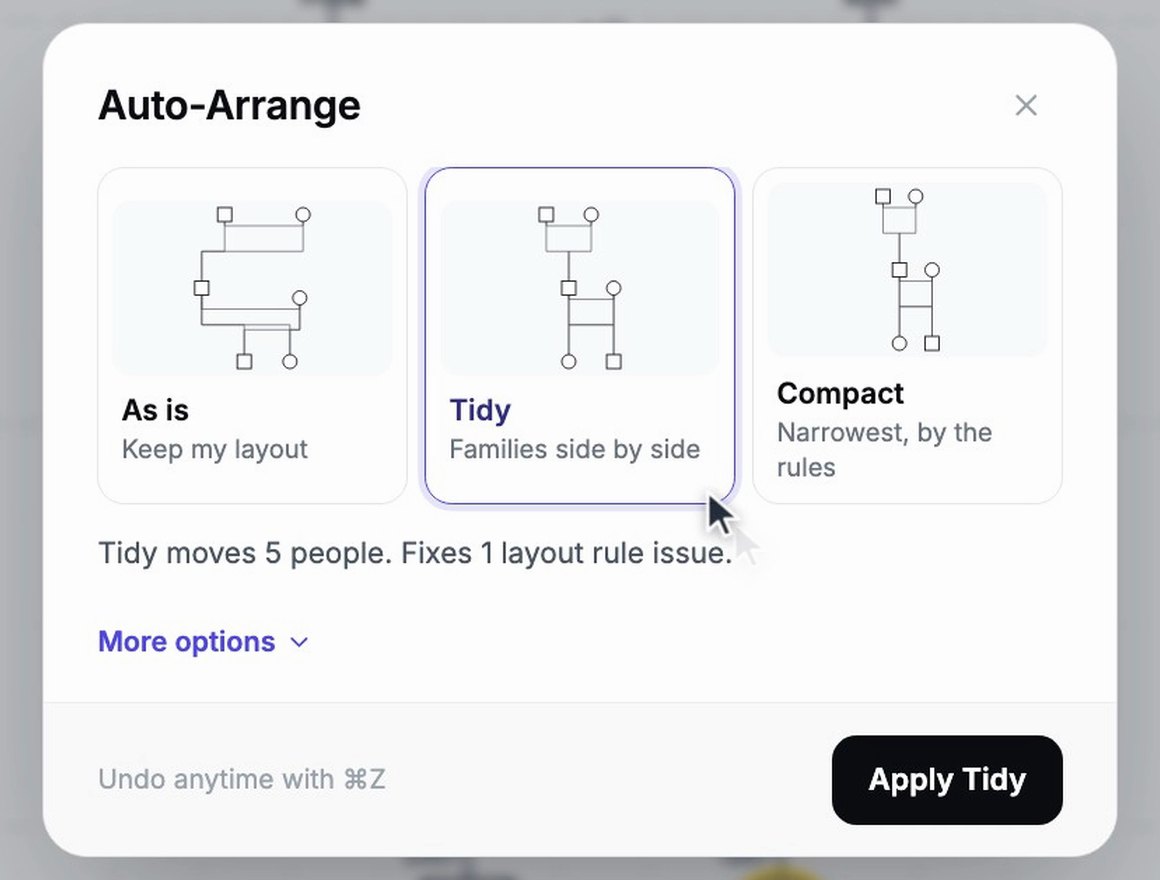
Siblings share one row, couple lines drop from the middle, co-parents sit side by side, and nothing overlaps or crosses when it doesn’t have to. Someone with several partners sits in the middle with partners in date order, and a spouse who married in sits outside the sibling row. Choose As is, Tidy or Compact from live previews, see how many people move, and undo with one keystroke.
Notation
Closer to the clinical standard.
We worked through the notation clinicians learn in training, symbol by symbol, and filled the gaps.
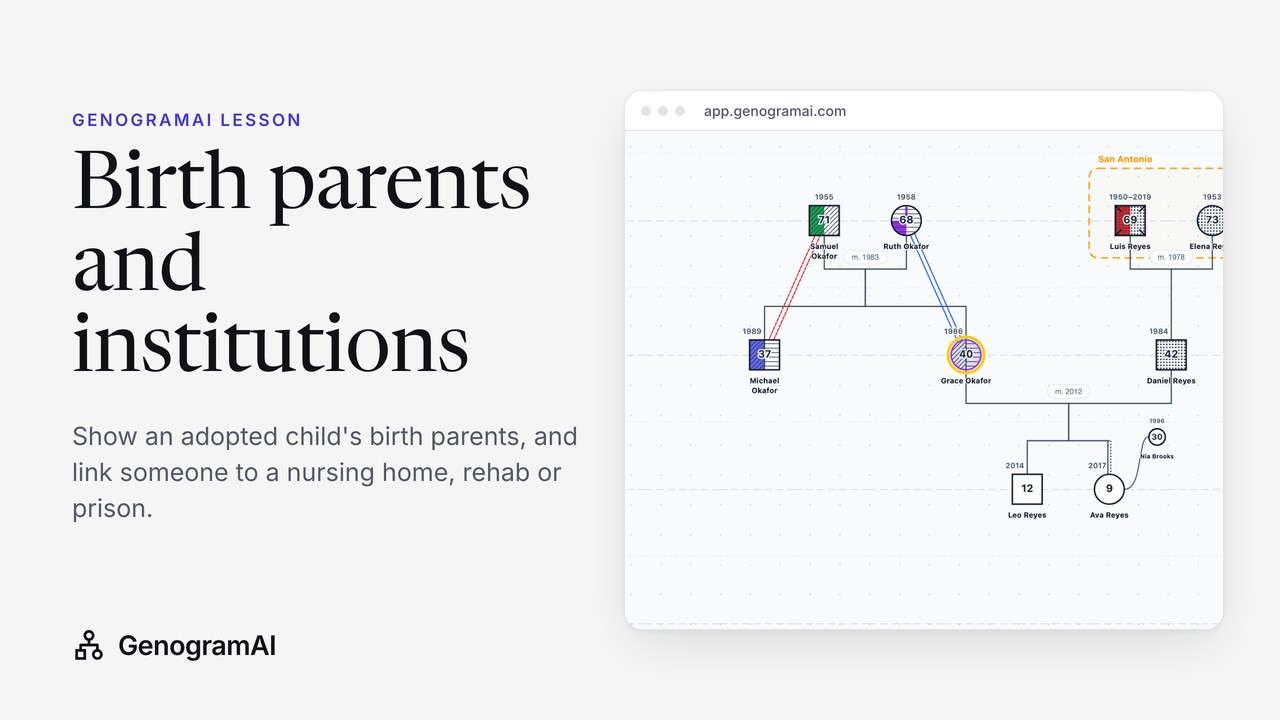 1:01
How to Show Birth Parents and Institutions on a Genogram (Adoption, Nursing Home, Rehab)
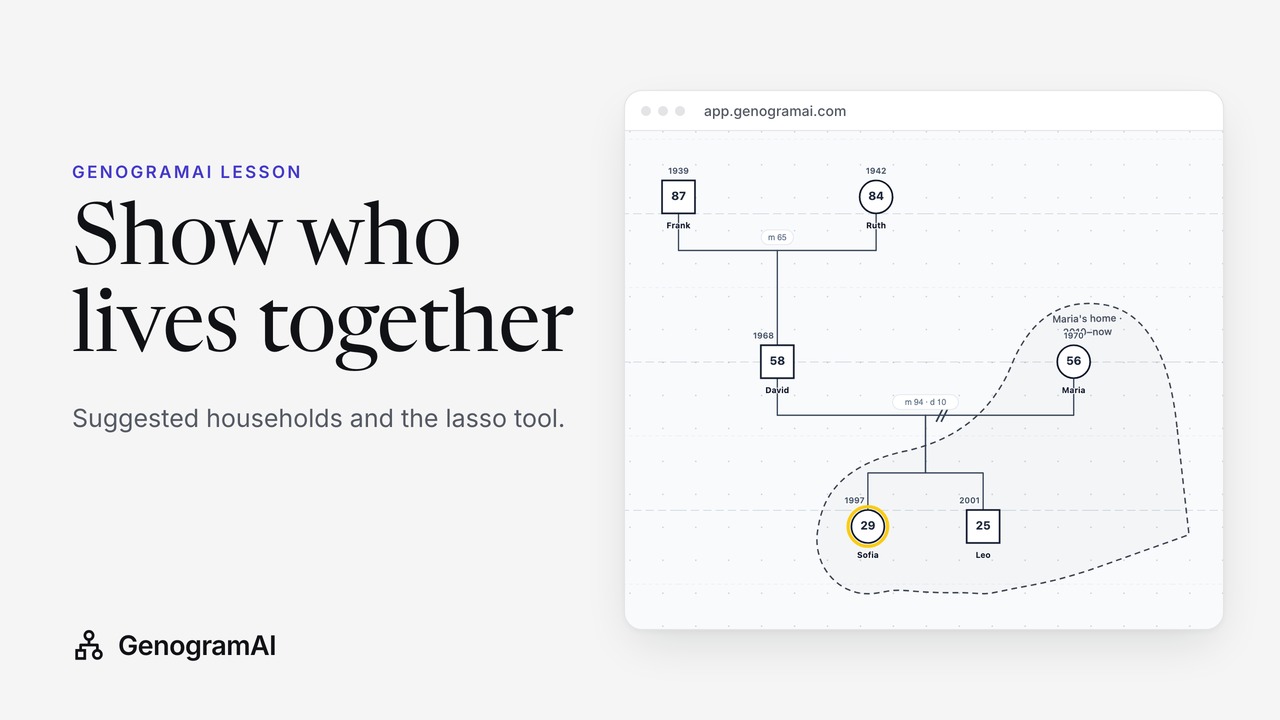 0:31
How to Show a Household on a Genogram (Who Lives Together)
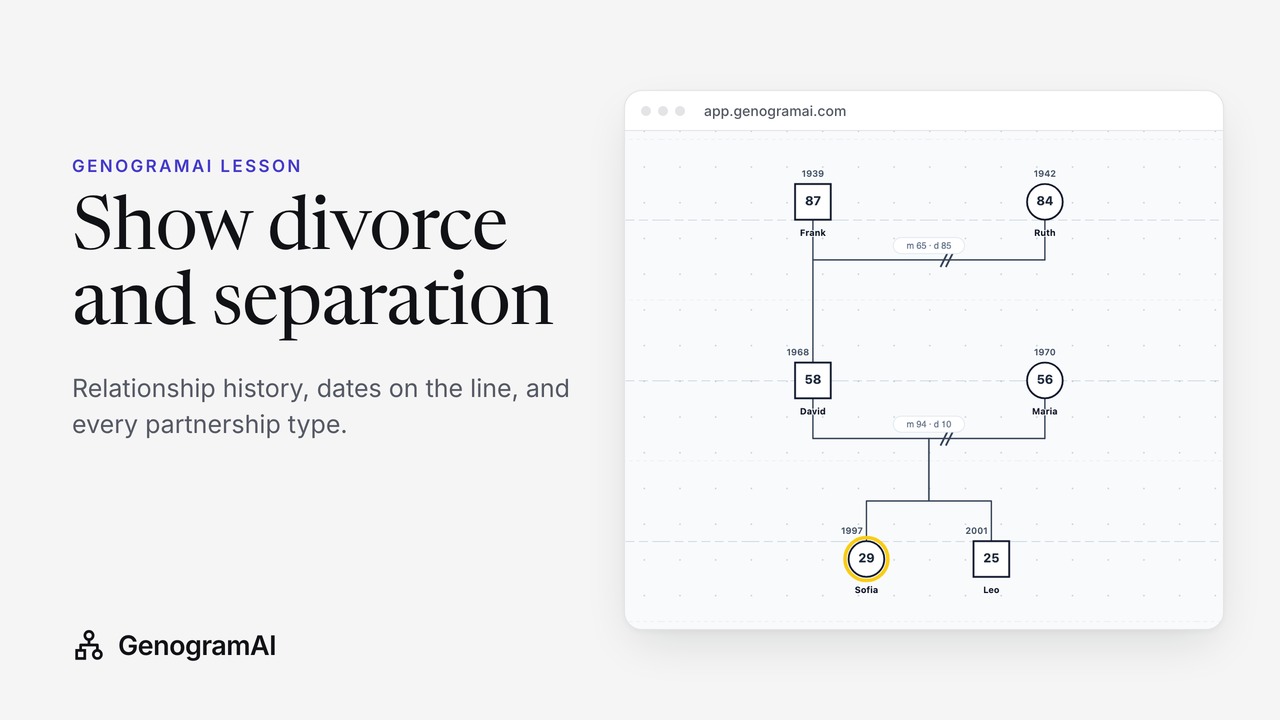 0:42
How to Show Divorce, Separation and Other Relationships on a Genogram
 0:49
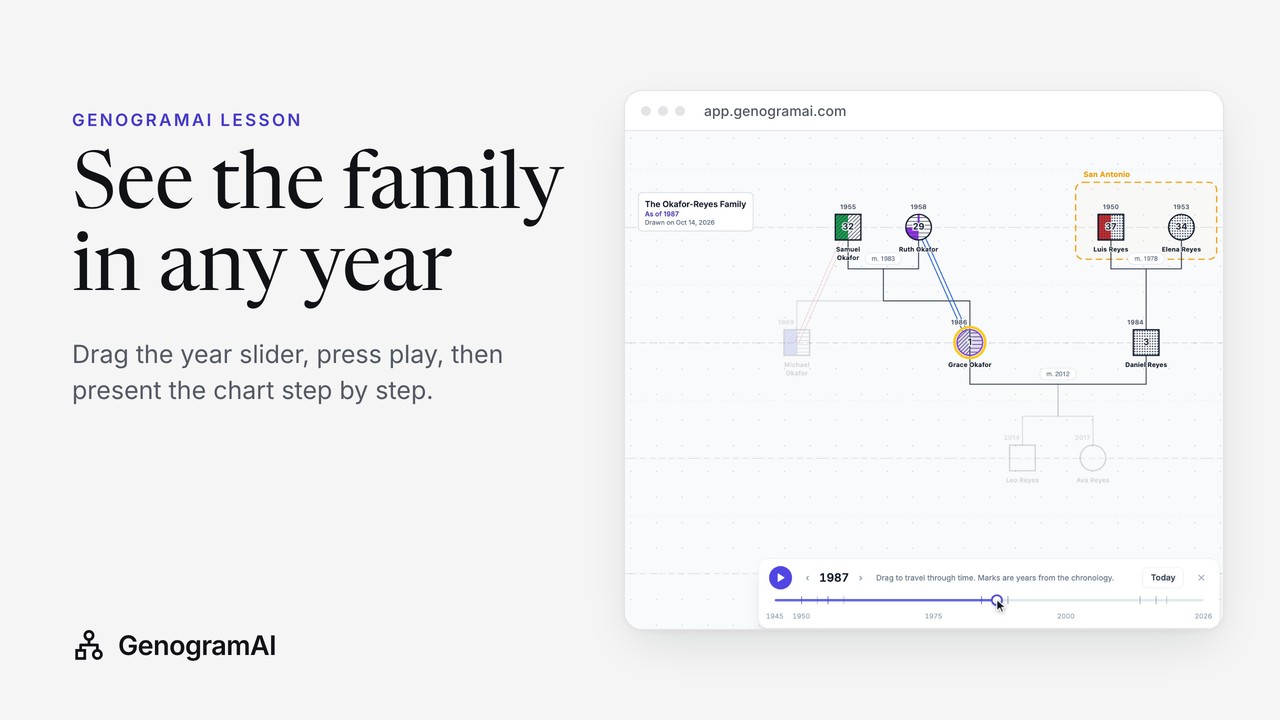
Genogram Time View: See a Family in Any Year, Then Present It Step by Step
People and families
Adoption and foster lines, birth parents, institutions, households drawn as a loop, pets, pregnancies, twins, and recovery and suspected-condition shading.
Relationships and time
Real marriage, separation and divorce dates, ended couples, triangles, secrets, line jumps, and a Time view that shows the family as of any year.
Impossible facts are caught on every plan: a death before a birth, a parent who would have been 12, a divorce before the wedding. GenogramAI flags them on the chart with a one-click fix.
GenogramAI follows the notation conventions described by McGoldrick, Gerson and Petry in Genograms: Assessment and Treatment. GenogramAI is independent and not affiliated with or endorsed by the authors or the publisher.
Eco-maps
Eco-maps, grown up.
Ask the AI to add a church, a landlord or a therapist, and it edits the map instead of starting over.
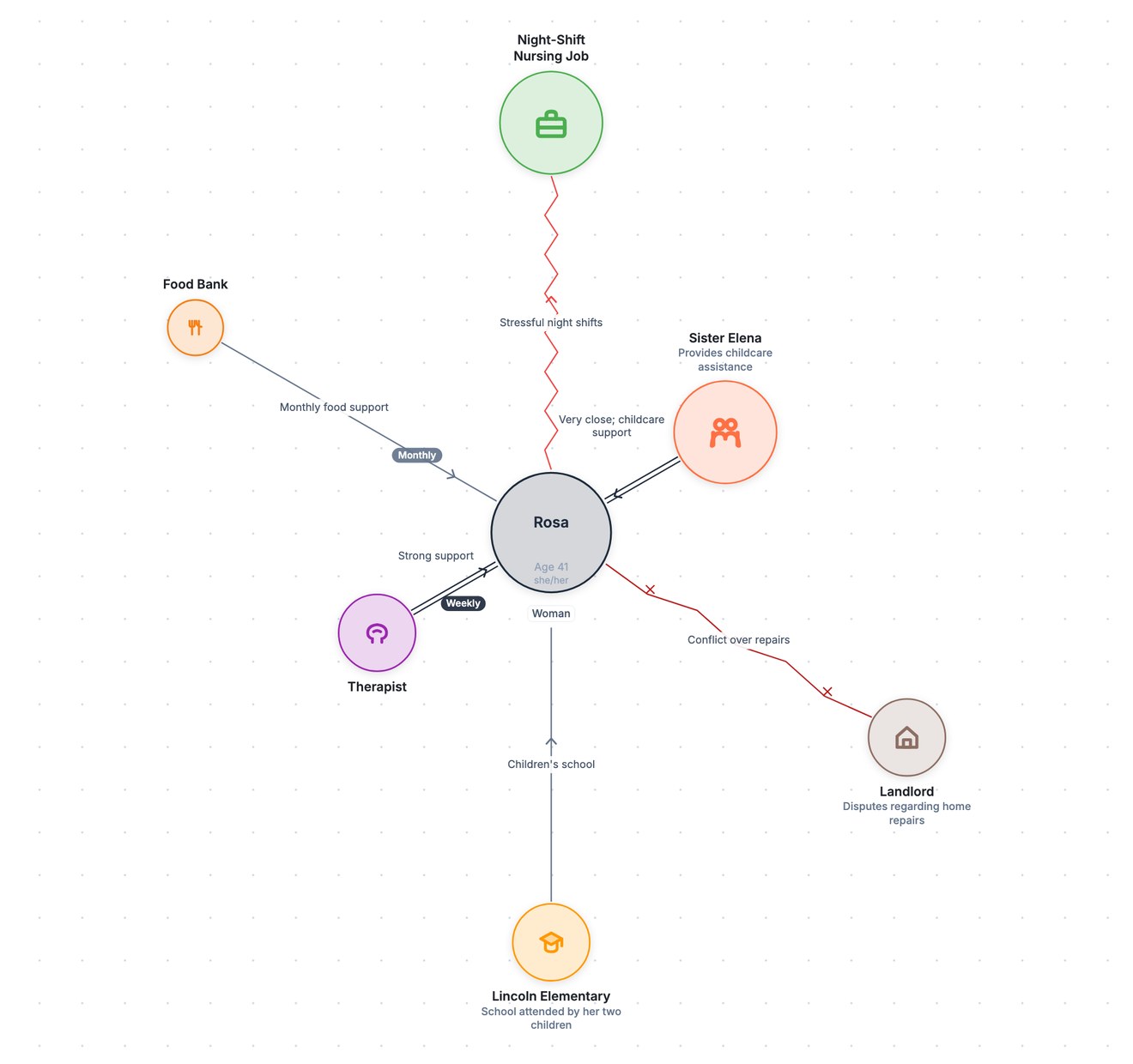
A household can sit at the centre, an eco-map can be linked to a genogram and refreshed from it, export matches the canvas on paper from Letter and A4 up to A0, and the editor works on phones.
Research view · Clinical plan
Know which facts are proven.
Attach sources to every date, place and relationship. Facts without enough evidence fade until you prove them.
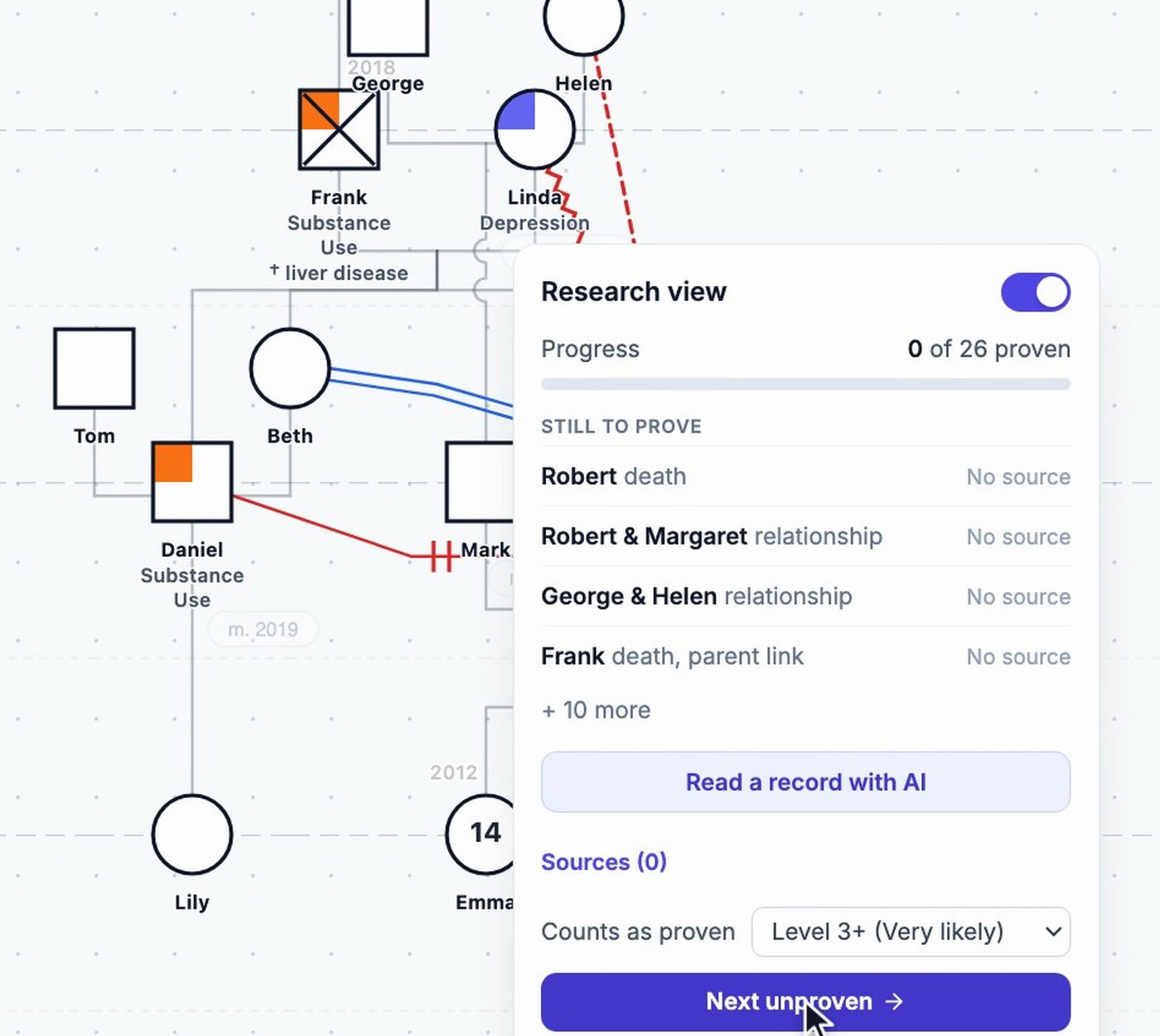
Sources that disagree are flagged, and the AI record reader turns an obituary, certificate or census page into sourced facts. Sources travel in and out with GEDCOM. More about Research view
Learn
49 new video lessons.
Short, captioned lessons recorded on the new app, from adding parents to Research view. Most take under a minute.
 1:08
GenogramAI Dashboard Tour: Start New, Search, Folders and More
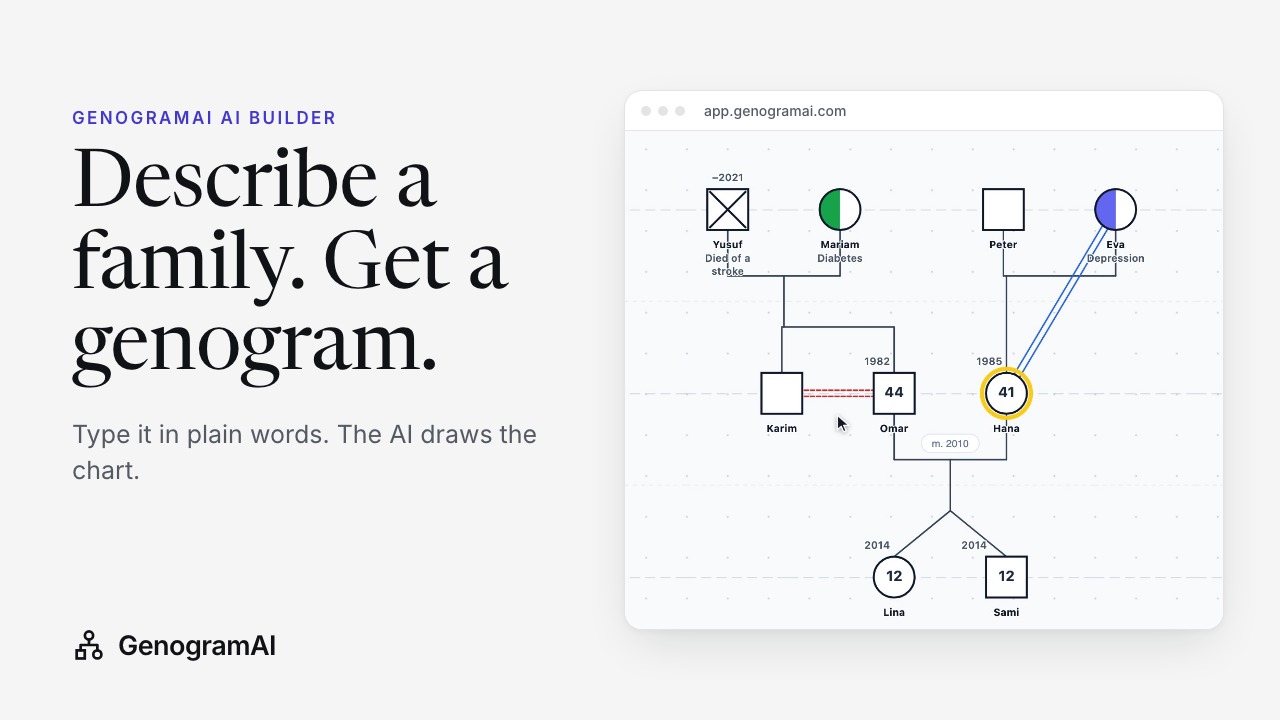 1:05
Describe a Family, Get a Genogram: GenogramAI's AI Builder
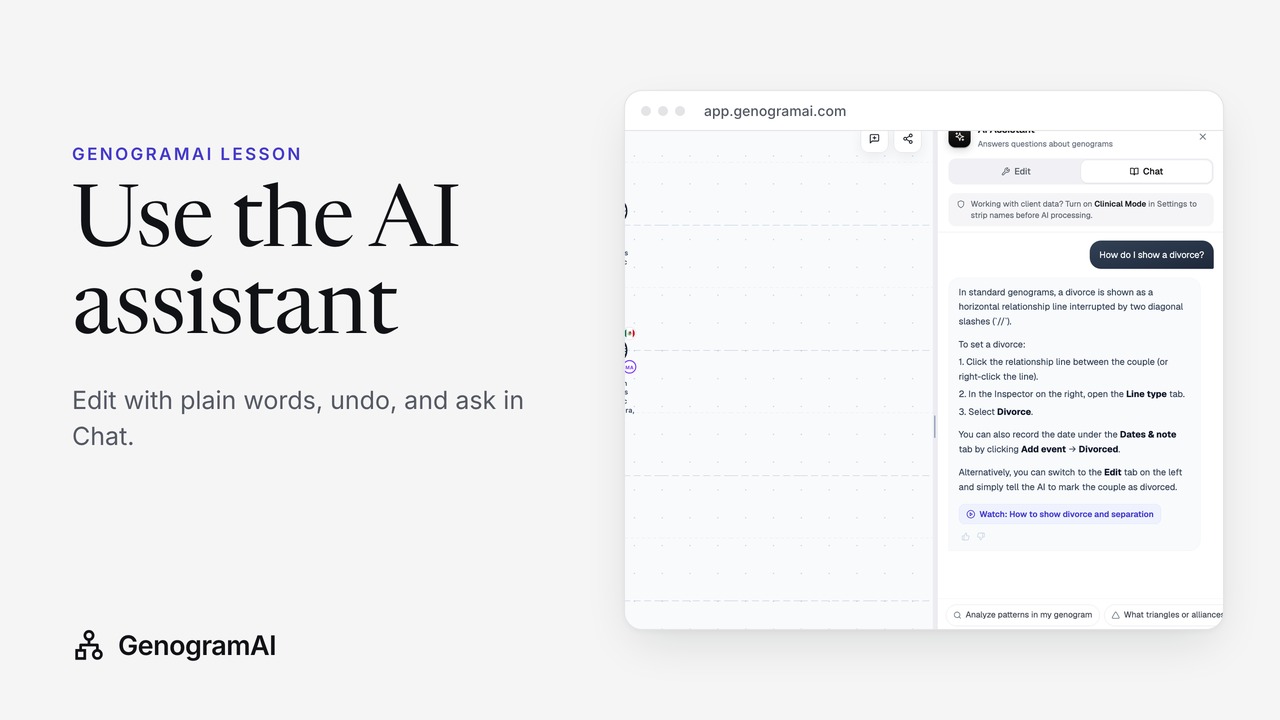 0:35
How to Use the GenogramAI Assistant (Edit and Chat)
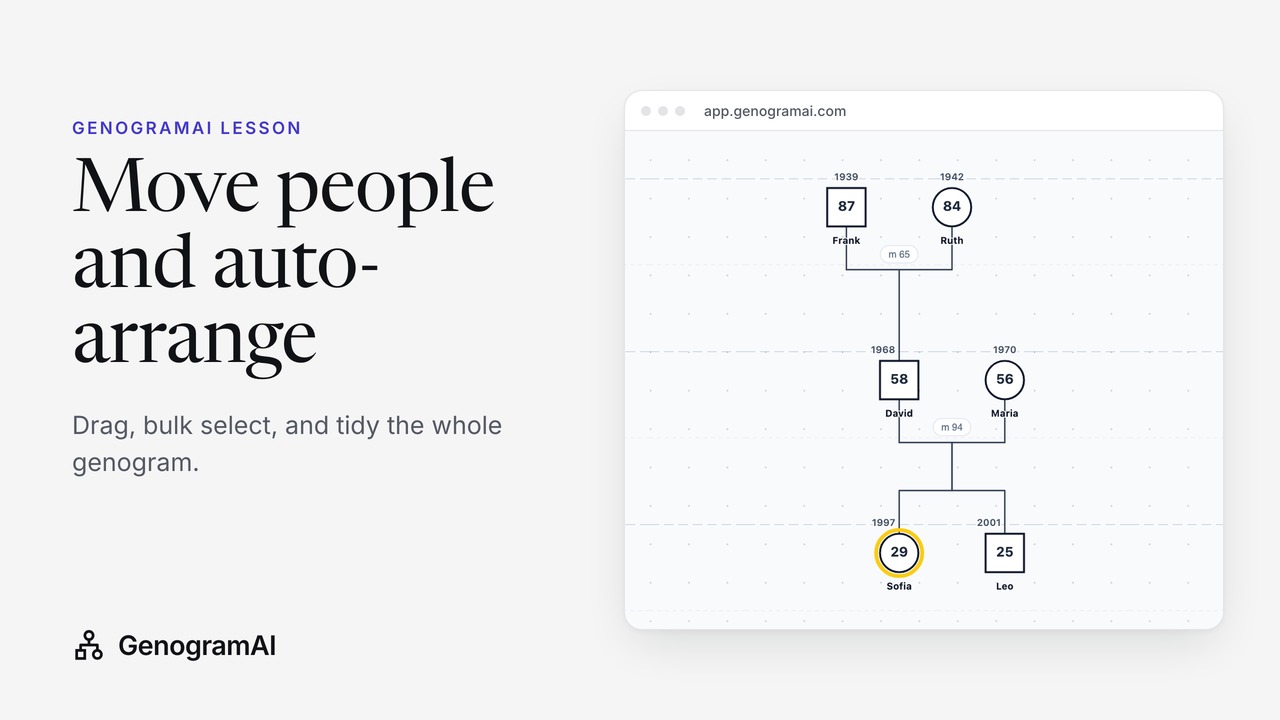 0:40
How to Move People and Auto-Arrange a Genogram
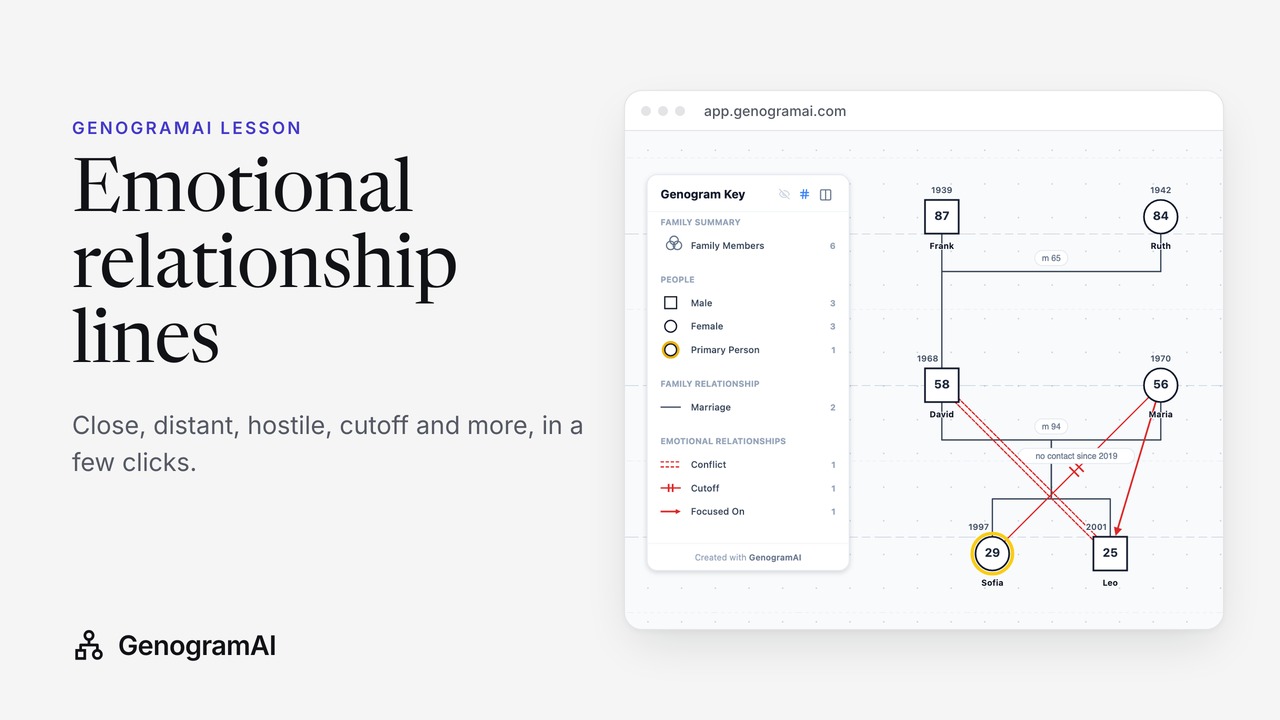 0:50
How to Show Emotional Relationships on a Genogram (Close, Distant, Hostile, Cutoff)
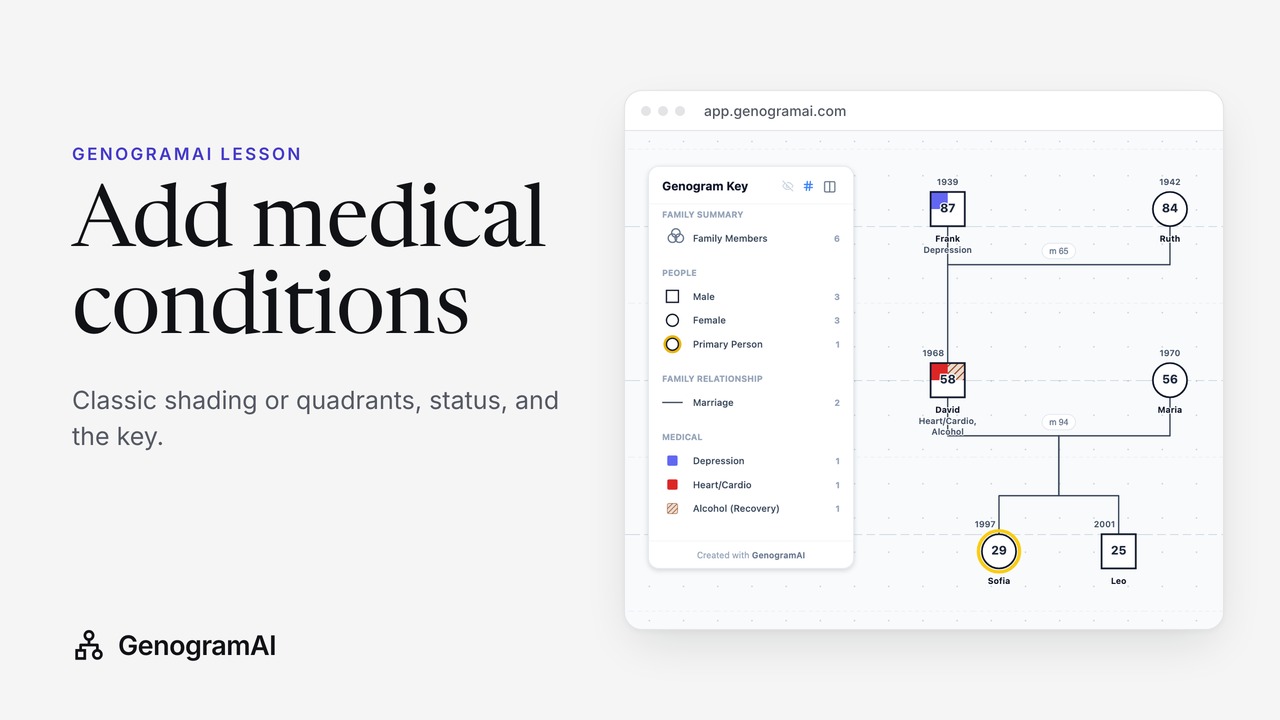 0:46
How to Add Medical Conditions to a Genogram (Illness, Mental Health, Substance Use)
 1:08
How to Make an Eco-Map (Ecomap): Systems, Lines and Energy Flow
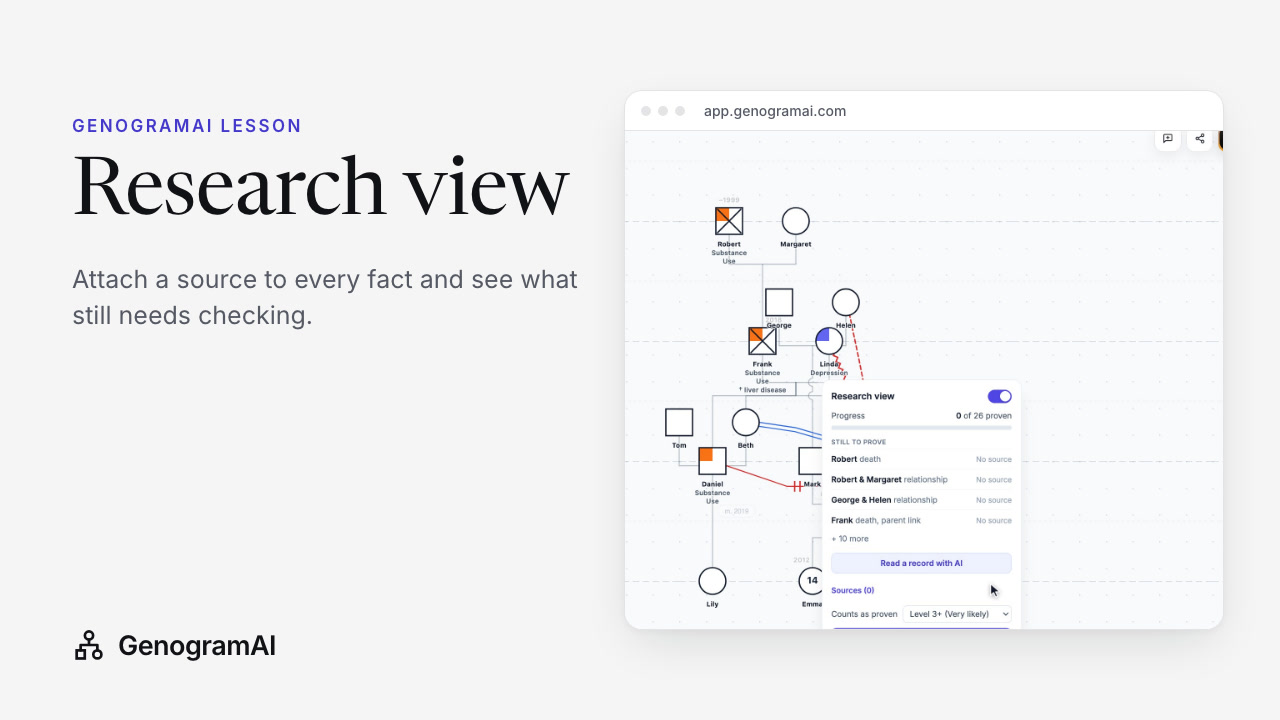 1:04
Research View: Sources for Every Fact on a Genogram
Free, no account needed. Also inside the app under Tutorials.
And dozens more
Every corner, refined.
Bring your files
GEDCOM, GenoPro, Gramps, RootsMagic, GEDCOM X, Family.Show and spreadsheets. An 11,000-person file opens in about four seconds.
Print it big
PDF up to poster size, tiled printing at home, and a readable layout for very large charts.
18 languages
Including Hungarian, Turkish, Vietnamese, Thai and Hebrew right to left (beta). The welcome tutorial was recorded natively in each.
Phone and Mac
Touch-sized controls and a bottom sheet on phones, and an updated Mac desktop app for Clinical. Windows is coming soon.
Private by design
Clinical mode removes names before anything reaches the AI, Clinical eco-maps stay on your device, and local backups are AES-256 encrypted.
Redesigned editor
A condensed toolbar, an Inspector with Identity, Vitals, Career and Notes tabs, and a text and sticky-note bar.
Quick-add fan
Add parents, partners, siblings and children around a person, with other parent types and Link to a person.
Smarter lines
Line grips that follow the cursor, couple bars that never cut through names, and sibling lines that no longer fuse.
Present and share
Present mode, view-only links, embeds for your own site and the Community gallery.
Learn faster
A rebuilt guided tour and 49 new video lessons covering every part of the app.
Small things
Cmd+S saves, undo stays inside each document, canvas backgrounds and generation labels.
Security review
We ran a full security review this month and shipped its fixes.
Live now, in your browser.
Nothing to install. Your genograms are right where you left them. Free to start, no card required.
Open GenogramAIFrequently asked questions
Do I need to do anything to get GenogramAI v2?
No. GenogramAI runs in your browser, so everyone already has v2. Your existing genograms open as they were. Clinical subscribers using the Mac desktop app get the new version through its built-in update.
Which AI does GenogramAI use now?
The AI Assistant runs on Anthropic's Claude, tuned for genogram editing. AI eco-maps run on Claude too.
Is GenogramAI v2 still free to start?
Yes. The Free plan includes two genograms of up to 50 people each, 5 AI credits a month and PNG export. Pro adds unlimited AI, photo and file import and PDF, SVG and GEDCOM export. Clinical adds Clinical mode, Research view and the Mac desktop app.
Does Auto-Arrange change my layout without asking?
No. Auto-Arrange shows a live preview of each option (As is, Tidy, Compact) and tells you how many people it would move before you apply it. Anything you apply can be undone with Cmd+Z or Ctrl+Z.
Which genogram notation does GenogramAI follow?
GenogramAI follows the widely used notation conventions described by McGoldrick, Gerson and Petry in Genograms: Assessment and Treatment, including household groupings, adoption and foster lines, ended relationships with dates, and medical shading. GenogramAI is independent and not affiliated with the authors or publisher.