Designed for clinicians
Genogram software for therapists who hate technology
Quick answer
We've heard these before
Hours lost to a steep learning curve
Needing tutorials just to draw a family
No time to learn new software
Too many buttons and menus
How does GenogramAI work?
- 1
Just type
Describe the family in plain English. 'John and Mary, married 20 years. Two children. History of depression on Mary's side.' - 2
AI builds it
GenogramAI's AI understands family descriptions and creates the genogram structure automatically. No dragging shapes. - 3
Click to adjust
Need to add details? Just click any person or relationship. Pop-up menus make editing obvious and fast. - 4
Export and use
Download as a PNG image for your records on any plan. Paid plans add PDF and SVG, and the Clinical plan adds the native Mac app.
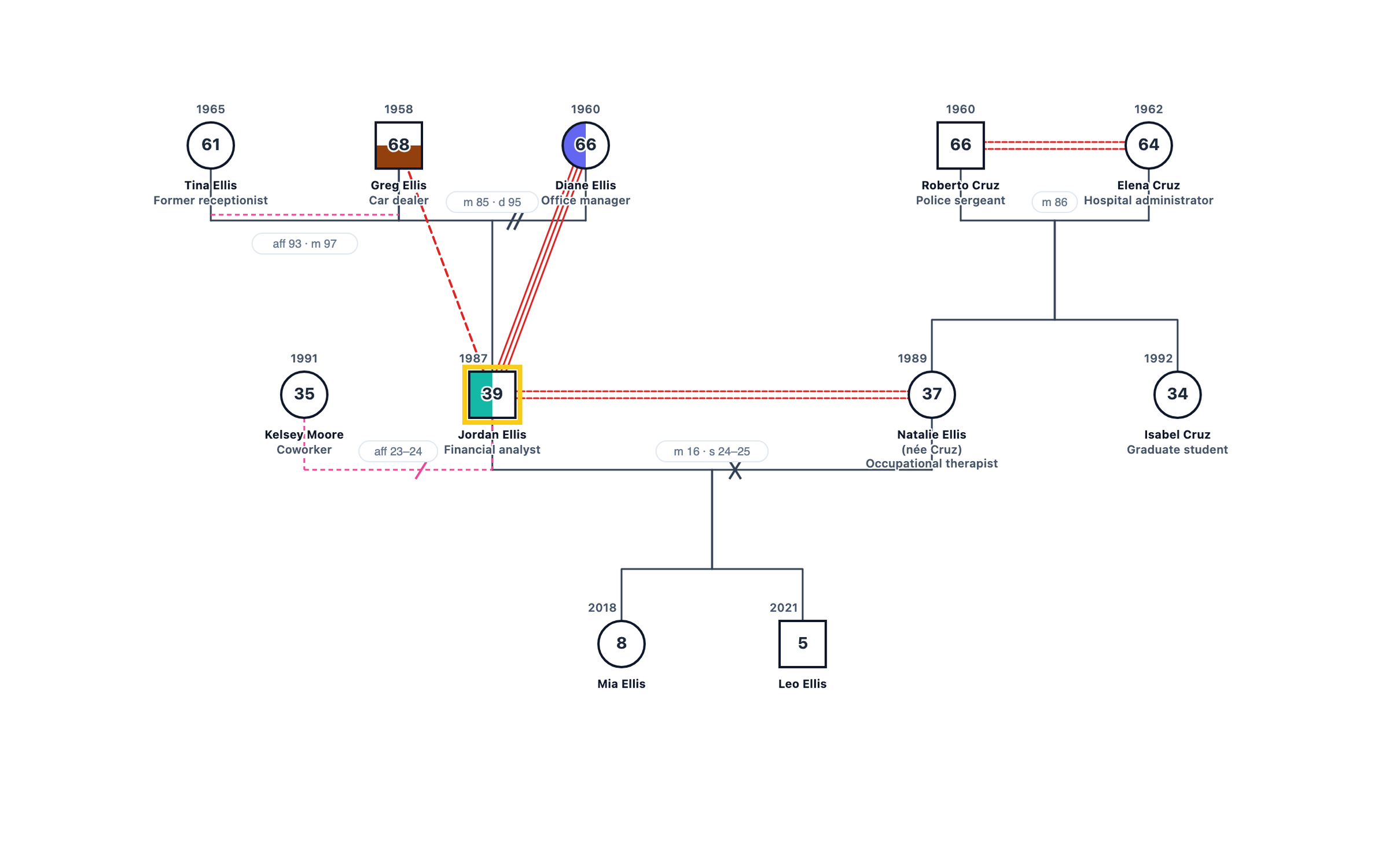
How does GenogramAI compare with other options?
| GenogramAI | GenoPro | General diagram tools (e.g. Lucidchart) | Paper | |
|---|---|---|---|---|
| Where it runs | Web browser; native Mac app on Clinical | Windows desktop software | Web browser | Anywhere |
| Genogram symbols | Built in: 64 relationship types, medical quadrants | Built in | General diagram shapes | Drawn by hand |
| Build from a description | Yes (AI) | No | No | No |
| Getting started | Type a description | Install, then learn a full desktop program | Build genogram notation from general shapes | None, but slow to redraw |
| Editing later | Click to change; layout adjusts | Yes | Manual repositioning | Redraw |
| Cost to start | Free plan (2 genograms) | Paid licence | Free tier, paid plans | Free |
Built for how you work
No learning curve
Obvious actions
AI does the hard work
Professional results
What you don't have to do
- Watch tutorials before getting started
- Memorize keyboard shortcuts
- Configure settings or preferences
- Download or install software
- Manually position every shape
- Ask IT for help
Simple doesn't mean insecure
Security for clinical use
Questions from therapists
What is the easiest genogram software for therapists?
For therapists who are not comfortable with technology, the easiest option is a tool that builds the genogram from a plain-language description. In GenogramAI you type something like "John and Mary, married 20 years, two children, depression on Mary's side" and the AI draws the chart with standard symbols, which you then adjust by clicking.
Do I need to install anything?
No. GenogramAI runs in the web browser on Mac, Windows, iPad and Chromebook. A native macOS desktop app is included with the Clinical plan; a Windows app is coming soon.
Is GenogramAI secure enough for client work?
For client records, use Clinical Mode on the Clinical plan ($29/month): genograms are encrypted with AES-256-GCM zero-knowledge encryption and stored securely offline on your device. On all plans, names, exact dates and places are stripped before any genogram data is sent to the AI.
Is there a free version?
Yes. The Free plan includes 2 genograms, 5 AI credits a month, all 64 relationship types, medical quadrants and PNG export, with no credit card. Professional is $12/month ($99/year) and Clinical $29/month ($228/year).
Can I edit the genogram after the AI builds it?
Yes. Click any person or relationship to change it, or ask the AI for one change at a time, for example "mark Mary's father as deceased in 2019".