Free genogram template
Adoption and Foster Care Genogram Template
Quick answer
Download the adoption and foster care genogram template
- Blank template (PDF)US Letter, print and fill in by hand
- Editable PowerPoint (.pptx)Every symbol and line is a shape; opens in Google Slides and Keynote
- Filled example + blank (PDF)Two pages: the example with its key, then the blank
- High-resolution example (PNG)2400 px wide, free to reuse with credit
- Vector blank (SVG)Edit in Illustrator, Inkscape, Figma or Canva
When to use a adoption and foster care genogram template
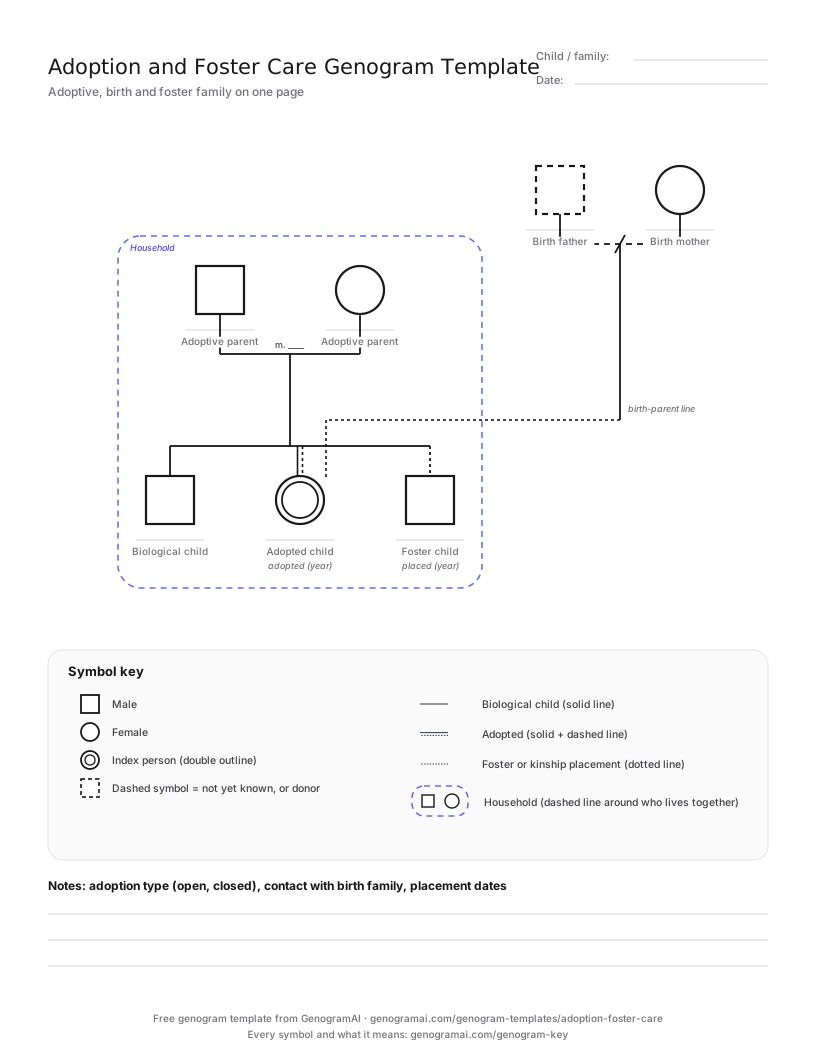
Use this template whenever a child has more than one family: adoption (open, closed or international), foster care, or a step-parent adoption. It shows the adoptive parents with three kinds of child line side by side and keeps the adopted child’s birth parents on the chart, linked by a birth-parent line. Adoption-competent therapists draw both families because questions of identity, belonging and contact sit between them.
Foster carers and supervising social workers use the same layout to show a foster child in the household alongside the carers’ own children, without implying a legal parent relationship. Write placement and adoption years next to the child lines; they explain a great deal about attachment and behaviour.
If the child lives with relatives under a kinship or guardianship arrangement and the case is open to children’s services, the Child Welfare Genogram Template adds a case header and placement details. For a household with two mothers or two fathers and a donor, use the Same-Sex Parents Genogram Template.
The blank template and a filled-in example
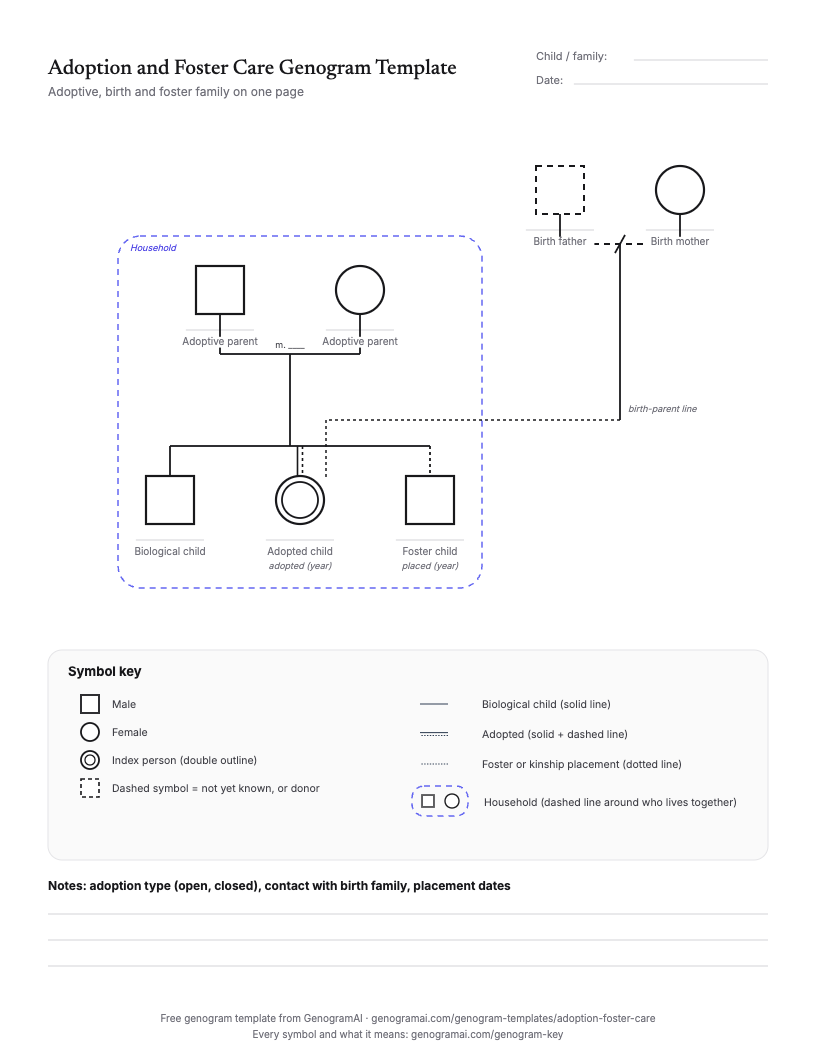
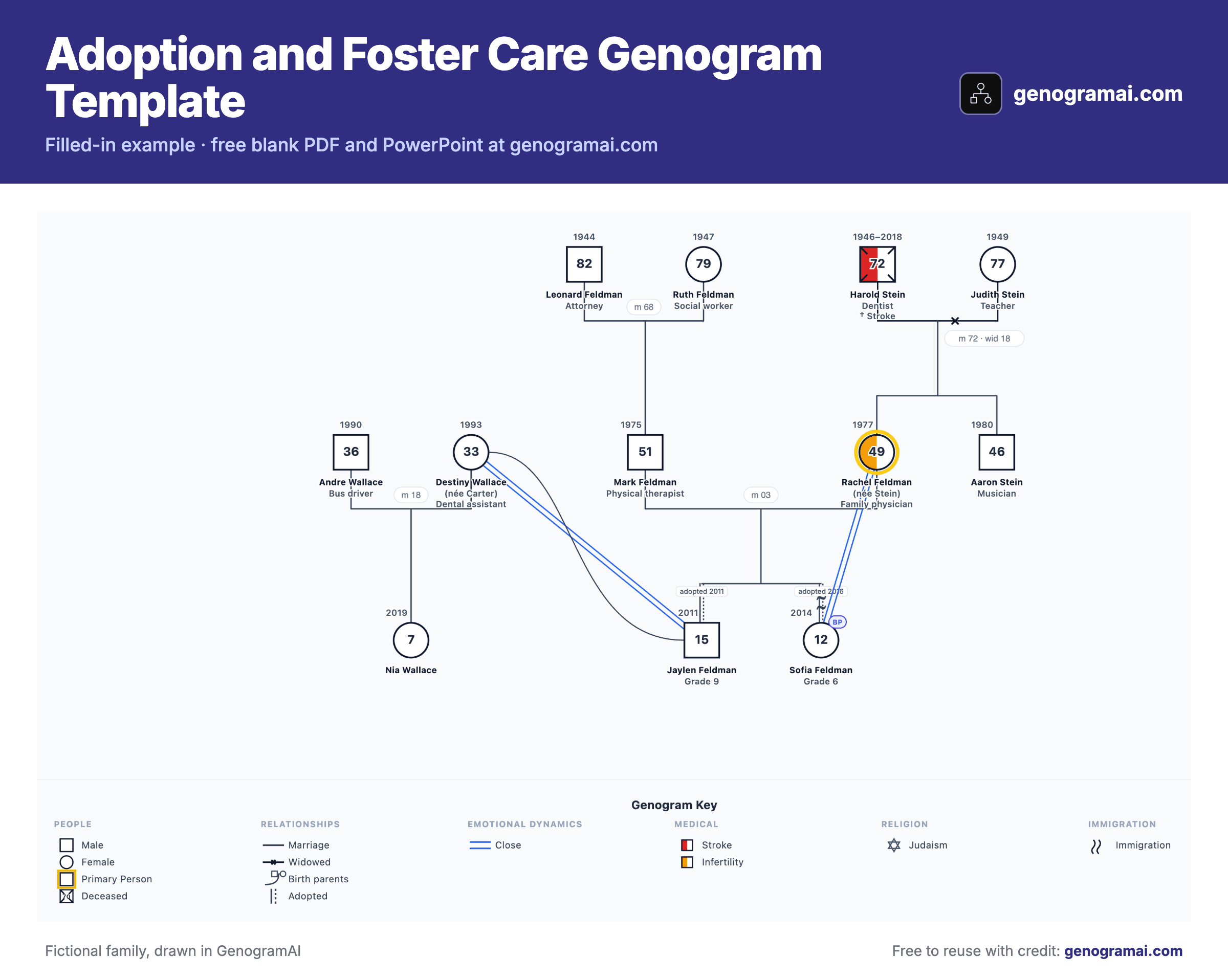
Open this example in GenogramAI to start from the finished layout: it copies into your account (the Free plan holds 2 genograms) and every person, line and condition stays editable.
How to fill in a adoption and foster care genogram template
- 1
Draw the adoptive or foster household
Place the parents or carers and add each child with the right line: solid for biological, solid-and-dashed for adopted, dotted for foster. - 2
Add years
Write the birth year and the adoption or placement year for each child. - 3
Add the birth family
Draw the adopted child’s birth parents as their own couple and link them with a birth-parent line. Use an unknown symbol where identity is not known. - 4
Mark the household and contact
Enclose who lives together and note contact arrangements with the birth family.
Symbols this template uses
| Symbol | What it means |
|---|---|
| Solid child line | Biological child. |
| Solid and dashed line side by side | Adopted child, as GenogramAI draws it. Write the adoption year beside it. |
| Dotted child line | Foster child: a placement, not a legal parent relationship. |
| Birth-parent line | Links the adopted child to their birth mother and father, who are drawn as their own couple. |
| Dashed enclosure | Household boundary: who lives together now. |
| Square with a question mark | Unknown person, such as a birth father whose identity is not known. |
Common mistakes to avoid
- Leaving the birth parents off. Even when nothing is known, an empty or unknown symbol records that they exist.
- Drawing a foster child with a biological line. A dotted line shows a placement; a solid line implies a parent relationship that does not exist.
- Omitting the adoption or placement year, which tells you the child’s age when they joined the family.
- Using language such as "real parents". Use birth parents and adoptive parents.
Who uses this template?
Adoption and foster care social workers, adoption-competent therapists, foster carers and their supervising workers, and adoptive families preparing life-story work.
Common uses
- Adoption home studies and post-adoption support
- Foster care placement planning and reviews
- Open adoption contact planning
- Life-story work with adopted and fostered children
- Therapy on identity and belonging in adoptive families
What the template covers
- Adoptive parents with biological, adopted and foster child slots
- Birth-parent couple linked to the adopted child
- Dashed household boundary
- Key with the three child lines
- Editable PowerPoint and SVG versions
What is free?
Free and paid, plainly
Frequently asked questions
How is adoption shown on a genogram?
With a different child line from the biological one. GenogramAI draws an adopted child as a solid line with a dashed line beside it, and records the adoption year. The birth parents are shown as their own couple, linked to the child.
How do you show a foster child?
With a dotted line from the foster carers to the child, plus the placement year. The child’s birth family can be drawn elsewhere on the page, so both are visible.
Should birth parents be on an adoption genogram?
Yes, in most clinical and social work uses. They are part of the child’s history and identity, even when contact is limited or their identity is unknown.
How do you show an international adoption?
Add the child’s country of birth beside their symbol (GenogramAI can show a flag) and the adoption year. If the birth parents are unknown, draw unknown symbols so the gap is recorded.
Further Reading
- McGoldrick, M., Gerson, R., & Petry, S. — Genograms: Assessment and Treatment (4th ed.). W.W. Norton & Company, 2020
- Brodzinsky, D.M., Schechter, M.D., & Henig, R.M. — Being Adopted: The Lifelong Search for Self. Doubleday, 1992