Free genogram template
Nuclear Family Genogram Template
Quick answer
Download the nuclear family genogram template
- Blank template (PDF)US Letter, print and fill in by hand
- Editable PowerPoint (.pptx)Every symbol and line is a shape; opens in Google Slides and Keynote
- Filled example + blank (PDF)Two pages: the example with its key, then the blank
- High-resolution example (PNG)2400 px wide, free to reuse with credit
- Vector blank (SVG)Edit in Illustrator, Inkscape, Figma or Canva
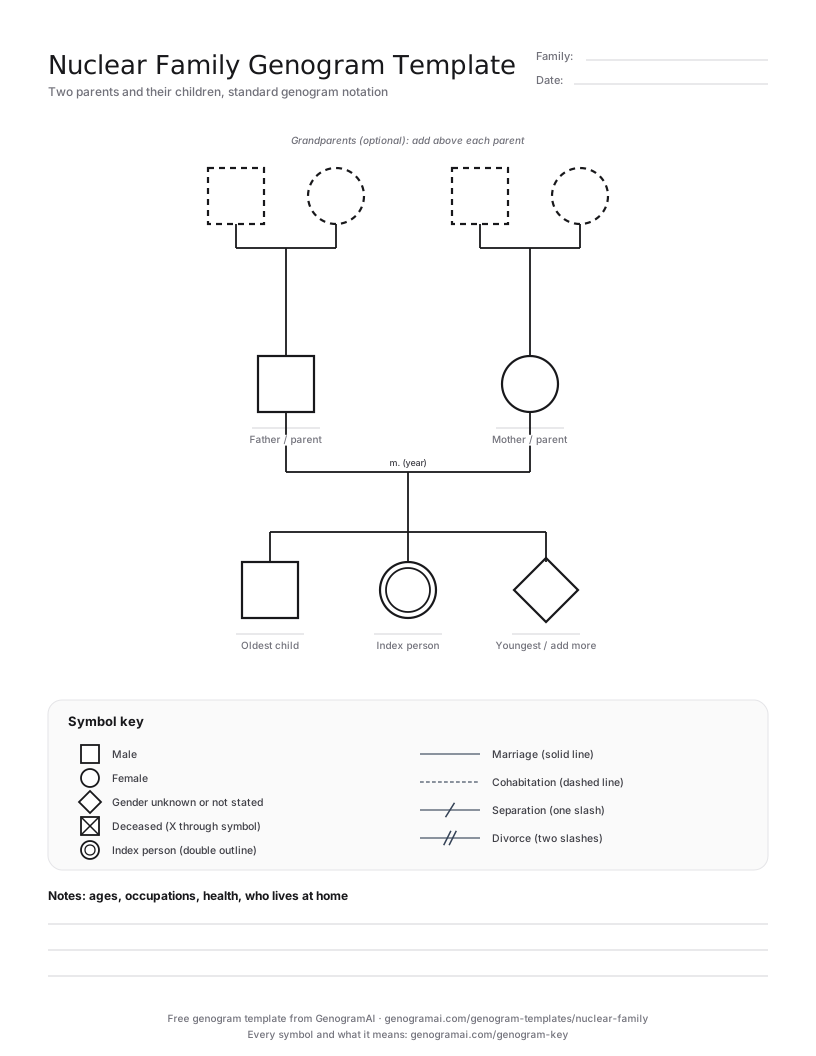
When to use a nuclear family genogram template
Use the nuclear family template for a first genogram, a quick intake sketch, or a household where the question is about the parents and children living together: sibling rivalry, a child’s school difficulties, a new baby, a parent’s illness. The symbols are larger than on the three-generation page, which makes it easier to write names, ages and short notes inside or under each person.
Teachers use it to introduce the basic rules before students move on to three generations: squares and circles, the marriage line, children ordered oldest to youngest, and the index person marked with a double outline. The dashed grandparent slots let students practise adding a generation without starting again.
If either parent has an earlier marriage or children from another relationship, switch to the Blended Family Genogram Template. If grandparents, aunts or uncles are part of the story, the 3 Generation Genogram Template gives them proper space.
The blank template and a filled-in example
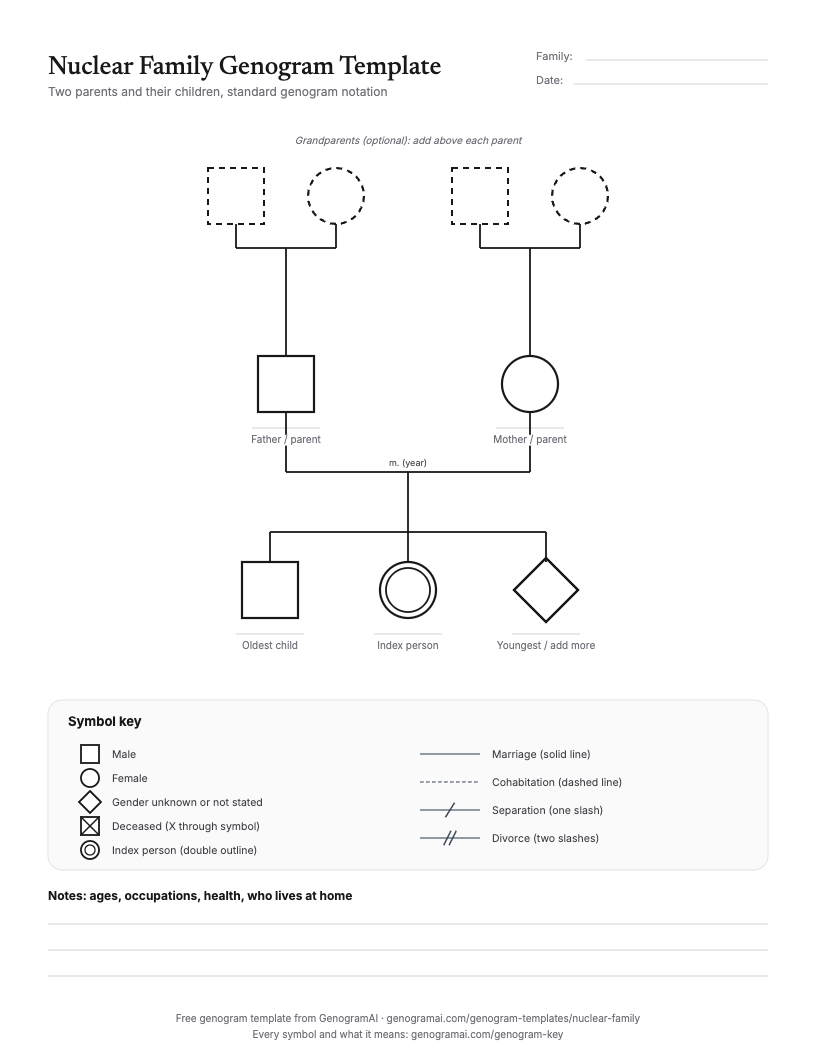
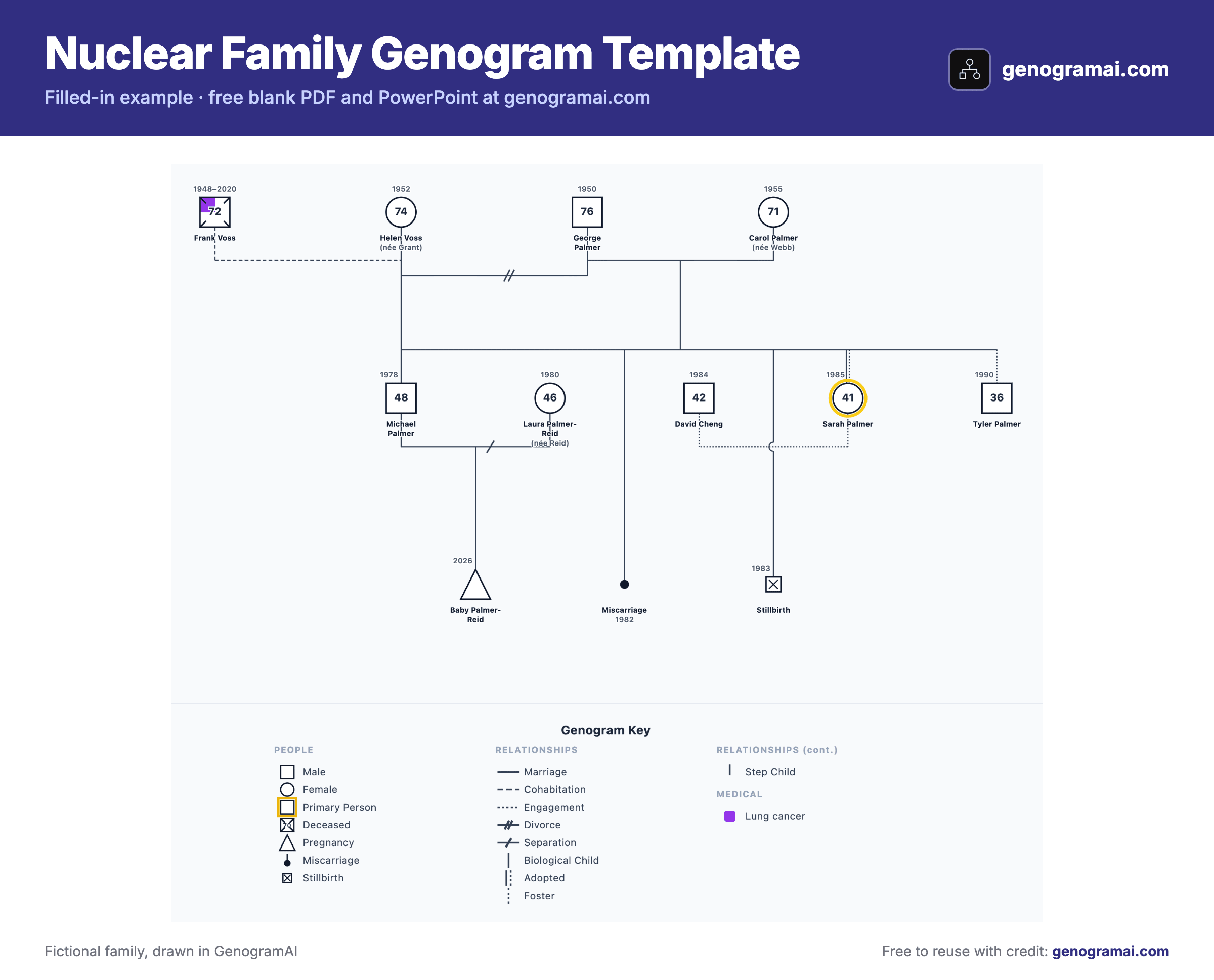
Open this example in GenogramAI to start from the finished layout: it copies into your account (the Free plan holds 2 genograms) and every person, line and condition stays editable.
How to fill in a nuclear family genogram template
- 1
Draw the parents
Square on the left, circle on the right (or two of the same for a same-sex couple), joined by a marriage line with the year. - 2
Add the children in birth order
Hang each child from the marriage line, oldest on the left. Include pregnancies and losses in their birth position. - 3
Mark the index person and add details
Give the person the genogram is about a double outline, then add names, birth years and current ages. - 4
Extend if needed
Fill in the dashed grandparent slots, or delete them if two generations are enough.
Symbols this template uses
| Symbol | What it means |
|---|---|
| Square / circle | Male / female. In a couple the man is usually drawn on the left. |
| Solid horizontal line | Marriage, with the year written above it (m. 2009). |
| Vertical line from the couple line | A biological child. Children run oldest to youngest, left to right. |
| Double outline | The index person. |
| Triangle | A current pregnancy. |
| Small filled circle or square | A miscarriage, placed in birth order among the siblings. |
| Dashed symbol | On the printable, an optional slot (a grandparent you may not need). |
Common mistakes to avoid
- Ordering children by importance instead of by birth. Oldest goes on the left, including pregnancies that were lost.
- Joining a child to one parent only when both are parents. The child line drops from the middle of the couple line.
- Leaving out a parent who has died. Draw them with an X; their absence is often the most important fact on the chart.
- Calling it a nuclear family when a parent has children elsewhere. That is a blended family and needs those relationships shown.
Who uses this template?
Students learning genogram notation, school counselors, family physicians and nurses taking a quick family history, and parents drawing their own family for a class or for therapy.
Common uses
- Learning and practising basic genogram symbols
- Quick intake sketch in a first session
- Sibling position and birth order discussions
- Child-focused work in schools and pediatrics
- A starting point to extend into a three-generation genogram
What the template covers
- Large two-generation layout with three child slots
- Optional dashed grandparent couples
- Symbol key for people and partner lines
- Notes lines
- Editable PowerPoint and SVG versions
What is free?
Free and paid, plainly
Frequently asked questions
What is a nuclear family genogram?
It is a genogram of two parents and their children only. It shows the basic structure (who is married to whom, how many children, in what birth order) and is often the first genogram students draw. Clinical genograms usually extend it to three generations.
Does a nuclear family genogram need grandparents?
No, but most clinical uses add them, because patterns usually make sense only when you can see where the parents came from. That is why this template includes optional grandparent slots.
How do I show a stepparent on a nuclear family genogram?
You don’t: once a stepparent or a child from another relationship is involved, the family is blended. Use the blended family template, which shows each earlier relationship and the step and half-sibling links.
Where does the oldest child go?
On the left. Siblings run left to right from oldest to youngest, and pregnancies, miscarriages and stillbirths take their place in that order too.
Further Reading
- McGoldrick, M., Gerson, R., & Petry, S. — Genograms: Assessment and Treatment (4th ed.). W.W. Norton & Company, 2020
- McGoldrick, M., Garcia Preto, N., & Carter, B. — The Expanding Family Life Cycle: Individual, Family, and Social Perspectives (5th ed.). Pearson, 2016