Free genogram template
Blended Family Genogram Template
Quick answer
Download the blended family genogram template
- Blank template (PDF)US Letter, print and fill in by hand
- Editable PowerPoint (.pptx)Every symbol and line is a shape; opens in Google Slides and Keynote
- Filled example + blank (PDF)Two pages: the example with its key, then the blank
- High-resolution example (PNG)2400 px wide, free to reuse with credit
- Vector blank (SVG)Edit in Illustrator, Inkscape, Figma or Canva
When to use a blended family genogram template
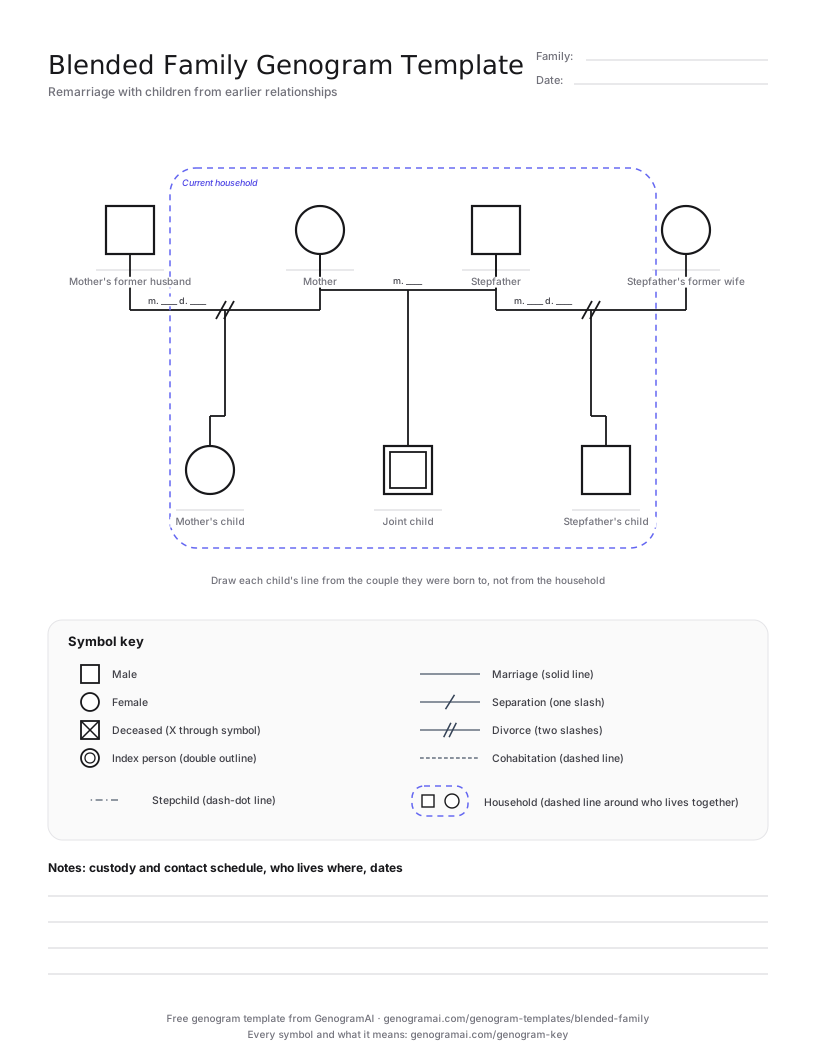
Use this template when a couple has formed a new family and at least one partner brings children from an earlier relationship. It puts the remarried couple in the middle, the mother’s former husband on her left and the stepfather’s former wife on his right, so each set of children hangs from the right parents. A child born to the new couple drops from their marriage line, which makes half-siblings and step-siblings easy to tell apart.
The household boundary matters as much as the lines. Children in blended families often move between two homes, and loyalty conflicts, contact schedules and who-lives-where are usually the reason the family is being assessed. Draw the dashed enclosure around the people who live together now, and note the other household’s schedule beside it.
When one parent has three or more marriages, or the dates of each marriage and divorce are the point, the Divorce and Remarriage Genogram Template orders partners by date and has room for the labels.
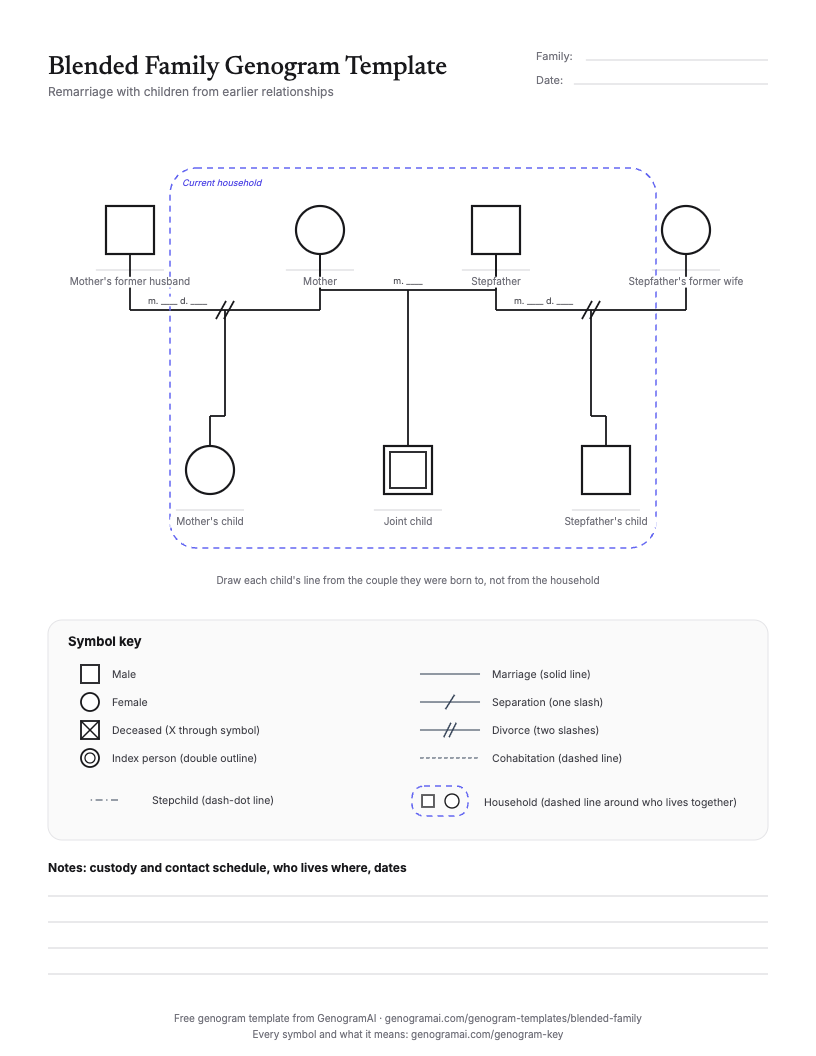
The blank template and a filled-in example
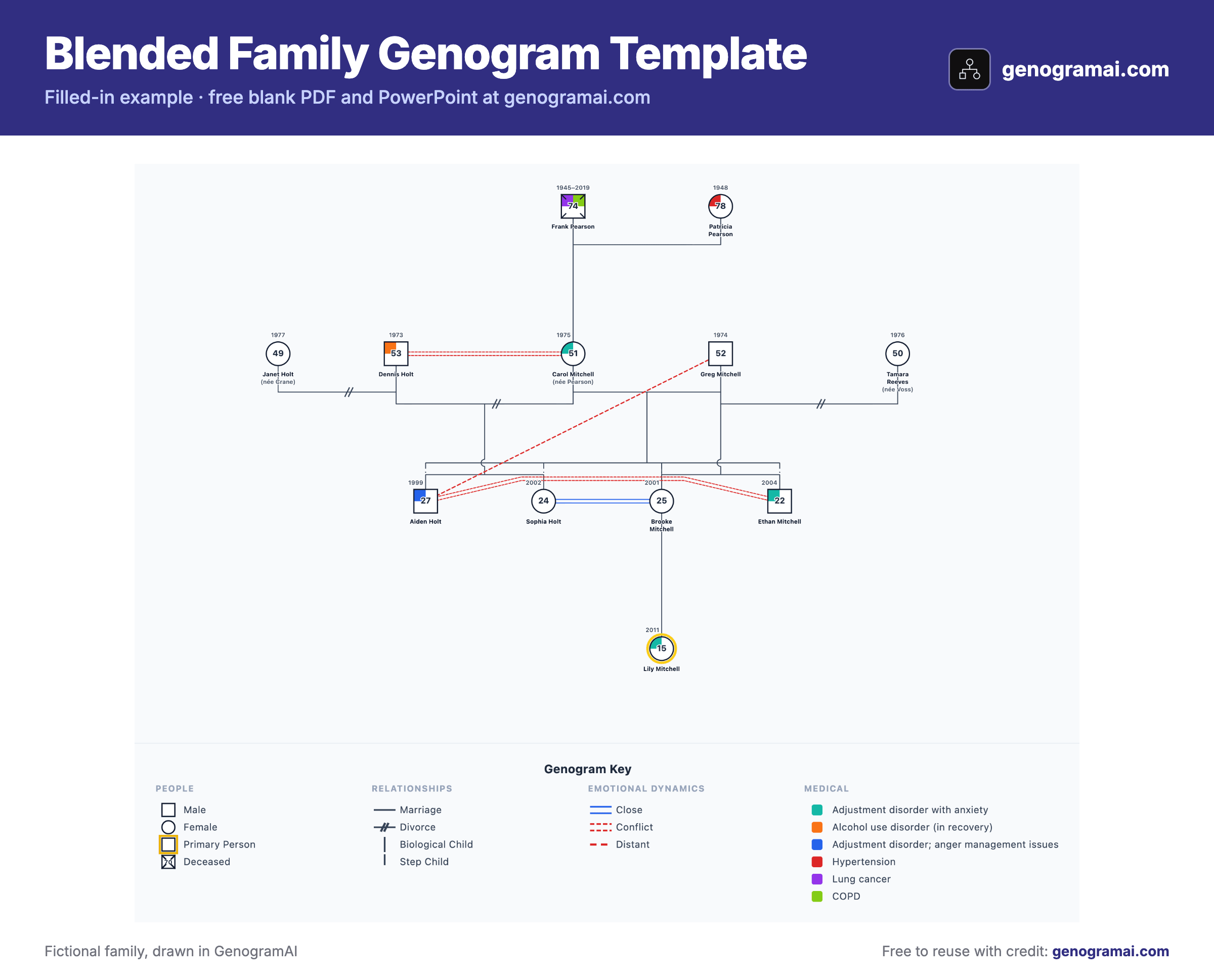
Open this example in GenogramAI to start from the finished layout: it copies into your account (the Free plan holds 2 genograms) and every person, line and condition stays editable.
How to fill in a blended family genogram template
- 1
Place the current couple
Put the remarried couple in the centre with their marriage line and year. - 2
Add former partners on the outside
Each ex-spouse goes on the outer side of their former partner, with a divorce line and the years. - 3
Hang each child from the right line
Children of the first marriages drop from those lines; a joint child drops from the new marriage line. Keep birth order within each sibship. - 4
Draw the household boundary
Enclose everyone who lives together now, then add emotional lines and contact notes.
Symbols this template uses
| Symbol | What it means |
|---|---|
| Two slashes on the partner line | Divorce. Write the year next to it (d. 2015). |
| Solid partner line between the new couple | The current marriage (m. 2018). GenogramAI also has a Remarried line style. |
| Dashed enclosure | Household boundary: everyone who lives together now. |
| Dash-dot child line | Stepchild, as GenogramAI draws it, when you want to show the step relationship directly. |
| Child under one couple line only | A half-sibling relationship: children share one parent, not both. |
| Two blue lines / two dashed red lines | Close / conflict emotional lines, often used for step-parent and step-sibling relationships. |
Common mistakes to avoid
- Drawing the ex-spouse between the remarried couple. Former partners go on the outside so the current marriage line stays short and clear.
- Hanging a stepchild from the new couple’s marriage line. Children drop from the line of their biological (or adoptive) parents.
- Leaving out the household boundary, which is often the reason the family is being assessed.
- Forgetting the years. Marriage and divorce dates show how old each child was at each change.
Who uses this template?
Family therapists, school counselors, child and family social workers, mediators and students studying family structure.
Common uses
- Step-family adjustment and loyalty conflicts
- Co-parenting and contact arrangements between two households
- School referrals where a child splits time between homes
- Custody evaluations and family court reports
- Teaching half-sibling and step-sibling notation
What the template covers
- Remarried couple with both former spouses
- Child slots for each first marriage and a joint child
- Dashed household boundary
- Key with divorce, remarriage and household symbols
- Editable PowerPoint and SVG versions
What is free?
Free and paid, plainly
Frequently asked questions
How do you draw a blended family on a genogram?
Put the current couple in the middle and each former spouse on the outside, joined by a divorce line. Children from each earlier relationship drop from that relationship’s line, and children of the new couple drop from their marriage line. A dashed boundary shows who lives together.
How do you show step-siblings and half-siblings?
Half-siblings share one parent, so they hang from different couple lines that meet at that parent. Step-siblings share no parent and are linked only through their parents’ marriage. GenogramAI can also draw a stepchild line (dash-dot) between a stepparent and a stepchild.
Where do the ex-spouses go?
On the outer side of their former partner, usually ordered by date so the first marriage is furthest out. That keeps the current marriage line in the centre.
Can I show two households?
Yes. Draw a dashed enclosure around each household, and write the contact schedule (alternate weekends, school holidays) next to the children who move between them.
Further Reading
- McGoldrick, M., Gerson, R., & Petry, S. — Genograms: Assessment and Treatment (4th ed.). W.W. Norton & Company, 2020
- Bray, J.H., & Kelly, J. — Stepfamilies: Love, Marriage, and Parenting in the First Decade. Broadway Books, 1998