Family tree maker
Family tree project for school
Quick answer
What teachers usually ask for
The basics
- Three generations: grandparents, parents, you and your siblings
- Full names, including maiden names for married relatives
- Birth years, and death years for relatives who have died
- Both sides of the family
Often asked for extra credit
- Where each person was born, and moves between places or countries
- Jobs, languages or traditions
- A short story or interview with one relative
- A key explaining what the symbols and lines mean
College courses in counseling, nursing, social work and psychology ask for something different: a full genogram with relationship lines and analysis. If that is your assignment, use the genogram assignment guide instead.
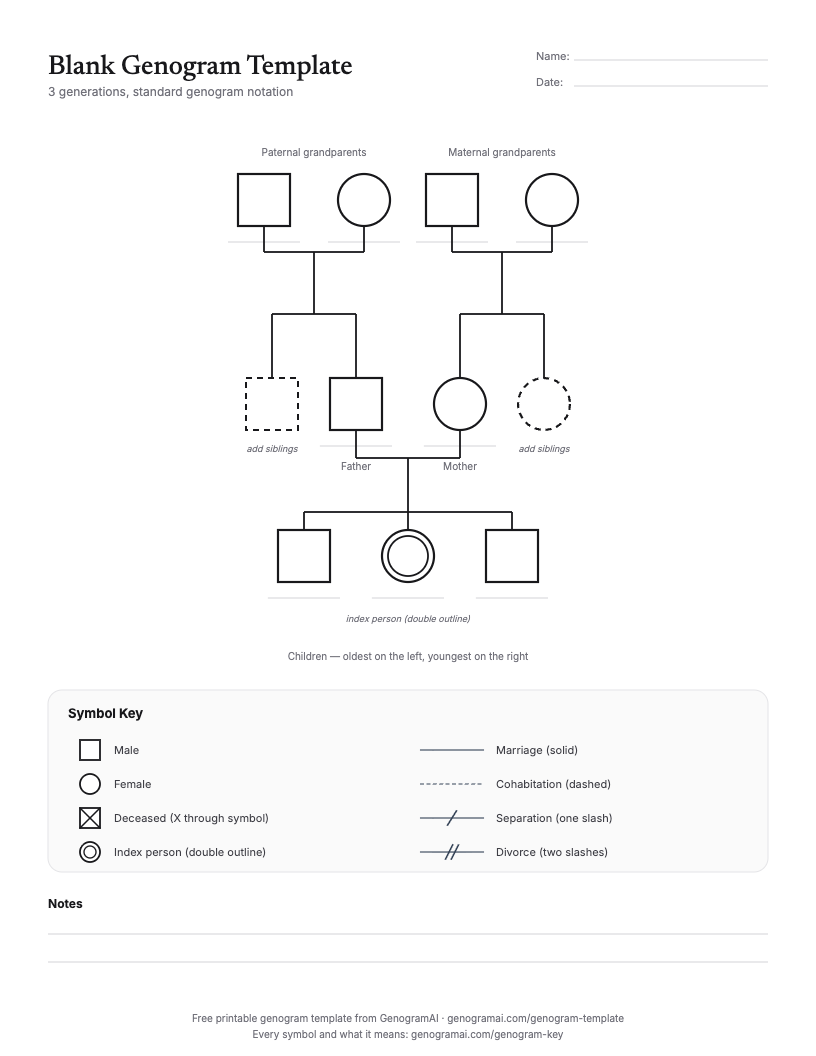
Print a free family tree template
How to make a family tree project online
- 1
Collect names and dates
Ask a parent or grandparent to help you list everyone for three generations. Write down what you are not sure of; a question mark is fine. - 2
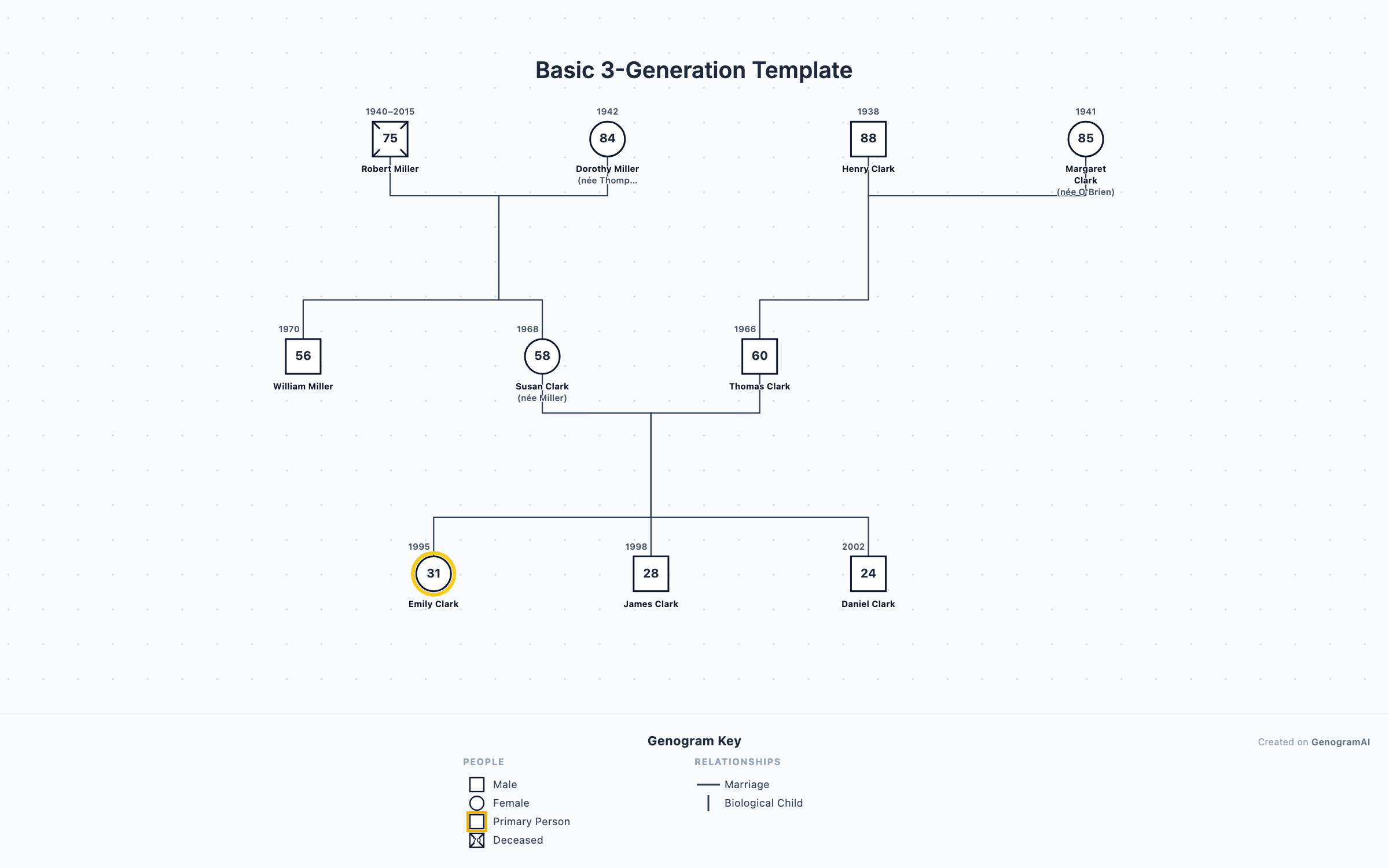
Start from the 3-generation template
Open the template, then click each person to type their name and birth year. Add or remove siblings as needed. - 3
Add the extra details
Put birthplaces, jobs or a short note in each person’s details. If your family has step-parents, adoption or a divorce, pick the matching line type. - 4
Export and present
Download a PNG (free) and print it, or paste it into slides or a poster. You can also share a view-only link with your teacher.
Or describe your family
Questions to ask your relatives
Facts
- What are the full names and birth years of your parents and grandparents?
- Where were you born, and where did you grow up?
- When did our family move here, and why?
- What jobs did people in the family have?
Stories
- Who in the family were you closest to growing up?
- Is there a family tradition, recipe or saying that came from someone on the tree?
- What was school like when you were my age?
- Who in the family am I most like?
Family tree project ideas that go beyond names
A migration map
Heritage and culture
A family timeline
Traits in biology class
For a heritage project with immigration across three generations, see the refugee resettlement example and the three-generation household example.
A family tree for every kind of family
Step-parents and half-siblings
Adopted students
Raised by grandparents
Single-parent families
For teachers
Frequently asked questions
How many generations should a school family tree have?
Three is the usual ask: grandparents, parents and the student with their siblings. That is enough to show both sides of the family and still fit on one page. Check the assignment sheet; some teachers want great-grandparents too, which is a fourth row.
Can I make a family tree for school online for free?
Yes. GenogramAI’s free plan includes 2 trees with up to 50 people each and PNG export, which you can print or paste into a slide or document. The app is for ages 13 and up (users under 18 need a parent or guardian to agree to the terms), so younger students can use the free printable template or build the tree together with a parent.
What can I add to a family tree project to make it stand out?
Anything that tells the family’s story beyond names: where each person was born, when they moved and why, jobs, languages spoken, military service, or a short fact about each person. A genogram-style tree can also show marriages with dates and how close people are, which gives you something to talk about in a presentation.
What if my family does not fit a standard family tree template?
Many families do not: step-parents, half-siblings, adoption, a parent who is not involved, or grandparents who raised you. A genogram has lines for all of these, so you can draw the family you actually have. See the guides to blended family trees and adoption family trees.
Is a family tree the same as a genogram?
A genogram is an advanced, detailed family tree. It uses the same layout but adds information like marriages and divorces, health history and relationship lines. For most school projects a simple family tree is enough; the extra layers are useful for high school biology, psychology or heritage projects.