Family tree maker
A family tree that shows more than names
Quick answer
What is a family tree maker?
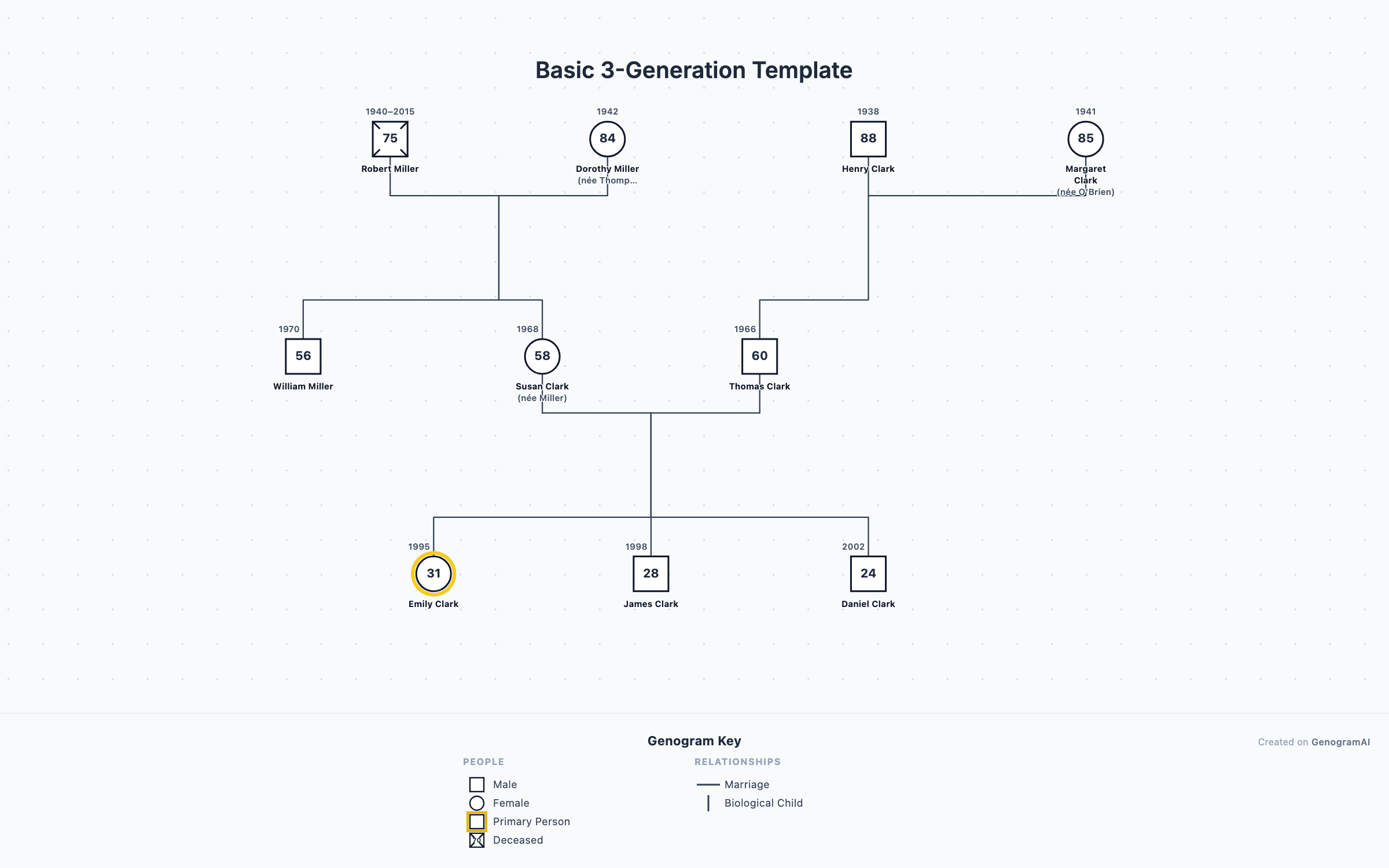
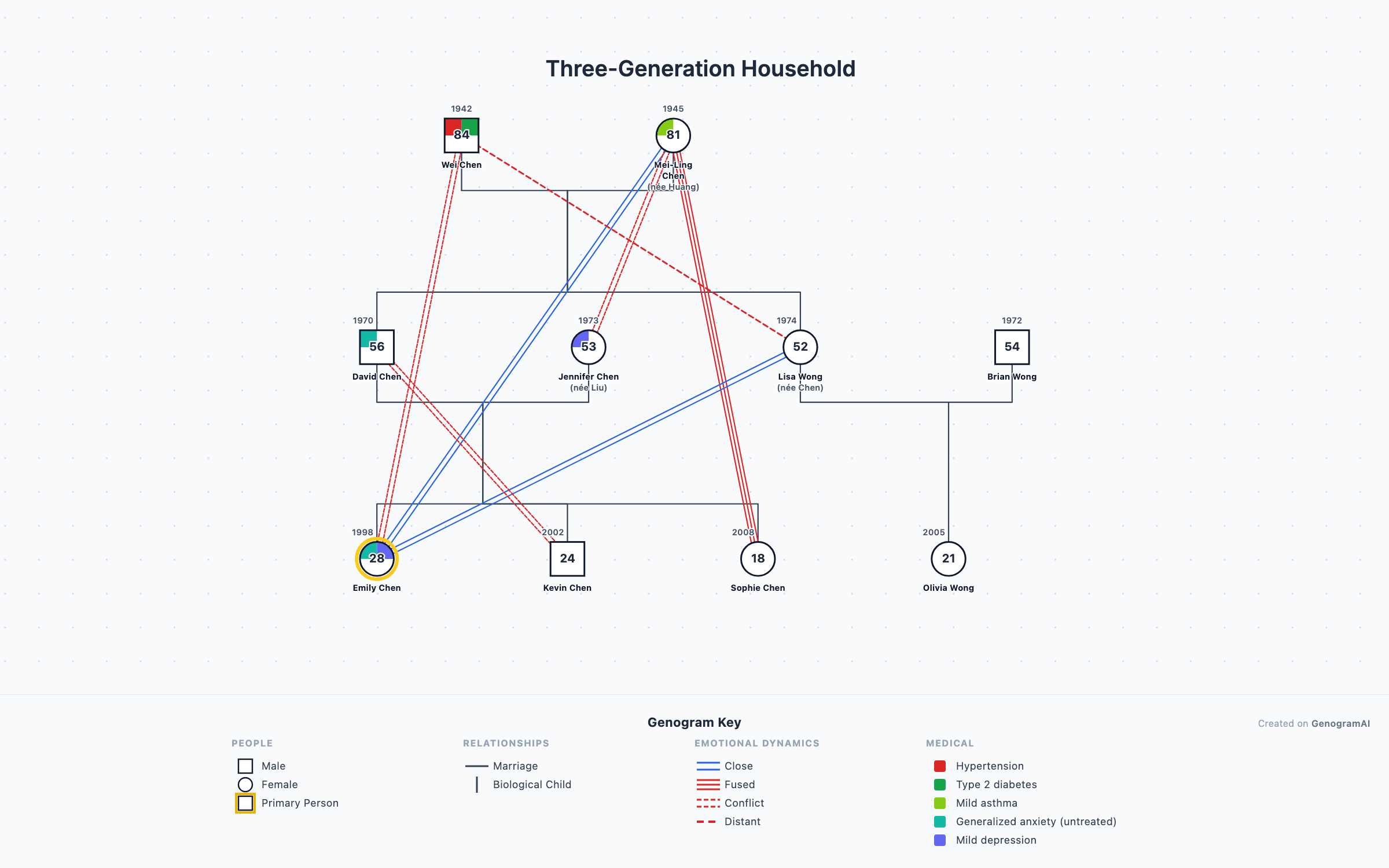
A family tree maker is a tool for drawing who is related to whom: people as boxes, marriages and children as connecting lines, generations in rows. GenogramAI is a free online family tree creator with a difference: the same canvas can stay a simple family tree chart, or add the relationship and health layers of a genogram when names alone aren't enough.
It is a diagram tool rather than a records database: there is no census search or DNA matching. If you are looking for the desktop genealogy program called Family Tree Maker, see how GenogramAI compares to Family Tree Maker.
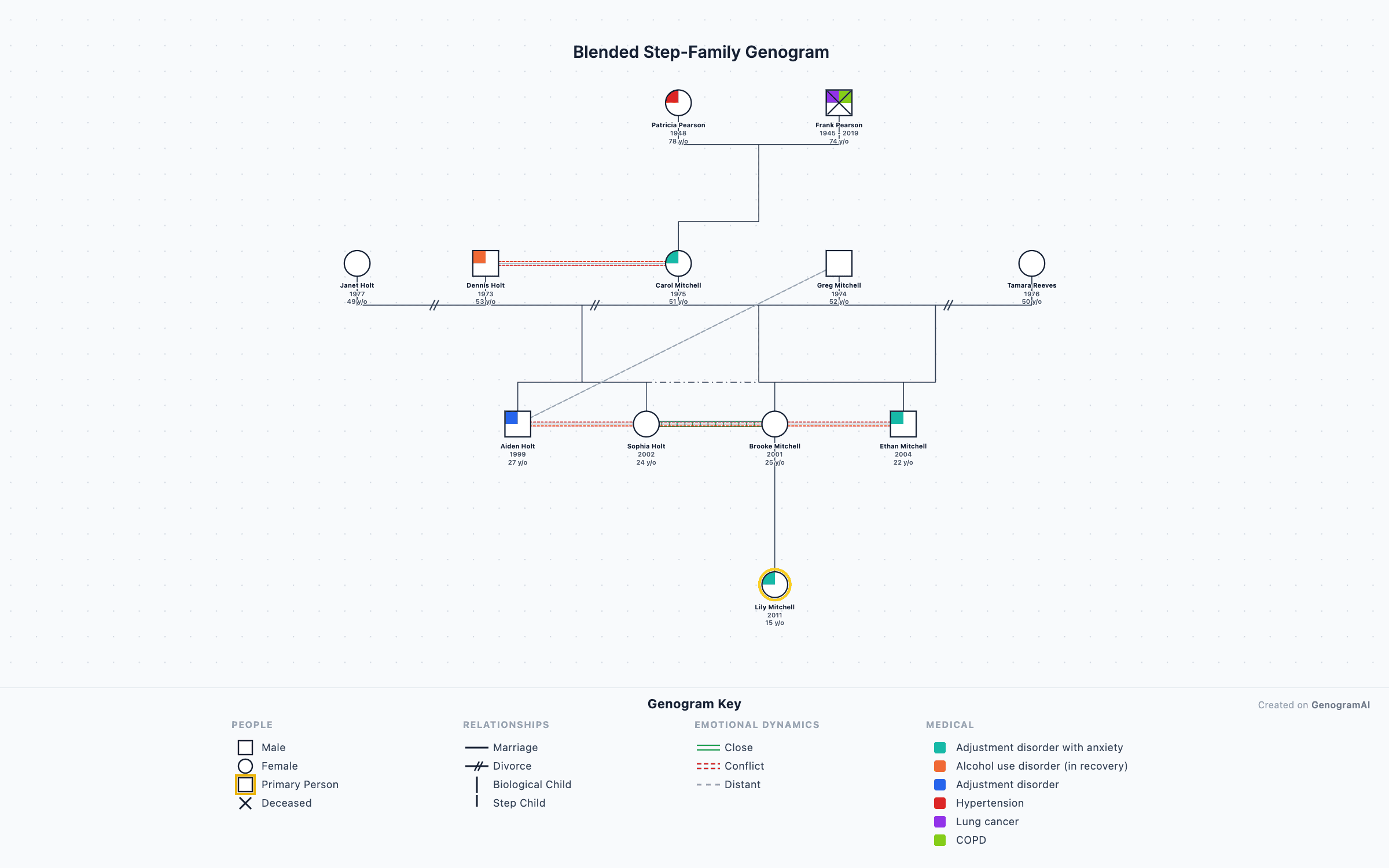
A genogram is a family tree with extra layers
Marriages and divorces, with dates
Health conditions
Closeness and conflict
Adoption, foster and step relationships
Households
Ages, dates and deaths
Every layer uses standard genogram notation, so a teacher, counselor or doctor reading your chart sees the same thing you meant. You don't need to learn the symbols first: pick a relationship type and the editor draws the right line. The full vocabulary is in the relationship lines guide and the genogram symbols guide, and the detailed family tree guide shows when each layer is worth adding.
Family trees that need more than names
One tree maker, four kinds of families
Real families
Fictional families
Fantasy worlds
Original characters (OCs)
Fictional, fantasy and OC family tree maker

How the family tree creator works
- 1
Add people
Click to add family members, or describe the family in a sentence and let the AI place everyone. - 2
Connect generations
Marriages, children, siblings — connections snap into clean generational rows automatically. - 3
Export your chart
Download the finished family tree as PNG free, or PDF/SVG for print-quality output on paid plans.
Family tree vs genogram
| Family tree chart | Genogram | |
|---|---|---|
| Shows | Names, generations, marriages, children | All of that, plus how people relate |
| Relationship lines | Marriage and parent-child | Also close, distant, conflict, cutoff and more (64 relationship types) |
| Health and events | Usually not | Medical conditions, deaths with causes, migration, addiction |
| Best for | Genealogy, school projects, stories | Therapy, social work, nursing, medical history |
| In GenogramAI | Yes | Yes, on the same canvas |
What the free family tree maker includes
| Free | Professional ($12/month or $99/year) | |
|---|---|---|
| Family trees | 2 | Up to 25 |
| People per tree | Up to 50 | Unlimited |
| AI drawing from a description | 5 AI credits a month | Unlimited |
| Export | PNG | PNG, PDF, SVG, GEDCOM |
| Medical quadrants and all 64 relationship types | Yes | Yes |
| Import GEDCOM, GenoPro, Gramps, CSV | No | Yes |
Coming from genealogy software?
Family tree maker templates
Real, famous and fictional examples
Frequently asked questions
Is this family tree maker free?
Yes. The free plan covers 2 family trees with up to 50 people each, 5 AI credits a month (enough to have the AI draw a tree from a description), and PNG export, with no card required. Paid plans add unlimited trees, people and AI, PDF/SVG/GEDCOM export, and GEDCOM file import.
Is there a family tree maker template I can start from?
Yes. Start from the 3-generation family template, a blended-family template, or any of the 184 free templates. Every template opens in the editor with the structure already drawn, so you replace names instead of drawing boxes. If you want paper, there are free printable PDF family tree templates too.
What is the difference between a family tree and a genogram?
A family tree records who is related to whom: names, generations, descent. A genogram is an advanced, detailed family tree: the same people plus marriage and divorce dates, relationship quality (close, conflicted, estranged), health conditions, adoption and step relationships, and households, drawn with standardized symbols. GenogramAI draws both: keep it simple for a family tree chart, or turn on the extra layers when you need them.
Can I make a family tree chart for fictional characters?
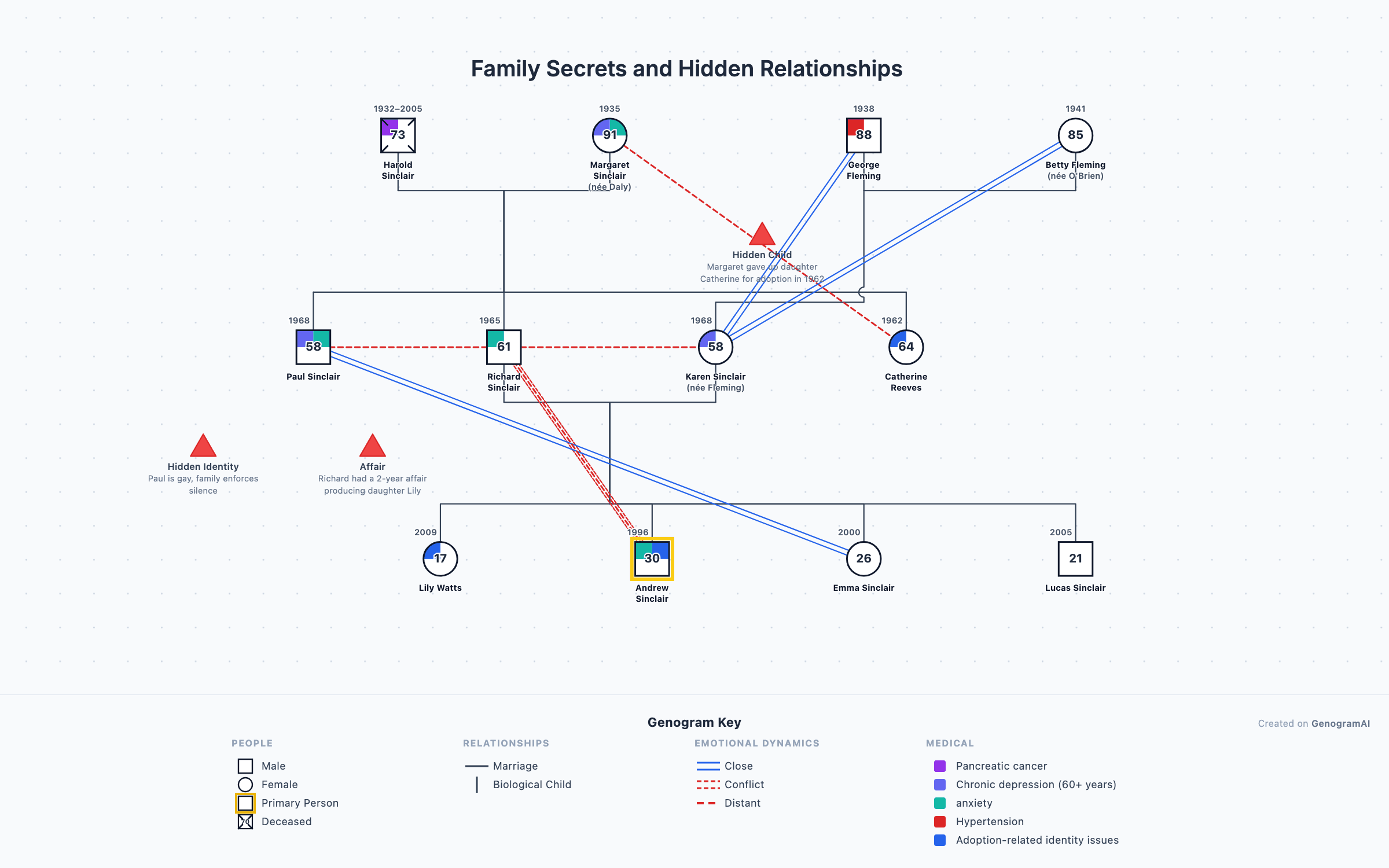
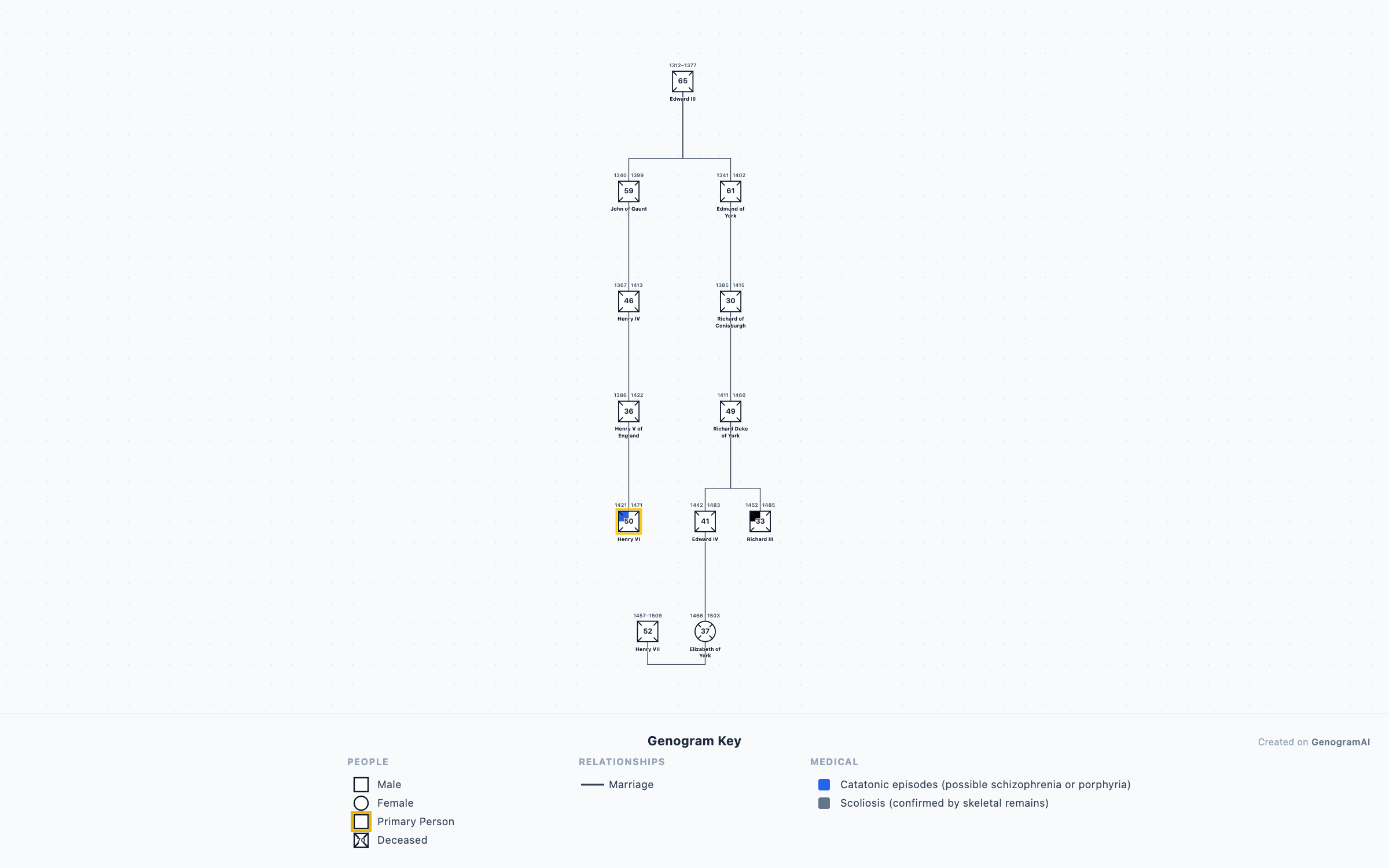
Absolutely — writers and worldbuilders use it to map character families, dynasties, and lore. There are dedicated guides for fictional family trees, fantasy family trees, and OC (original character) family trees, plus ready-made examples like the Game of Thrones and Harry Potter family maps.
Can the AI build my family tree for me?
Yes. Describe your family in plain language — "Maria and Josh married in 1990, two kids, Maria’s parents are Elena and Marco" — and the AI draws the tree with correct generations and connections. You can then edit anything by hand. Each build uses an AI credit; the free plan includes 5 a month.
Can I import my tree from Ancestry or other genealogy software?
Yes, on paid plans. Export a GEDCOM file from Ancestry, MyHeritage, Family Tree Maker, RootsMagic or Gramps and import it; GenoPro and CSV files are supported too. On the free plan you can start from a template or have the AI draw the tree from a description.
Can a family tree show medical history?
Yes. Each person can carry health conditions, shown as colored medical quadrants on their symbol with a key, so a pattern like heart disease or diabetes is visible across generations at a glance. Medical quadrants are included on the free plan. The medical family tree guide walks through what to record.
How do I show step-parents and adopted children on a family tree?
With a different child line for each kind of parent-child bond: solid for biological, dashed for adopted, dotted for foster, and dash-dot for a stepchild. Divorce is two slashes on the marriage line and remarriage is a second marriage line, so a blended or adoptive family reads correctly without notes in the margin.