GenogramAI
Back to Genogram Symbols
Basic ConnectionNeutral Pattern

Connected Relationship Symbol in Genograms

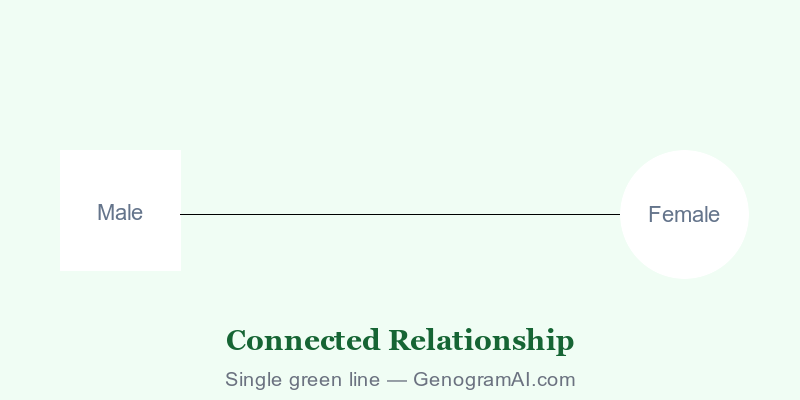
The connected relationship symbol—a single straight line—represents the basic acknowledgment that a relationship exists between two family members. This foundational symbol indicates that individuals are aware of and interact with each other, without specifying the emotional quality of that connection.

Male
Female

Connected Relationship: Single straight line

What is a Connected Relationship?

A connected relationship in genogram notation represents the baseline acknowledgment that two people have a relationship. According to McGoldrick, Gerson, and Petry (2020), a single line between individuals indicates they are connected—they know each other, interact, and have some form of ongoing relationship.

Foundation Symbol

The connected line serves as the foundation upon which other emotional qualities are layered. It simply states "a relationship exists" without characterizing whether that relationship is positive, negative, close, or distant.

When to Use the Connected Symbol

Use the basic connected symbol when:

  • You're establishing that a relationship exists but haven't yet assessed its quality
  • The relationship is genuinely neutral—neither particularly warm nor cold
  • You want to show functional relationships without emotional intensity
  • The individuals interact but without notable positive or negative patterns

Connected vs. Close

Key Distinction

Connected (1 line): Relationship exists, neutral quality
Close (2 lines): Warm, supportive emotional bond
Many families have members who are connected but not particularly close—they function together without deep emotional intimacy.

Clinical Applications

The connected symbol is particularly useful in initial genogram construction before detailed emotional assessment. It allows clinicians to map family structure first, then add emotional overlays as more information emerges through the therapeutic process.

How to Use in GenogramAI

  1. 1Press E for Emotional Relationship tool
  2. 2Click first person, drag to second
  3. 3Select "Connected" from the menu

Related Symbols

Create Your Genogram

Map family connections using standard clinical notation.

Start Free